Next3D Viewer
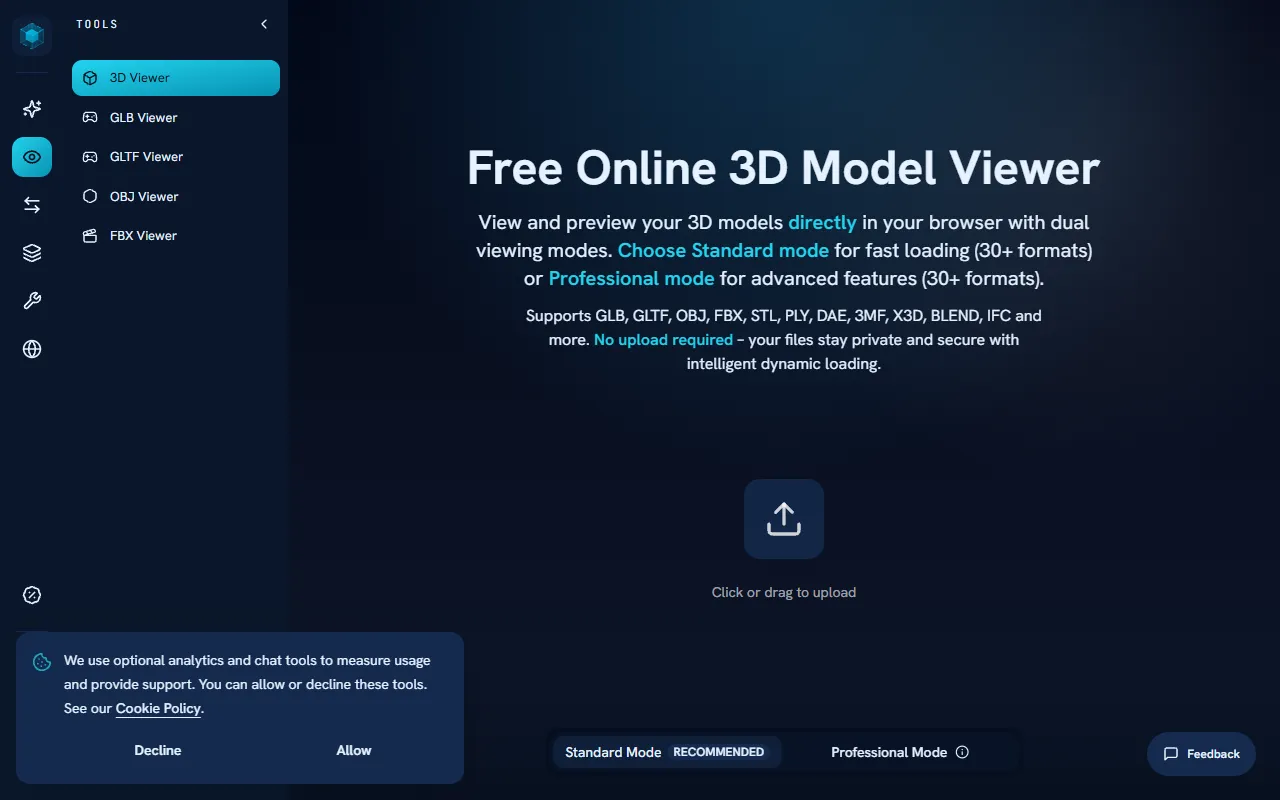
View and preview 3D models in your browser with support for formats like GLB, GLTF, OBJ, FBX, and STL. Next3D Viewer offers both Standard and Professional modes for various user needs, all at no cost.
Next3D Viewer — official website
Imagine you’re a game designer working on a tight deadline to launch a new project. You need to quickly inspect and verify a variety of 3D models in different formats — from GLB to FBX — to ensure they fit seamlessly into your game’s environment. Unfortunately, the desktop software you usually rely on is bogged down with updates, and you can’t afford the downtime. In this high-pressure scenario, a quick, browser-based solution becomes essential to keep your project on track.
Next3D Viewer shines in situations where you need to quickly inspect 3D models without the hassle of downloading or installing software. You can upload your 3D models directly through the browser, supporting formats like GLB, GLTF, OBJ, FBX, and STL. Once uploaded, you can interact with the model through real-time rendering, allowing you to rotate, zoom, and pan to examine details like geometry and textures. This feature is ideal for quickly confirming a model’s compatibility with your design needs or for checking assets before sharing them with a team or client. This capability is based on the tool’s own marketing and the descriptions available on their website.
Key Features
- Easy Upload — Allows drag and drop or click to upload 3D files in over 30 formats up to 200MB, making it convenient for quick checks.
- Interactive Preview — Offers intuitive mouse controls for rotating, zooming, and panning models, essential for detailed inspections.
- Model Analysis — Provides detailed information about the model’s geometry and properties, helping users understand file specifics.
- Real-time Rendering — Enables interactive 3D model rendering, useful for immediate visual assessments.
- View Modes — Switch between wireframe and solid rendering modes to assess different aspects of a model.
Pros & Cons
- ✓ Supports a wide array of 3D formats, ensuring broad compatibility.
- ✓ No software installation required, saving time and simplifying workflows.
- ✓ Offers intuitive mouse controls for easy model manipulation.
- ✗ Limited to file sizes up to 200MB, which may not suit high-detail models.
- ✗ The website doesn’t specify if it supports animation inspection, a potential drawback for animators.
If you’re an animator who needs to inspect complex animations, Next3D Viewer might not meet your needs. The tool’s focus is primarily on geometry and static model properties, with no explicit mention of animation support. If animation inspection is critical, you might find yourself frustrated by this limitation, as the tool seems tailored more toward static model inspection and conversion tasks.
Compared to other tools like Sketchfab, which offers more robust features for animation and sharing 3D models online, Next3D Viewer is a straightforward, no-frills option best suited for quick inspections. If you need advanced features like animation support or collaborative tools, Sketchfab might be a better fit. However, if your primary need is quick, secure browser-based model inspection without uploading files to a server, Next3D Viewer is an excellent choice.
Best For
Next3D Viewer is best for freelancers or small design teams needing a quick, free tool for inspecting 3D models up to 200MB in a browser. It’s particularly useful for game developers, product designers, or 3D artists working with various file formats who require a straightforward solution for geometry and material inspection.
Next3D Viewer is a valuable tool for those seeking a quick, browser-based solution for 3D model inspection. It is especially suited for game developers and designers who frequently work with multiple 3D formats and need a reliable way to verify model compatibility and details. Next3D Viewer is recommended for quick checks and format inspections when speed and ease of use are priorities.
This review is based on publicly available information from the tool's official website and is written independently by the theWebrary editorial team. We do not accept payment for review content.
Share
Screenshots

Tool Overview
Latest Featured


Browse More Tools
View all
Time Overlay
AI Image GenerationGenerate transparent countdown timer overlays for video editing projects with Time Overlay. This tool allows users to customize duration, style, and position before exporting in formats like PNG or WebM. It’s available for free, making it accessible for content creators and editors.

Yume Comic
AI Image GenerationCreate manga, webtoons, and cartoon panels from text or images in just seconds. Ideal for storytellers without drawing skills, Yume Comic enables users to bring their ideas to life with a free tier and optional paid upgrades.

Hubfluence
AI MarketingAutomates outreach and management for TikTok Shop brands and agencies by connecting them with creators to drive sales. Users can access a database of over 4 million creators to find the best partnerships. Free to start with options for paid upgrades.

Combos AI: Turn Text into Gmae with AI Free Online – No coding & No Sign-up
AI ProductivityTurn text into games effortlessly with Combos, an AI-driven platform for game development. Designed for creators of all skill levels, it requires no coding or sign-up, making game creation accessible and free.

Instagram Email Scraper
AI Customer SupportExtracts emails and phone numbers from Instagram followers and those followed, exporting the data to Excel or CSV formats with a single click. Ideal for businesses looking to enhance their outreach efforts. Free to use with options for paid upgrades.

CustomTattoo AI
AI Image GenerationGenerate unique tattoo designs and visualize them on your own skin before getting inked. Ideal for anyone considering a tattoo, it offers 3 free credits to start, with additional paid upgrades available.
Get Your AI Tool
In Front of Thousands
Join hundreds of AI tools already featured on theWebrary. Get priority placement, a dedicated listing page, and reach an audience actively searching for AI tools.
1 Month
$5
$6
3 Months
$10
Save 50%
12 Months
$20
Save 75%