AI Image to Line Converter
Converts images into detailed line art and sketches with high precision. Ideal for artists and designers looking to transform their visuals into clean outlines. Free to use, with optional paid upgrades for enhanced features.
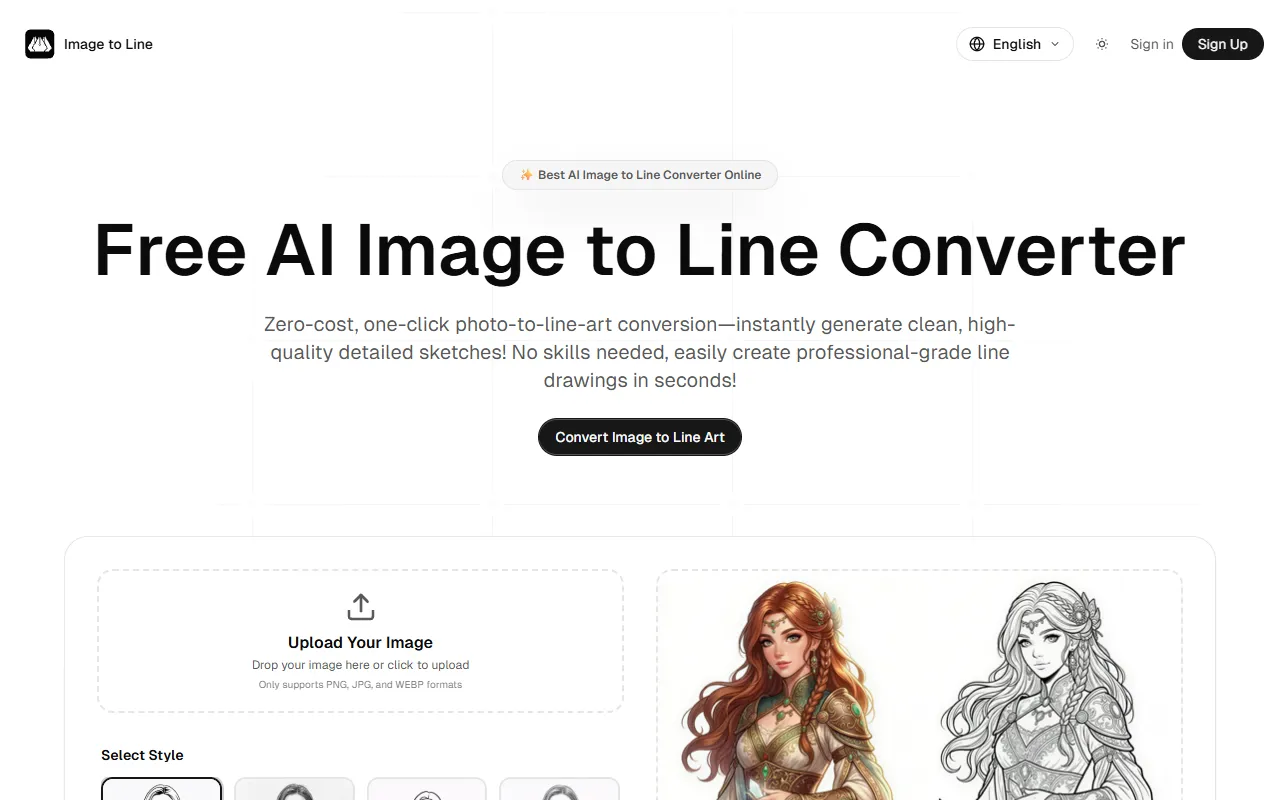
AI Image to Line Converter — official website
Imagine you’re a freelance illustrator on a tight deadline, tasked with generating clean, high-quality line art from a batch of photos. Manually tracing each image is time-consuming, and outsourcing isn’t feasible with your current budget. You need a tool that can quickly convert photos into line art without sacrificing quality. Enter AI Image to Line Converter, an online tool designed for rapid, zero-cost conversion of your images into detailed sketches and outlines. The promise of fast, professional-grade output with minimal effort is appealing, especially when time and precision are paramount.
This tool excels in converting images into line art with high fidelity. You upload a photo in PNG, JPG, or WEBP format, and choose from several artistic styles like “Pencil Snoopy,” “Outline,” or “US Comics.” The AI processes the image using deep learning to detect and extract critical edges, delivering a clean, recognizable line drawing. The workflow is straightforward: upload your image, select a style, and voilà—your line art is ready in seconds. This real-time conversion capability is highlighted in the tool’s marketing, promising to save you hours of manual work.
Key Features
- High-Fidelity Image to Line Art Conversion — Converts photos into detailed sketches while retaining fine details.
- Smart AI Line Extraction — Uses advanced neural networks to create clean lines and remove noise.
- Blazing Fast Image Conversion — Delivers real-time results, reducing wait times significantly.
- Multi-Platform Access — Accessible on any device, making it versatile for users on the go.
- High-Resolution Export — Offers ultra-HD downloads for professional use.
Pros & Cons
- ✓ Delivers high-quality line art quickly, saving users significant time
- ✓ Offers a variety of artistic styles for diverse creative needs
- ✓ Free plan available, allowing users to try before committing to paid plans
- ✗ Free plan includes only SD downloads with watermarks
- ✗ Credits on paid plans expire monthly, which might not suit infrequent users
While AI Image to Line Converter offers impressive capabilities, it’s not ideal for professional artists who need watermark-free, ultra-HD outputs but don’t use the tool frequently enough to justify the monthly credit expiration. For these users, the credit system might feel restrictive, leading to unused potential and a perception of wasted resources. Additionally, if you require a broader range of image formats beyond PNG, JPG, and WEBP, you might find this tool limiting.
Compared to alternatives like Adobe Illustrator’s Image Trace, which offers more control and precision for professional designers, AI Image to Line Converter is a more straightforward and faster option for those who don’t need extensive customization. However, if you’re a designer looking for precise control over line art generation, Illustrator might be worth the investment despite its steeper learning curve and higher cost.
Best For
This tool is ideal for freelance illustrators or small creative teams needing quick, high-quality line art conversions without complex software. The free plan is a good starting point, but upgrading to a paid plan would benefit those who require watermark-free, ultra-HD downloads regularly. It’s especially useful for those on tight deadlines or with limited technical skills.
AI Image to Line Converter is a solid choice for anyone seeking quick, quality line art from photos without much hassle. It’s particularly beneficial for freelancers and small teams who need efficient, professional-grade outputs. The tool is highly recommended for those who need fast results and are comfortable working within a credit-based system.
This review is based on publicly available information from the tool's official website and is written independently by the theWebrary editorial team. We do not accept payment for review content.
Share
Tool Overview
Latest Featured


Browse More Tools
View all
Time Overlay
AI Image GenerationGenerate transparent countdown timer overlays for video editing projects with Time Overlay. This tool allows users to customize duration, style, and position before exporting in formats like PNG or WebM. It’s available for free, making it accessible for content creators and editors.

Yume Comic
AI Image GenerationCreate manga, webtoons, and cartoon panels from text or images in just seconds. Ideal for storytellers without drawing skills, Yume Comic enables users to bring their ideas to life with a free tier and optional paid upgrades.

Hubfluence
AI MarketingAutomates outreach and management for TikTok Shop brands and agencies by connecting them with creators to drive sales. Users can access a database of over 4 million creators to find the best partnerships. Free to start with options for paid upgrades.

Combos AI: Turn Text into Gmae with AI Free Online – No coding & No Sign-up
AI ProductivityTurn text into games effortlessly with Combos, an AI-driven platform for game development. Designed for creators of all skill levels, it requires no coding or sign-up, making game creation accessible and free.

Instagram Email Scraper
AI Customer SupportExtracts emails and phone numbers from Instagram followers and those followed, exporting the data to Excel or CSV formats with a single click. Ideal for businesses looking to enhance their outreach efforts. Free to use with options for paid upgrades.

CustomTattoo AI
AI Image GenerationGenerate unique tattoo designs and visualize them on your own skin before getting inked. Ideal for anyone considering a tattoo, it offers 3 free credits to start, with additional paid upgrades available.
Get Your AI Tool
In Front of Thousands
Join hundreds of AI tools already featured on theWebrary. Get priority placement, a dedicated listing page, and reach an audience actively searching for AI tools.
1 Month
$5
$6
3 Months
$10
Save 50%
12 Months
$20
Save 75%