Backgroundcanvas
Edit image backgrounds and remove unwanted elements such as watermarks, text, and emojis with ease. Ideal for e-commerce and design projects, this free tool offers paid upgrades for advanced features.
Backgroundcanvas — official website
Imagine you’re a freelance graphic designer tasked with cleaning up a batch of e-commerce product images swiftly. Your deadline looms over, yet you’re stuck manually removing backgrounds, watermarks, and other distractions. This is when you might start searching for an AI-driven tool that simplifies image cleanup tasks. Backgroundcanvas claims to offer a comprehensive suite of tools, including background removal, watermark erasing, and text cleanup, all designed to streamline your workflow. But does it deliver on its promises, and is it the right fit for your needs?
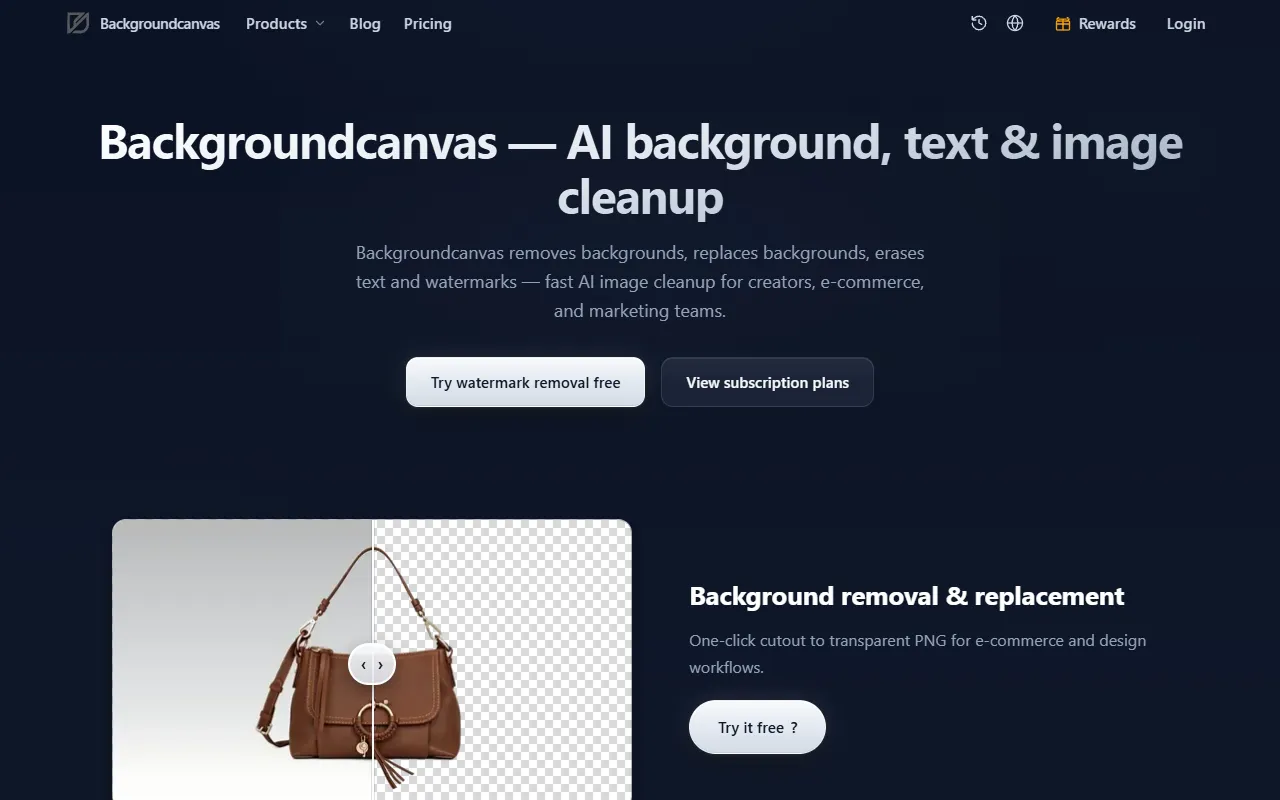
Backgroundcanvas shines in e-commerce image editing, specifically through its Background Remove feature. You upload your image, and with just one click, the tool cuts out the subject, leaving you with a transparent PNG. This streamlined process is perfect for designers needing quick background removals for online product listings or marketing materials. Backed by AI, it promises precision, maintaining the integrity of the subject while efficiently eliminating the unwanted background. However, keep in mind that after using up your free credits, you’ll need a subscription to continue benefiting from these features, which could be a downside if you’re looking for a fully free solution.
Key Features
- Background removal & replacement — One-click cutout to a transparent PNG, ideal for e-commerce and design workflows.
- Watermark removal — Smart detection of logos and overlays while preserving subject details.
- Text removal — Cleans up subtitles and captions for a cleaner image.
- Emoji removal — Removes decorative icons, perfect for cleaning social media screenshots.
Pros & Cons
- ✓ Easy, one-click background removal, perfect for e-commerce images.
- ✓ Smart watermark detection that preserves key details.
- ✓ Free trial credits available for initial testing.
- ✗ Requires a subscription after free credits are depleted.
- ✗ The website doesn’t specify if batch processing is available, which might slow down large projects.
If you’re a casual user or a small business owner expecting to frequently utilize Backgroundcanvas, you might hit a wall with the subscription requirement after initial free credits. Larger teams with higher processing demands might find the lack of details on batch processing frustrating. If you need to edit a large number of images routinely, the manual input required to process each image individually could become tedious and time-consuming.
Adobe Photoshop could be an alternative, especially for those needing more in-depth editing capabilities. However, its complexity and cost might be overkill for users just looking for quick cleanup tasks. Canva, while more versatile for designing, doesn’t offer the same depth of background and watermark removal. Choose Backgroundcanvas if you prioritize fast, straightforward image cleanup tasks without the learning curve associated with more advanced software.
Best For
Backgroundcanvas is best for small e-commerce businesses or individual sellers needing efficient image cleanup and background removal. It’s particularly well-suited for users who need to edit a moderate number of images quickly without investing in expensive software. The pricing model is free with the option for paid subscriptions, which suits users who require occasional, rather than daily, use.
Backgroundcanvas offers a solid suite of AI-driven tools for those needing quick and efficient image cleanup. It’s ideal for individuals or small teams focused on e-commerce and social media imagery. If you need straightforward background removal or watermark erasing without the complexity of professional software, Backgroundcanvas is worth considering. However, keep the subscription requirement in mind if you plan on using it extensively.
This review is based on publicly available information from the tool's official website and is written independently by the theWebrary editorial team. We do not accept payment for review content.
Share
Screenshots


Tool Overview
Category
AI Image GenerationPricing
Freemium
Official Website
https://backgroundcanvas.app/Rating
Latest Featured


Browse More Tools
View all
Time Overlay
AI Image GenerationGenerate transparent countdown timer overlays for video editing projects with Time Overlay. This tool allows users to customize duration, style, and position before exporting in formats like PNG or WebM. It’s available for free, making it accessible for content creators and editors.

Yume Comic
AI Image GenerationCreate manga, webtoons, and cartoon panels from text or images in just seconds. Ideal for storytellers without drawing skills, Yume Comic enables users to bring their ideas to life with a free tier and optional paid upgrades.

Hubfluence
AI MarketingAutomates outreach and management for TikTok Shop brands and agencies by connecting them with creators to drive sales. Users can access a database of over 4 million creators to find the best partnerships. Free to start with options for paid upgrades.

Combos AI: Turn Text into Gmae with AI Free Online – No coding & No Sign-up
AI ProductivityTurn text into games effortlessly with Combos, an AI-driven platform for game development. Designed for creators of all skill levels, it requires no coding or sign-up, making game creation accessible and free.

Instagram Email Scraper
AI Customer SupportExtracts emails and phone numbers from Instagram followers and those followed, exporting the data to Excel or CSV formats with a single click. Ideal for businesses looking to enhance their outreach efforts. Free to use with options for paid upgrades.

CustomTattoo AI
AI Image GenerationGenerate unique tattoo designs and visualize them on your own skin before getting inked. Ideal for anyone considering a tattoo, it offers 3 free credits to start, with additional paid upgrades available.
Get Your AI Tool
In Front of Thousands
Join hundreds of AI tools already featured on theWebrary. Get priority placement, a dedicated listing page, and reach an audience actively searching for AI tools.
1 Month
$5
$6
3 Months
$10
Save 50%
12 Months
$20
Save 75%