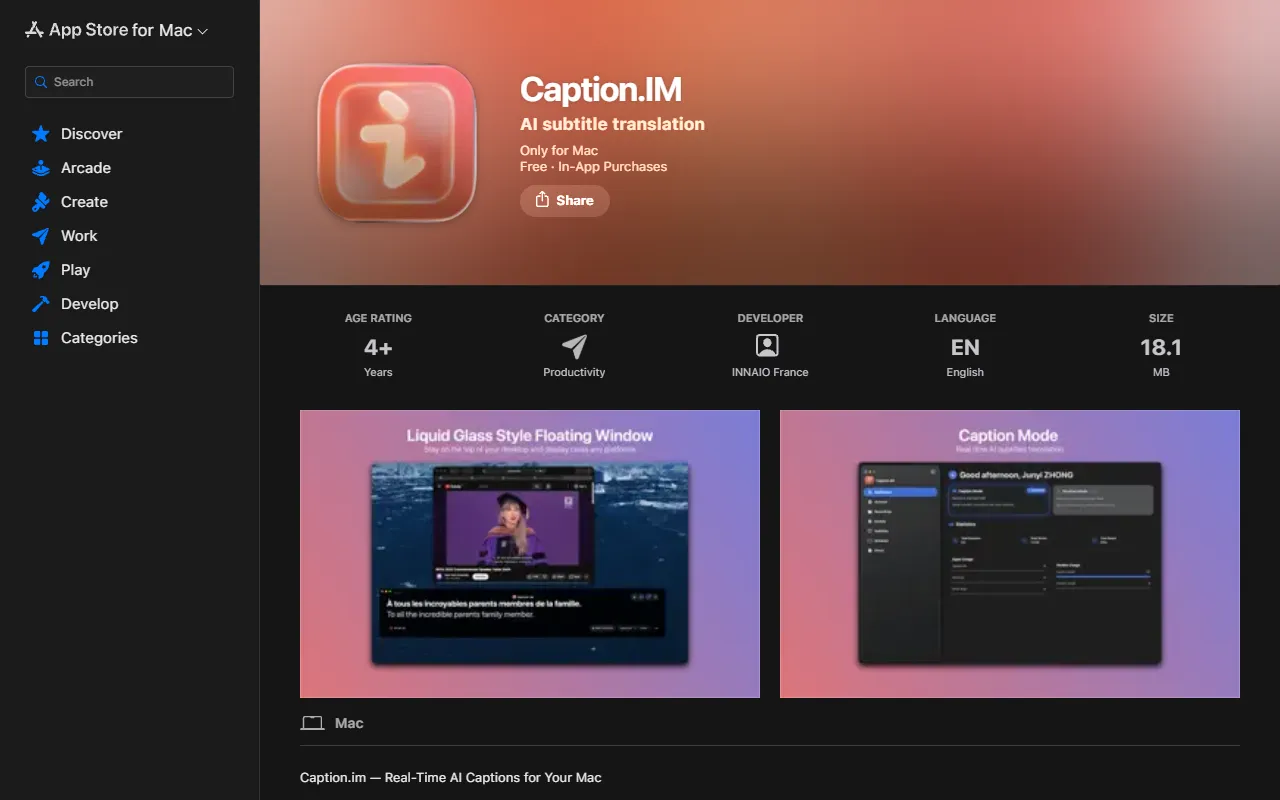
Caption.IM
Caption.im auto-generates stylish animated subtitles, boosting video engagement, accessibility, and branding.
Caption.IM — official website
Imagine you’re a remote worker juggling multiple Zoom meetings and online courses every day. Keeping up with everything can be overwhelming, especially if some of your meetings are in languages you’re not fluent in. You need a tool that can easily generate real-time captions and translations directly on your Mac, without the hassle of uploading audio files or waiting for processing delays. This is where a tool like Caption.IM can be a game-changer, providing a seamless experience for capturing and translating conversation in real-time.
Caption.IM excels in generating real-time captions for various types of audio content. Whether you’re in a video call, watching an online course, or listening to a podcast, this tool captures the audio directly from your Mac’s system and converts it into subtitles almost instantly. You simply need to have the app installed on your macOS device, and you’ll receive live captions without any need for browser extensions or additional software. The tool’s ability to work locally ensures that your data remains private, enhancing both convenience and security for its users.
Key Features
- Real-time Transcription — Generates live captions for meetings, videos, podcasts, and calls.
- Instant Translation — Provides real-time translated subtitles to understand content in multiple languages.
- AI Meeting Summaries — Automatically creates structured summaries and key insights after conversations.
Pros & Cons
- ✓ Works with any app such as Zoom, Google Meet, Teams, YouTube, and more.
- ✓ Processes all speech recognition locally on your device, ensuring privacy.
- ✓ Designed for Apple Silicon, offering quick performance with minimal latency.
- ✗ Only available for macOS, limiting cross-platform usability.
- ✗ The tool doesn’t specify the range of supported languages for translation.
For a Windows user or someone using non-macOS systems, Caption.IM would likely be a frustrating choice. Its exclusivity to macOS means it’s not suitable for users who rely on other operating systems. Furthermore, users who require translation for less common languages may find themselves disappointed, as the website doesn’t specify which languages are supported. This could lead to an incomplete experience if the language support doesn’t match their needs.
When comparing Caption.IM to other tools like Otter.ai or Descript, the standout feature is its privacy-first approach, as all processing is done locally on your Mac. Otter.ai offers a more platform-agnostic service with cloud processing, which might be preferred by users needing cross-platform support. Descript offers advanced editing features but requires internet connectivity. If privacy and local processing are your top priorities, Caption.IM is the better choice for Mac users specifically.
Best For
This tool is best suited for individuals or small teams who operate within the Apple ecosystem and require real-time transcription and translation for remote meetings, online learning, or content creation. The pricing model, with both monthly and annual subscriptions, makes it flexible for freelancers or small business owners working with multilingual teams or aiming to enhance accessibility.
Caption.IM is a strong choice for Mac users who prioritize privacy and need real-time transcription and translation across various applications. While it may not be the best for users outside of the Apple ecosystem, it offers excellent performance for its target audience. If you’re a Mac user looking for a powerful transcription tool that keeps your data secure, Caption.IM is recommended.
This review is based on publicly available information from the tool's official website and is written independently by the theWebrary editorial team. We do not accept payment for review content.
Share
Tool Overview
Latest Featured


Browse More Tools
View all
Time Overlay
AI Image GenerationGenerate transparent countdown timer overlays for video editing projects with Time Overlay. This tool allows users to customize duration, style, and position before exporting in formats like PNG or WebM. It’s available for free, making it accessible for content creators and editors.

Yume Comic
AI Image GenerationCreate manga, webtoons, and cartoon panels from text or images in just seconds. Ideal for storytellers without drawing skills, Yume Comic enables users to bring their ideas to life with a free tier and optional paid upgrades.

Hubfluence
AI MarketingAutomates outreach and management for TikTok Shop brands and agencies by connecting them with creators to drive sales. Users can access a database of over 4 million creators to find the best partnerships. Free to start with options for paid upgrades.

Combos AI: Turn Text into Gmae with AI Free Online – No coding & No Sign-up
AI ProductivityTurn text into games effortlessly with Combos, an AI-driven platform for game development. Designed for creators of all skill levels, it requires no coding or sign-up, making game creation accessible and free.

Instagram Email Scraper
AI Customer SupportExtracts emails and phone numbers from Instagram followers and those followed, exporting the data to Excel or CSV formats with a single click. Ideal for businesses looking to enhance their outreach efforts. Free to use with options for paid upgrades.

CustomTattoo AI
AI Image GenerationGenerate unique tattoo designs and visualize them on your own skin before getting inked. Ideal for anyone considering a tattoo, it offers 3 free credits to start, with additional paid upgrades available.
Get Your AI Tool
In Front of Thousands
Join hundreds of AI tools already featured on theWebrary. Get priority placement, a dedicated listing page, and reach an audience actively searching for AI tools.
1 Month
$5
$6
3 Months
$10
Save 50%
12 Months
$20
Save 75%