GLB to OBJ
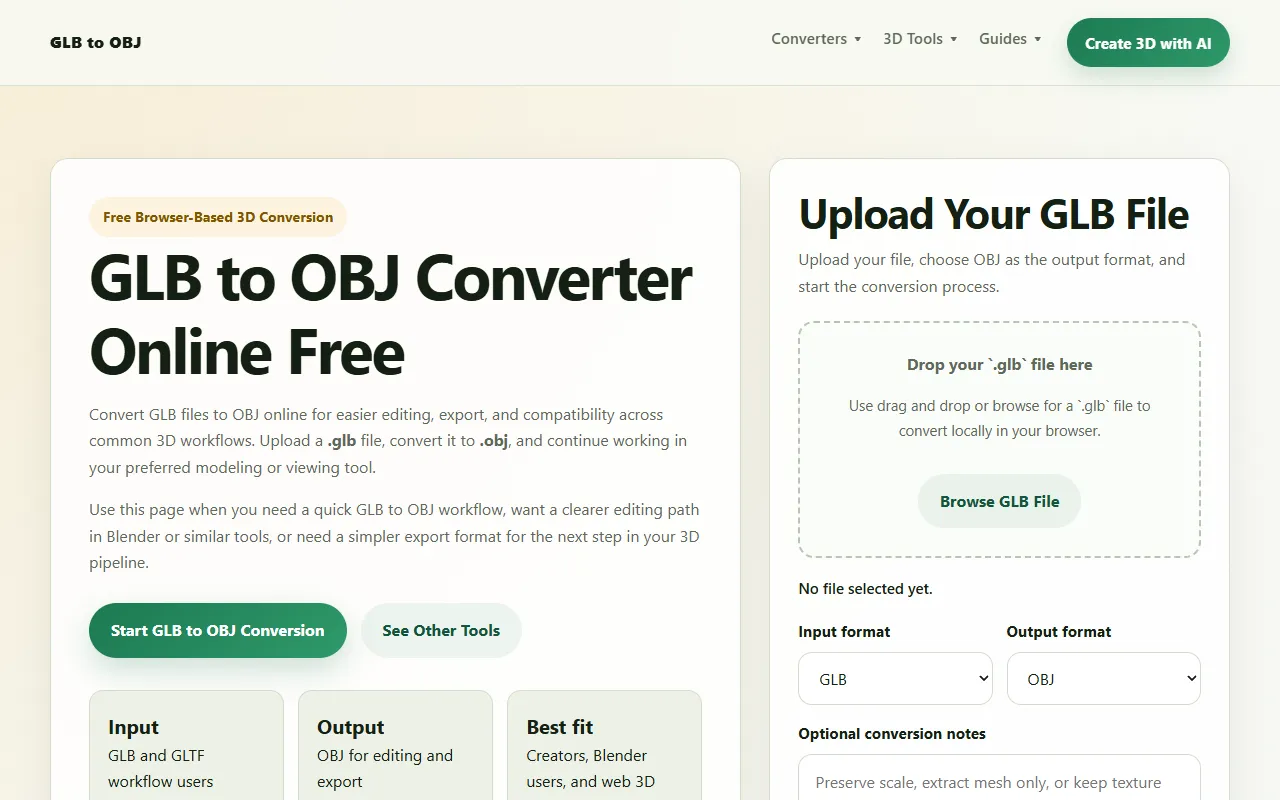
Converts GLB files to OBJ format quickly and efficiently online. Ideal for designers and developers needing to switch 3D model formats without installing software. Free to use with no hidden fees.
GLB to OBJ — official website
Picture this: you’re a 3D designer working on a tight deadline. The client has sent over multiple GLB files, but your project demands that all these assets be in OBJ format for compatibility with your preferred 3D tool, Blender. The clock is ticking, and you desperately need an efficient and free solution to convert these files quickly without installing additional software. This scenario is common among designers and developers who often need a straightforward way to switch 3D model formats without the hassle of downloading software or subscribing to premium services.
GLB to OBJ is an online tool that stands out for its simplicity and accessibility. The tool allows you to upload a GLB file and convert it to an OBJ format seamlessly within your browser. This means you can convert files on-the-go without the need for any software installation. After conversion, the OBJ file is ready for download, allowing you to proceed with your project tasks like editing or exporting. This feature is particularly handy for those who are involved in web 3D workflows or use tools like Blender, as it provides a quick and simple solution to file format conversion.
Key Features
- Free Browser-Based Conversion — Convert GLB files to OBJ format directly in your browser, making it accessible without software installation.
- Compatibility Across Workflows — Ensures that converted OBJ files work in a wide range of 3D tools.
- Local Conversion Process — The conversion takes place within your browser, ensuring privacy and security of your files.
- Optional AI Model Cleanup — Access additional tools for generating, refining, or rebuilding 3D assets post-conversion.
Pros & Cons
- ✓ Completely free to use, removing any cost barriers for users.
- ✓ No software installation required, offering convenience and easy access.
- ✓ Supports multiple 3D workflows, making it versatile for various 3D projects.
- ✗ Materials and textures may need review after export, requiring additional user input.
- ✗ Limited to basic file conversion without advanced editing features unless combined with other tools.
For users looking to edit textures or materials extensively post-conversion, GLB to OBJ might feel limited. The converted OBJ files might not retain all materials and textures perfectly, necessitating manual adjustments. This could frustrate users who expect a one-step solution for highly detailed models. As such, those who rely heavily on material fidelity during conversion might find this tool lacking in certain advanced features compared to dedicated 3D editing software.
Compared to alternatives like Blender, which offers extensive editing capabilities, GLB to OBJ serves a more niche function. Blender is ideal for users who require a full suite of 3D modeling and animation tools, while GLB to OBJ is perfect for quick format conversions without additional overhead. Users who only need format conversion without delving into extensive edits should opt for GLB to OBJ for its simplicity and zero cost, whereas those needing comprehensive editing should consider Blender.
Best For
This tool is best suited for 3D designers and developers who require fast and uncomplicated conversion from GLB to OBJ formats. It’s especially beneficial for those who work primarily in web 3D workflows or use Blender and need a free online option to switch formats without downloading software. Its free pricing model makes it accessible to individuals and small teams who don’t require advanced editing features.
GLB to OBJ is a reliable tool for converting 3D models quickly and easily in your browser. Ideal for designers and developers needing format conversion without the hassle of software installation, it’s a great choice for those working in web-based 3D workflows. With its free pricing and ease of use, GLB to OBJ is a valuable asset for creators seeking simplicity and efficiency in 3D file conversions.
This review is based on publicly available information from the tool's official website and is written independently by the theWebrary editorial team. We do not accept payment for review content.
Share
Tool Overview
Latest Featured


Browse More Tools
View all
Time Overlay
AI Image GenerationGenerate transparent countdown timer overlays for video editing projects with Time Overlay. This tool allows users to customize duration, style, and position before exporting in formats like PNG or WebM. It’s available for free, making it accessible for content creators and editors.

Yume Comic
AI Image GenerationCreate manga, webtoons, and cartoon panels from text or images in just seconds. Ideal for storytellers without drawing skills, Yume Comic enables users to bring their ideas to life with a free tier and optional paid upgrades.

Hubfluence
AI MarketingAutomates outreach and management for TikTok Shop brands and agencies by connecting them with creators to drive sales. Users can access a database of over 4 million creators to find the best partnerships. Free to start with options for paid upgrades.

Combos AI: Turn Text into Gmae with AI Free Online – No coding & No Sign-up
AI ProductivityTurn text into games effortlessly with Combos, an AI-driven platform for game development. Designed for creators of all skill levels, it requires no coding or sign-up, making game creation accessible and free.

Instagram Email Scraper
AI Customer SupportExtracts emails and phone numbers from Instagram followers and those followed, exporting the data to Excel or CSV formats with a single click. Ideal for businesses looking to enhance their outreach efforts. Free to use with options for paid upgrades.

CustomTattoo AI
AI Image GenerationGenerate unique tattoo designs and visualize them on your own skin before getting inked. Ideal for anyone considering a tattoo, it offers 3 free credits to start, with additional paid upgrades available.
Get Your AI Tool
In Front of Thousands
Join hundreds of AI tools already featured on theWebrary. Get priority placement, a dedicated listing page, and reach an audience actively searching for AI tools.
1 Month
$5
$6
3 Months
$10
Save 50%
12 Months
$20
Save 75%