GoIdeafy
Streamlines the process of generating and organizing ideas for projects and content. Ideal for individuals and teams seeking to enhance their brainstorming sessions. Offers a free version with options for paid upgrades.
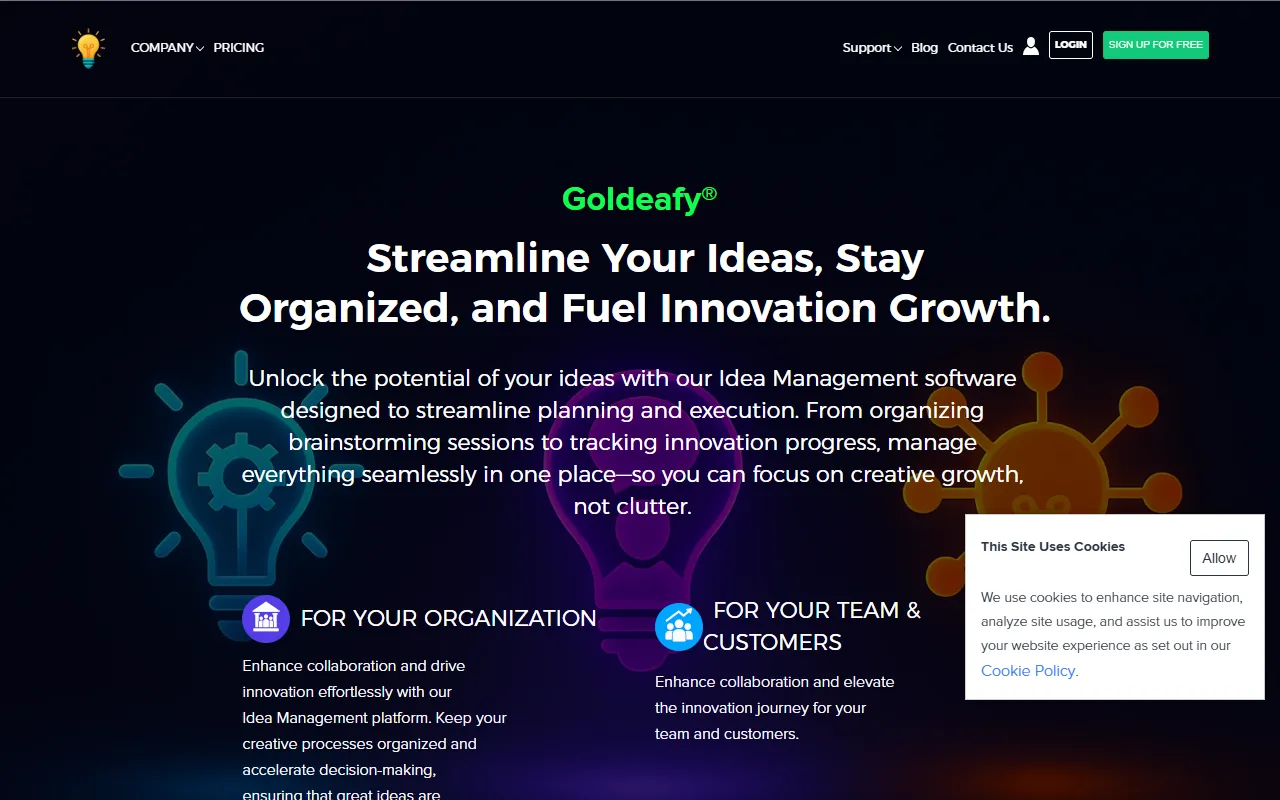
GoIdeafy — official website
Imagine you’re a project manager juggling multiple team ideas and struggling to turn them into actionable plans. The whiteboards are full, and sticky notes cover every surface of your office. You’re drowning in creativity but can’t find a way to organize the chaos. You need a tool that can centralize these scattered thoughts and help you transform them into structured plans. That’s when you start looking for an AI-driven productivity tool that can streamline idea management and project execution. GoIdeafy emerges as a potential solution, promising to integrate and organize your brainstorming efforts into actionable steps.
Based on GoIdeafy’s own marketing, its primary capability is centralizing idea capture and organization. This is particularly beneficial for users who deal with a flood of creative input and need a structured way to process it. You input your scattered ideas into the platform, and it promises to turn these into actionable plans. While the website doesn’t specify exactly how this transformation occurs or the underlying technology, the premise is appealing if your workflow involves frequent brainstorming sessions and managing numerous team inputs.
Key Features
- Centralized Idea Capture — Helps you gather and organize ideas from various sources into a single platform.
- Actionable Plan Development — Converts disorganized thoughts into structured, actionable plans.
- AI in Finance and Business Analytics — Provides insights and analytics for business-related ideas.
Pros & Cons
- ✓ Centralizes disorganized ideas into a single hub, useful for brainstorming sessions
- ✓ Offers tools for task automation, aiding in efficient project management
- ✓ Includes AI-driven insights for financial and business analytics
- ✗ The website doesn’t specify detailed features or workflows, leaving some capabilities unclear
- ✗ Pricing details and plan specifications are not provided, potentially complicating purchase decisions
If you’re a user looking for detailed feature sets or specific workflows, GoIdeafy might frustrate you. For instance, a small business owner needing granular task management or specific integrations may find the lack of detailed information on the website problematic. Without clear guidance on how ideas are translated into actions, users with unique workflow requirements may find it challenging to determine the tool’s fit.
Comparing GoIdeafy with a tool like Trello, which offers clear kanban-style project management, or Asana, known for its task tracking and team collaboration features, highlights some gaps. Trello’s strength lies in its visual project boards, while Asana excels in task assignments and timelines. GoIdeafy might appeal to users focused on the initial idea capture and organization phase. If your needs are more execution-focused, Trello or Asana could be more suitable alternatives.
Best For
GoIdeafy is best suited for teams needing to organize a high volume of creative input into actionable plans, especially those in business analytics or finance sectors. Ideal for medium-sized teams who prioritize brainstorming and early-stage project organization, the tool’s AI-driven insights are an added advantage. However, potential users should consider the non-specified pricing model when evaluating its fit for their budget.
GoIdeafy appears to be a valuable tool for those who struggle with organizing a plethora of ideas into structured plans. Ideal for project managers and team leads in creative industries, it could simplify the process of idea management. However, those needing more detailed feature clarity or specific plan information might feel left wanting. GoIdeafy is recommended for teams prioritizing idea development over task execution.
This review is based on publicly available information from the tool's official website and is written independently by the theWebrary editorial team. We do not accept payment for review content.
Share
Screenshots


Tool Overview
Latest Featured


Browse More Tools
View all
Time Overlay
AI Image GenerationGenerate transparent countdown timer overlays for video editing projects with Time Overlay. This tool allows users to customize duration, style, and position before exporting in formats like PNG or WebM. It’s available for free, making it accessible for content creators and editors.

Yume Comic
AI Image GenerationCreate manga, webtoons, and cartoon panels from text or images in just seconds. Ideal for storytellers without drawing skills, Yume Comic enables users to bring their ideas to life with a free tier and optional paid upgrades.

Hubfluence
AI MarketingAutomates outreach and management for TikTok Shop brands and agencies by connecting them with creators to drive sales. Users can access a database of over 4 million creators to find the best partnerships. Free to start with options for paid upgrades.

Combos AI: Turn Text into Gmae with AI Free Online – No coding & No Sign-up
AI ProductivityTurn text into games effortlessly with Combos, an AI-driven platform for game development. Designed for creators of all skill levels, it requires no coding or sign-up, making game creation accessible and free.

Instagram Email Scraper
AI Customer SupportExtracts emails and phone numbers from Instagram followers and those followed, exporting the data to Excel or CSV formats with a single click. Ideal for businesses looking to enhance their outreach efforts. Free to use with options for paid upgrades.

CustomTattoo AI
AI Image GenerationGenerate unique tattoo designs and visualize them on your own skin before getting inked. Ideal for anyone considering a tattoo, it offers 3 free credits to start, with additional paid upgrades available.
Get Your AI Tool
In Front of Thousands
Join hundreds of AI tools already featured on theWebrary. Get priority placement, a dedicated listing page, and reach an audience actively searching for AI tools.
1 Month
$5
$6
3 Months
$10
Save 50%
12 Months
$20
Save 75%