https://commenter.ai
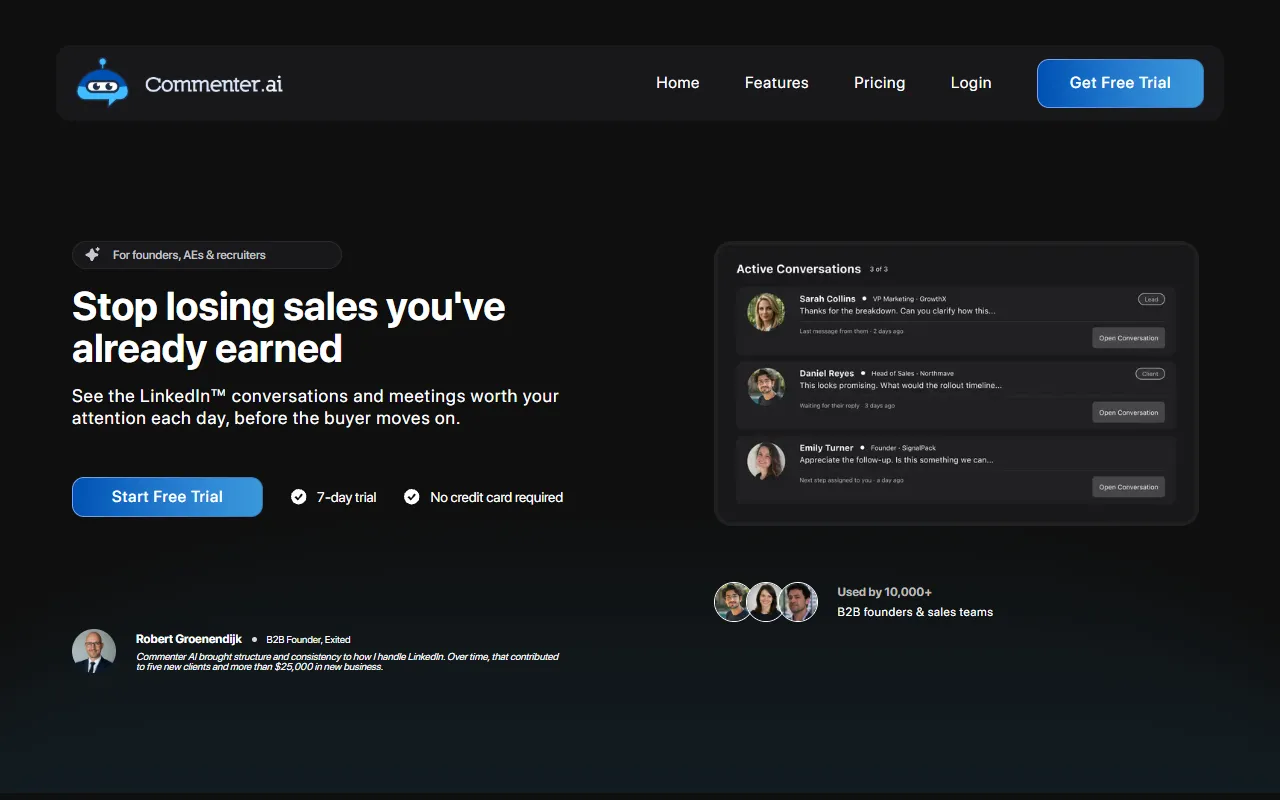
Organizes LinkedIn comments, replies, and conversations into a cohesive system, helping users track sales signals and manage follow-ups. Designed for founders, account executives, and recruiters, Commenter AI streamlines communication without losing potential sales. Free to try with paid upgrades available.
https://commenter.ai — official website
If you’re a sales professional juggling multiple LinkedIn conversations, you know the frustration of losing track of important threads. Sales opportunities can slip through the cracks when you’re buried in messages and can’t remember who needs a follow-up. You might spend precious time sorting through conversations to identify which ones require immediate attention, potentially missing out on closing deals. This is where a tool like Commenter AI can help, as it organizes your LinkedIn communications, giving you a clear view of what matters each day so you never miss an opportunity.
Commenter AI excels at helping you manage sales conversations effectively. The platform provides a “ranked list” of your active sales conversations, highlighting the ones that truly require your attention. You label important threads, and they stay prioritized, so you open your day knowing exactly where to focus. This system eliminates the need for digging through messages, as it surfaces only the conversations where something has changed, ensuring vital interactions don’t get lost in the noise.
Key Features
- Priority Context Ownership — Keeps deal context attached to the conversation, so you always know what needs your attention.
- AI Drafting — Assists in drafting comments and DMs, saving time while keeping your voice consistent.
- Activity Review — Lets you see which conversations have progressed and which have stalled over time.
- Custom Feeds — Allows you to create feed lists based on people and keywords that matter to your sales goals.
Pros & Cons
- ✓ Provides a clear daily priority list of conversations needing attention.
- ✓ AI assists in drafting messages, maintaining control over communication.
- ✓ Keeps context and history visible, reducing the need for manual tracking.
- ✗ Does not replace a full CRM system.
- ✗ Requires manual labeling of conversations to maintain priority lists.
Commenter AI might not be ideal for those who rely heavily on automation or seek a fully integrated CRM solution. The tool requires users to manually label and prioritize conversations, which could be tedious for individuals managing a large volume of threads. Additionally, if your primary goal is to drive engagement through first-contact prospecting, the tool’s focus on existing conversations could limit its utility for your needs.
Compared to alternatives like LinkedIn’s native tools or more general CRMs like HubSpot, Commenter AI focuses on prioritizing ongoing conversations rather than broad customer relationship management. LinkedIn’s tools are free but lack advanced conversation prioritization. HubSpot offers comprehensive CRM features, but might be overkill for those only interested in managing LinkedIn threads. Commenter AI is best for users specifically needing to manage LinkedIn interactions with precision.
Best For
Commenter AI is best suited for solo founders, AEs, and recruiters who manage 10+ active LinkedIn conversations. Its pricing model starts at $99/month, scaling with conversation volume. If your work involves separating important sales threads from general activity, this tool’s prioritization features will enhance your daily workflow.
Commenter AI is a specialized tool for those who close deals through LinkedIn conversations. For sales professionals who need an organized, clear overview of which threads require attention, it’s a valuable asset. If you’re managing multiple high-stakes conversations on LinkedIn, Commenter AI ensures you focus on the ones that matter most, preventing lost opportunities.
This review is based on publicly available information from the tool's official website and is written independently by the theWebrary editorial team. We do not accept payment for review content.
Share
Tool Overview
Latest Featured


Browse More Tools
View all
Time Overlay
AI Image GenerationGenerate transparent countdown timer overlays for video editing projects with Time Overlay. This tool allows users to customize duration, style, and position before exporting in formats like PNG or WebM. It’s available for free, making it accessible for content creators and editors.

Yume Comic
AI Image GenerationCreate manga, webtoons, and cartoon panels from text or images in just seconds. Ideal for storytellers without drawing skills, Yume Comic enables users to bring their ideas to life with a free tier and optional paid upgrades.

Hubfluence
AI MarketingAutomates outreach and management for TikTok Shop brands and agencies by connecting them with creators to drive sales. Users can access a database of over 4 million creators to find the best partnerships. Free to start with options for paid upgrades.

Combos AI: Turn Text into Gmae with AI Free Online – No coding & No Sign-up
AI ProductivityTurn text into games effortlessly with Combos, an AI-driven platform for game development. Designed for creators of all skill levels, it requires no coding or sign-up, making game creation accessible and free.

Instagram Email Scraper
AI Customer SupportExtracts emails and phone numbers from Instagram followers and those followed, exporting the data to Excel or CSV formats with a single click. Ideal for businesses looking to enhance their outreach efforts. Free to use with options for paid upgrades.

CustomTattoo AI
AI Image GenerationGenerate unique tattoo designs and visualize them on your own skin before getting inked. Ideal for anyone considering a tattoo, it offers 3 free credits to start, with additional paid upgrades available.
Get Your AI Tool
In Front of Thousands
Join hundreds of AI tools already featured on theWebrary. Get priority placement, a dedicated listing page, and reach an audience actively searching for AI tools.
1 Month
$5
$6
3 Months
$10
Save 50%
12 Months
$20
Save 75%