Image to 3D AI
Creates detailed 3D models from images or text, suitable for use in games, 3D printing, design projects, and educational purposes. Offers instant transformation with no prior experience required. Free to use.
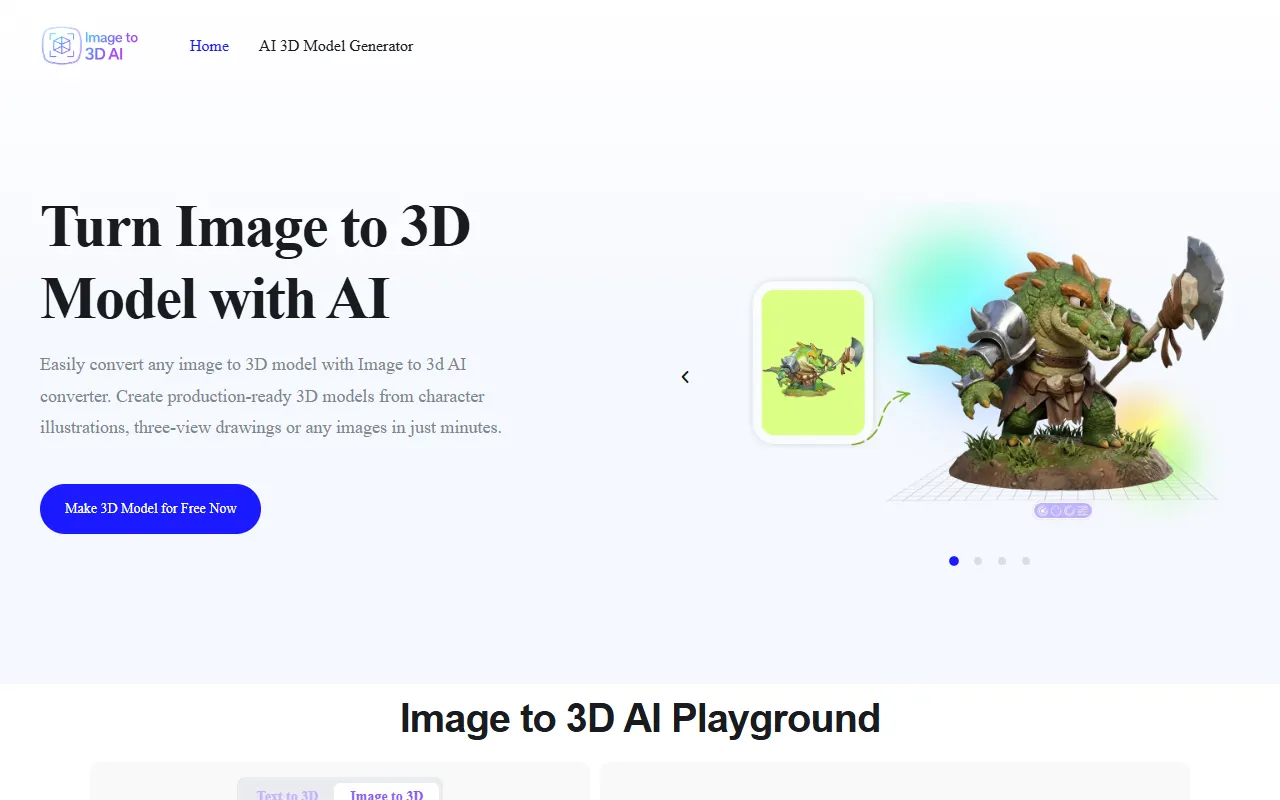
Image to 3D AI — official website
Imagine you’re a freelance game developer tasked with creating a unique game environment for a new project. The deadline is tight, and you’re struggling to convert your sketched concepts into usable 3D models efficiently. This is when you might start searching for a tool that can quickly transform your visual ideas into detailed 3D assets, ready for integration into game engines like Unity or Unreal. A tool like this could significantly speed up your workflow, reduce manual modeling time, and help you meet your deadline.
Image to 3D AI excels at transforming images into high-quality 3D models, specifically targeting workflows like game development. You start by uploading a reference image of a character or environment, and the tool generates a detailed 3D model complete with accurate geometry and photorealistic textures. These models are optimized for integration into game engines, saving you time on manual adjustments. This process is straightforward, and you can export the final output in a GLB format, making it easy to edit further using software like Blender. This functionality, as described on the tool’s homepage, can be invaluable for developers needing quick and reliable asset creation.
Key Features
- Instant 3D Model Assets — Generate ready-to-use 3D models from images instantly, crucial for game development and rapid prototyping.
- Clean Mesh Generation — Provides clean topology for models, ideal for 3D printing and further customization.
- Export to GLB Format — Export models as GLB files for easy editing and real-time rendering in other software.
- Text to 3D AI Model Generator — Create 3D models from text prompts, adding flexibility for diverse design needs.
Pros & Cons
- ✓ Generates models instantly, significantly reducing production time
- ✓ Supports export to editable formats like GLB
- ✓ Offers both textured and geometry-only model outputs for flexibility
- ✗ Limited to exporting in GLB format only, may not suit those needing other formats
- ✗ The website doesn’t specify the quality of models generated from text prompts
If you’re a professional designer working on high-stakes projects with very specific 3D format requirements, Image to 3D AI might frustrate you due to its limitation to GLB format for exports. This can be a bottleneck if your workflow relies heavily on other formats like OBJ or FBX. Additionally, those looking for high-fidelity models generated from text prompts might find the tool lacking, as the website doesn’t specify the model quality in these cases.
For those considering other tools, Blender’s photogrammetry features offer greater control for creating detailed models but require more expertise and time. Meanwhile, Kaedim’s AI-driven 3D model generation offers a similar quick conversion but is a paid service. If you’re looking for a completely free option and need to convert images to 3D models often, Image to 3D AI could be the most cost-effective choice, while Kaedim may be better for those needing specialized support and features beyond what’s free.
Best For
This tool is best suited for indie game developers or small design teams who frequently need to convert images to 3D models quickly. Its free pricing model makes it accessible for students and hobbyists who may not have a budget for more expensive software solutions.
Image to 3D AI is a valuable tool for those needing quick, free, and easy conversions from images to 3D models. It’s best for game developers and designers who work with standard formats like GLB and are looking for straightforward integration into game engines. For those fitting this profile, Image to 3D AI is a practical and efficient choice.
This review is based on publicly available information from the tool's official website and is written independently by the theWebrary editorial team. We do not accept payment for review content.
Share
Tool Overview
Latest Featured


Browse More Tools
View all
Time Overlay
AI Image GenerationGenerate transparent countdown timer overlays for video editing projects with Time Overlay. This tool allows users to customize duration, style, and position before exporting in formats like PNG or WebM. It’s available for free, making it accessible for content creators and editors.

Yume Comic
AI Image GenerationCreate manga, webtoons, and cartoon panels from text or images in just seconds. Ideal for storytellers without drawing skills, Yume Comic enables users to bring their ideas to life with a free tier and optional paid upgrades.

Hubfluence
AI MarketingAutomates outreach and management for TikTok Shop brands and agencies by connecting them with creators to drive sales. Users can access a database of over 4 million creators to find the best partnerships. Free to start with options for paid upgrades.

Combos AI: Turn Text into Gmae with AI Free Online – No coding & No Sign-up
AI ProductivityTurn text into games effortlessly with Combos, an AI-driven platform for game development. Designed for creators of all skill levels, it requires no coding or sign-up, making game creation accessible and free.

Instagram Email Scraper
AI Customer SupportExtracts emails and phone numbers from Instagram followers and those followed, exporting the data to Excel or CSV formats with a single click. Ideal for businesses looking to enhance their outreach efforts. Free to use with options for paid upgrades.

CustomTattoo AI
AI Image GenerationGenerate unique tattoo designs and visualize them on your own skin before getting inked. Ideal for anyone considering a tattoo, it offers 3 free credits to start, with additional paid upgrades available.
Get Your AI Tool
In Front of Thousands
Join hundreds of AI tools already featured on theWebrary. Get priority placement, a dedicated listing page, and reach an audience actively searching for AI tools.
1 Month
$5
$6
3 Months
$10
Save 50%
12 Months
$20
Save 75%