Img2Prompt
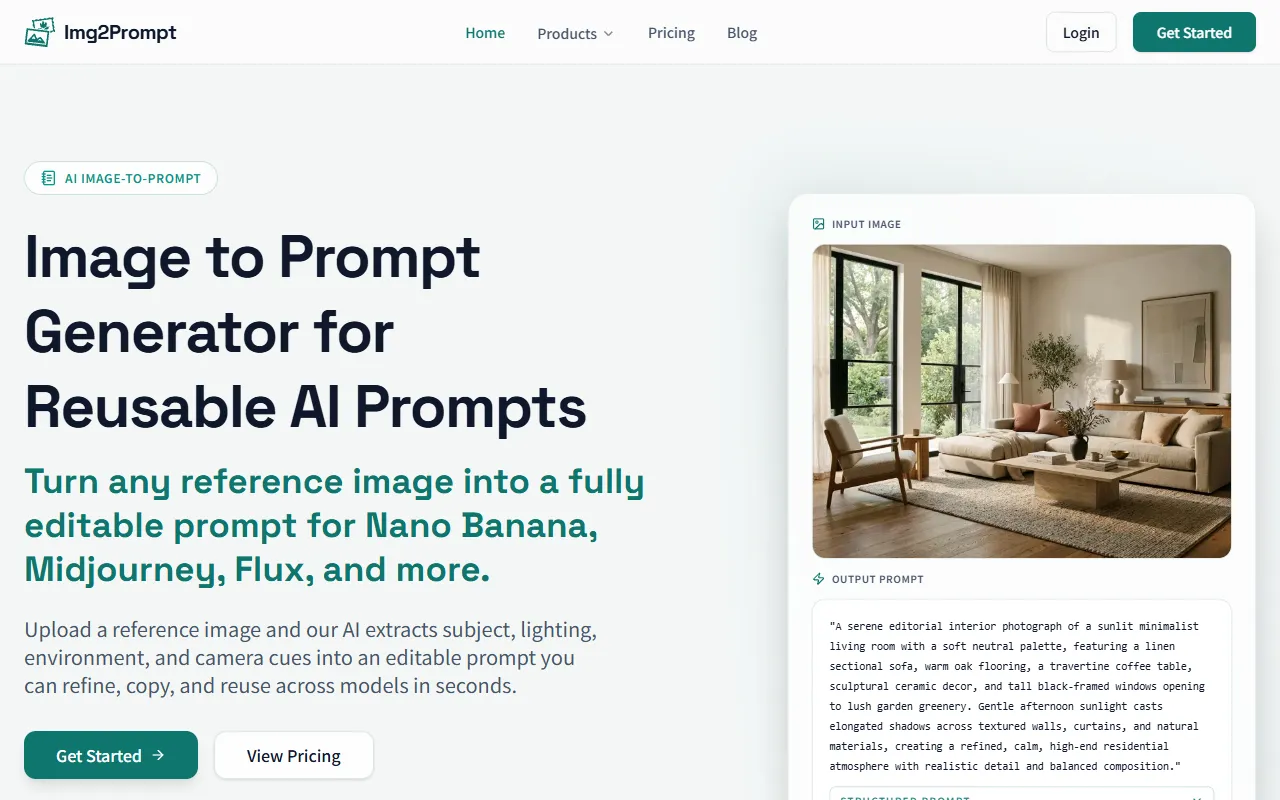
Convert images into high-quality AI prompts for various models like Midjourney and Stable Diffusion. Img2Prompt extracts details such as subject and environment, allowing for easy refinement and reuse of prompts. Pricing is available on the website.
Img2Prompt — official website
Imagine you’re a creative director, tasked with generating a series of AI art pieces for a new marketing campaign. The brief is broad, and you’re starting from scratch with little inspiration. You need a tool to quickly convert your ideas into prompts that can be used across various AI models like Midjourney and Stable Diffusion. This is where Img2Prompt can come in handy, offering a streamlined way to turn reference images into detailed, reusable prompts. With tight deadlines and the need for high-quality output, finding a reliable tool to jumpstart your creative process is crucial.
Img2Prompt shines when it comes to transforming images into detailed AI prompts. You start by uploading a reference image, whether it’s a portrait, product shot, or moodboard. The tool analyzes the image to extract detailed attributes like subject, lighting, environment, and style. In seconds, it provides a structured prompt that you can refine, copy, and reuse across AI models such as Midjourney and Stable Diffusion. This workflow reduces the time spent thinking about how to describe an image and instead allows you to focus on enhancing and utilizing the generated prompts effectively, as the tool’s marketing suggests.
Key Features
- Image to Prompt Generator — Converts uploaded images into detailed, editable prompts for various AI models.
- Batch Export — Offers the ability to process multiple images at once, saving time for users handling large volumes.
- Prompt Accuracy Check — Ensures original visual intent is preserved when an image is converted into a prompt, maintaining elements like lighting and composition.
Pros & Cons
- ✓ Accurate image-to-prompt conversion that retains key visual elements like lighting and style.
- ✓ Batch processing capabilities for efficient handling of multiple images.
- ✓ Provides a structured breakdown of image attributes, aiding in precise prompt creation.
- ✗ Free plan is extremely limited with only 5 image-to-prompt conversions per month.
- ✗ No image generation included in the free plan; requires paid plans for this feature.
Img2Prompt might frustrate users who need extensive prompt generation without committing to a subscription. The free plan offers only 5 conversions per month and doesn’t include image generation, which could be limiting for freelancers or small teams on a tight budget. Users needing higher volumes of conversions or image generation will find themselves looking at paid plans, which may not be feasible for all, considering the cost can escalate quickly with the Pro or Ultimate plans.
In comparison to tools like DALL-E or Artbreeder, Img2Prompt focuses heavily on converting existing images into prompts rather than generating images from scratch. DALL-E offers more flexibility in creating images directly from text prompts, which might be preferable for users who don’t have reference images to begin with. Meanwhile, Artbreeder allows for collaborative and generative art creation, making it more suitable for users interested in iterative design processes. Img2Prompt is ideal for those who already have a visual starting point and need to convert it into a structured prompt efficiently.
Best For
Img2Prompt is best suited for creative directors, concept artists, and designers who frequently work with AI models like Midjourney or Stable Diffusion. Teams or individuals who already have visual references and seek to generate high-quality prompts will benefit most, especially if they’re willing to invest in the Pro or Ultimate plans for more conversions and image generations.
Img2Prompt provides a valuable service for those needing to translate images into text prompts quickly and accurately. While its free plan is limited, the tool’s ability to preserve visual intent across various AI models is a significant advantage. For creative professionals who need to convert images into detailed prompts efficiently, Img2Prompt is a worthwhile choice, particularly if you opt for its paid plans.
This review is based on publicly available information from the tool's official website and is written independently by the theWebrary editorial team. We do not accept payment for review content.
Share
Tool Overview
Latest Featured


Browse More Tools
View all
Time Overlay
AI Image GenerationGenerate transparent countdown timer overlays for video editing projects with Time Overlay. This tool allows users to customize duration, style, and position before exporting in formats like PNG or WebM. It’s available for free, making it accessible for content creators and editors.

Yume Comic
AI Image GenerationCreate manga, webtoons, and cartoon panels from text or images in just seconds. Ideal for storytellers without drawing skills, Yume Comic enables users to bring their ideas to life with a free tier and optional paid upgrades.

Hubfluence
AI MarketingAutomates outreach and management for TikTok Shop brands and agencies by connecting them with creators to drive sales. Users can access a database of over 4 million creators to find the best partnerships. Free to start with options for paid upgrades.

Combos AI: Turn Text into Gmae with AI Free Online – No coding & No Sign-up
AI ProductivityTurn text into games effortlessly with Combos, an AI-driven platform for game development. Designed for creators of all skill levels, it requires no coding or sign-up, making game creation accessible and free.

Instagram Email Scraper
AI Customer SupportExtracts emails and phone numbers from Instagram followers and those followed, exporting the data to Excel or CSV formats with a single click. Ideal for businesses looking to enhance their outreach efforts. Free to use with options for paid upgrades.

CustomTattoo AI
AI Image GenerationGenerate unique tattoo designs and visualize them on your own skin before getting inked. Ideal for anyone considering a tattoo, it offers 3 free credits to start, with additional paid upgrades available.
Get Your AI Tool
In Front of Thousands
Join hundreds of AI tools already featured on theWebrary. Get priority placement, a dedicated listing page, and reach an audience actively searching for AI tools.
1 Month
$5
$6
3 Months
$10
Save 50%
12 Months
$20
Save 75%