Next3D Convert
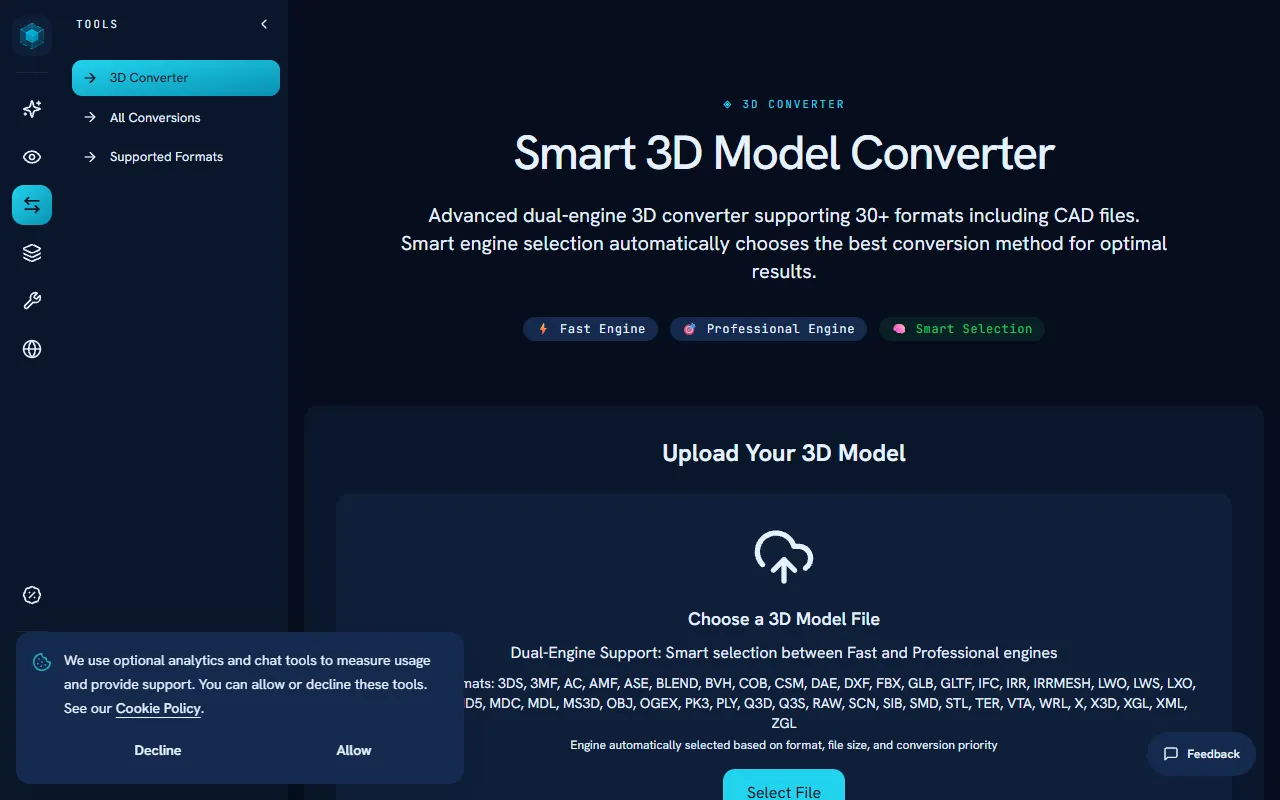
Convert 3D models online between various formats such as OBJ, GLB, STL, and FBX. The smart engine selection ensures optimal results by automatically choosing the best conversion method. This service is offered for free.
Next3D Convert — official website
Imagine you’re a game developer working to meet a tight deadline. Your team needs to integrate several 3D assets from different sources, but they come in diverse formats like OBJ, GLB, and STL. You need a reliable tool to convert these files for compatibility with your game engine without wasting time or risking data security by uploading sensitive files to a third-party server. This is where a tool like Next3D Convert becomes essential, allowing you to convert 3D models swiftly and securely right within your browser.
Next3D Convert excels at converting 3D model files between various formats such as OBJ, GLB, STL, and FBX. Using its dual-engine conversion technology, you upload a 3D model file from your computer, select the desired output format, and the tool processes the conversion locally, ensuring your files remain secure. The conversion is powered by WebGL, enabling fast, high-performance processing without requiring additional software installations. This process is efficient for developers who need to quickly adjust file formats for integration into web projects, 3D printing, or CAD applications.
Key Features
- Dual-Engine Support — Automatically selects the best conversion engine (Fast or Professional) based on the file’s complexity for optimal results.
- Privacy First — All processing occurs locally in your browser, keeping your files secure and private.
- No File Size Limits — Convert files of any size without restrictions, enhancing workflow efficiency.
- Wide Format Support — Supports over 30 formats, including CAD files, ensuring compatibility across various uses.
Pros & Cons
- ✓ Local processing ensures data privacy and security
- ✓ Supports a wide range of 3D formats, including CAD
- ✓ No file size limits, which is beneficial for large projects
- ✗ Lack of pricing information; users cannot gauge cost-effectiveness
- ✗ Requires a modern browser with WebGL support, limiting use in older systems
If you’re a designer working on an older system that doesn’t support WebGL, Next3D Convert may not be suitable for you. The tool’s reliance on browser-based processing means it requires modern technology to function effectively. Without WebGL support, you’ll likely face performance issues or find the tool unusable, which can be frustrating if you need quick conversions in a time-sensitive project.
Compared to alternatives like Blender or Autodesk’s online converters, Next3D Convert offers the advantage of local processing for privacy. However, Blender provides additional features like 3D modeling and animation, making it a better choice for those who need more than just conversion. Autodesk’s tools might offer more seamless integrations with their software ecosystem. Choose Next3D Convert if you prioritize security and need a straightforward, browser-based conversion tool for diverse formats.
Best For
Next3D Convert is ideal for small to medium-sized teams or individual creators who frequently work with diverse 3D model formats. It’s particularly beneficial for game developers, designers, and engineers needing quick, secure conversions in a modern web environment. The tool’s free pricing model makes it accessible for budget-conscious users without compromising on functionality.
Next3D Convert is a solid choice for those needing a secure, browser-based solution for converting 3D files across numerous formats. Best suited for tech-savvy users who prioritize data privacy and work with modern web technologies, it offers a reliable and versatile conversion tool for various applications. For those seeking simplicity and security, Next3D Convert is a worthy option.
This review is based on publicly available information from the tool's official website and is written independently by the theWebrary editorial team. We do not accept payment for review content.
Share
Screenshots

Tool Overview
Latest Featured


Browse More Tools
View all
Time Overlay
AI Image GenerationGenerate transparent countdown timer overlays for video editing projects with Time Overlay. This tool allows users to customize duration, style, and position before exporting in formats like PNG or WebM. It’s available for free, making it accessible for content creators and editors.

Yume Comic
AI Image GenerationCreate manga, webtoons, and cartoon panels from text or images in just seconds. Ideal for storytellers without drawing skills, Yume Comic enables users to bring their ideas to life with a free tier and optional paid upgrades.

Hubfluence
AI MarketingAutomates outreach and management for TikTok Shop brands and agencies by connecting them with creators to drive sales. Users can access a database of over 4 million creators to find the best partnerships. Free to start with options for paid upgrades.

Combos AI: Turn Text into Gmae with AI Free Online – No coding & No Sign-up
AI ProductivityTurn text into games effortlessly with Combos, an AI-driven platform for game development. Designed for creators of all skill levels, it requires no coding or sign-up, making game creation accessible and free.

Instagram Email Scraper
AI Customer SupportExtracts emails and phone numbers from Instagram followers and those followed, exporting the data to Excel or CSV formats with a single click. Ideal for businesses looking to enhance their outreach efforts. Free to use with options for paid upgrades.

CustomTattoo AI
AI Image GenerationGenerate unique tattoo designs and visualize them on your own skin before getting inked. Ideal for anyone considering a tattoo, it offers 3 free credits to start, with additional paid upgrades available.
Get Your AI Tool
In Front of Thousands
Join hundreds of AI tools already featured on theWebrary. Get priority placement, a dedicated listing page, and reach an audience actively searching for AI tools.
1 Month
$5
$6
3 Months
$10
Save 50%
12 Months
$20
Save 75%