Omni Flash
Create videos from text prompts, images, and reference clips using Google Omni Flash, an online AI video generator. Ideal for ads, product demos, and quick edits, it offers free credits with optional paid upgrades for additional video generations.
Omni Flash — official website
Imagine you’re a content creator who needs to produce engaging video content quickly for various social media platforms. Tight deadlines and limited resources mean you can’t afford to spend hours editing videos or setting up complicated software. You need a tool that can transform your ideas into polished visual content with minimal effort. Enter the search for an AI video generator that can handle text, images, and even reference clips to create videos that capture your concept effectively and efficiently.
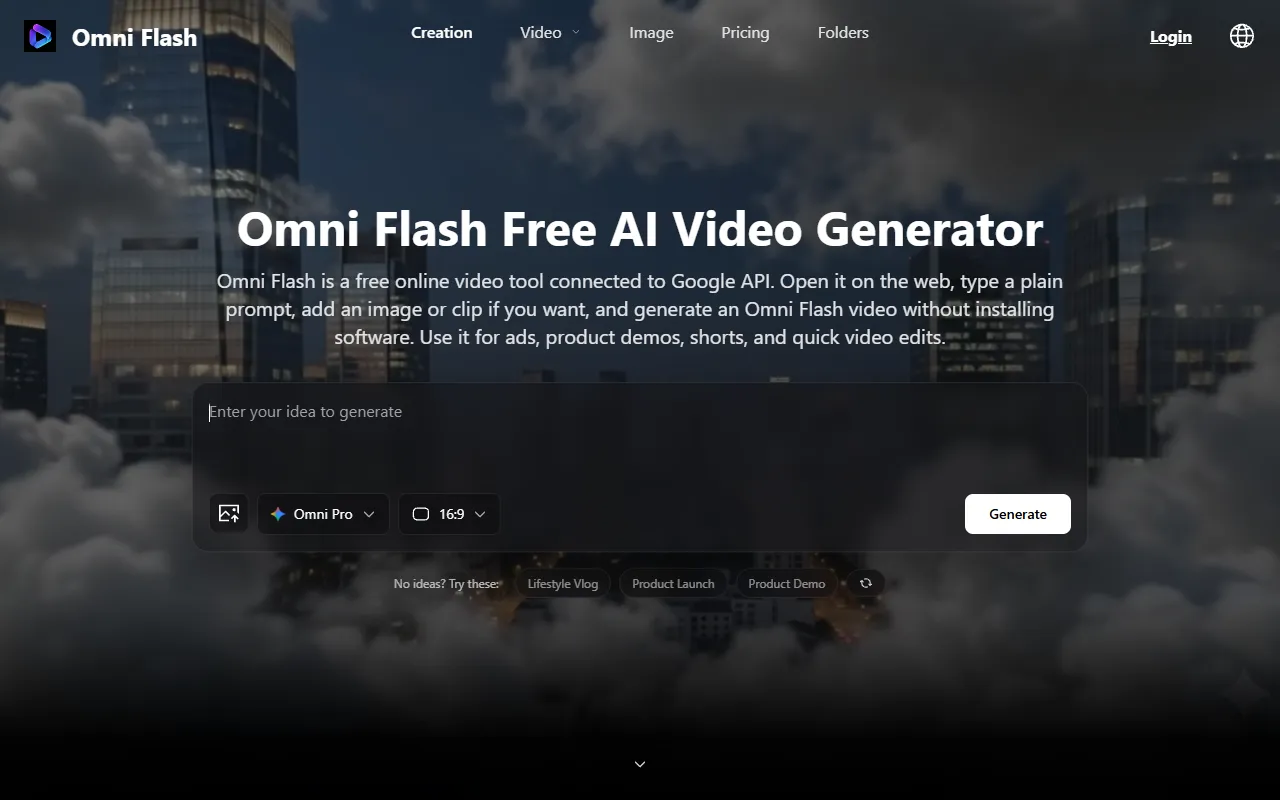
Omni Flash excels in providing a straightforward online platform for creating AI-generated videos. You simply open the tool in your web browser, eliminating the hassle of software installation. With Omni Flash, you can input a text prompt, upload an image, or use a reference clip. The tool then connects to a Google API to generate a video based on your inputs. This process is particularly suitable for creating quick product demos, social shorts, and ad ideas. It’s a user-friendly solution that provides a preview of your video, enabling you to make adjustments before finalizing and downloading it.
Key Features
- Text to Video AI — Converts simple text prompts into short videos, valuable for quick content generation.
- Image to Video AI — Allows you to upload images that guide the video creation process, enhancing customization.
- Web-Based Platform — Operates entirely online, removing the need for software installations and local setup.
Pros & Cons
- ✓ Free credits available to test the tool before committing to a purchase
- ✓ Google API integration ensures smooth video generation without managing API keys
- ✓ Suitable for beginners with simple input processes and no need for complicated prompts
- ✗ Requires purchasing additional credits for extensive use beyond the initial free offering
- ✗ The website doesn’t specify advanced editing features, which may limit customization
Omni Flash may not be ideal for users who require in-depth video editing capabilities. If you’re a professional video editor or a content creator needing detailed customization, Omni Flash’s straightforward approach might leave you wanting. The tool is designed for generating quick drafts rather than offering a complete suite of editing tools. Additionally, the reliance on Google API means you may face constraints in terms of rendering speed and processing power compared to local setups.
Compared to other tools like Pictory or Lumen5, Omni Flash is advantageous for those who prioritize ease of use and quick setup. Pictory offers more robust editing features, while Lumen5 is known for its wide array of templates. If you need a tool that provides more creative control, you might lean towards Pictory. However, if you prefer a web-based tool that gets you started with little to no barriers, Omni Flash is worth considering.
Best For
Omni Flash is best suited for solo creators or small teams looking to produce quick video content for social media. The free credit system makes it accessible for those with limited budgets, while its ease of use caters to beginners who want to avoid complex software setups.
Omni Flash is a solid choice for anyone needing rapid video generation without the hassle of software installations. Its integration with Google API makes it an appealing option for those who want quick and simple video creation. If you’re a content creator or marketer seeking an efficient way to produce short videos, Omni Flash will meet your needs with its straightforward approach and free initial credits.
This review is based on publicly available information from the tool's official website and is written independently by the theWebrary editorial team. We do not accept payment for review content.
Share
Screenshots


Tool Overview
Latest Featured


Browse More Tools
View all
Time Overlay
AI Image GenerationGenerate transparent countdown timer overlays for video editing projects with Time Overlay. This tool allows users to customize duration, style, and position before exporting in formats like PNG or WebM. It’s available for free, making it accessible for content creators and editors.

Yume Comic
AI Image GenerationCreate manga, webtoons, and cartoon panels from text or images in just seconds. Ideal for storytellers without drawing skills, Yume Comic enables users to bring their ideas to life with a free tier and optional paid upgrades.

Hubfluence
AI MarketingAutomates outreach and management for TikTok Shop brands and agencies by connecting them with creators to drive sales. Users can access a database of over 4 million creators to find the best partnerships. Free to start with options for paid upgrades.

Combos AI: Turn Text into Gmae with AI Free Online – No coding & No Sign-up
AI ProductivityTurn text into games effortlessly with Combos, an AI-driven platform for game development. Designed for creators of all skill levels, it requires no coding or sign-up, making game creation accessible and free.

Instagram Email Scraper
AI Customer SupportExtracts emails and phone numbers from Instagram followers and those followed, exporting the data to Excel or CSV formats with a single click. Ideal for businesses looking to enhance their outreach efforts. Free to use with options for paid upgrades.

CustomTattoo AI
AI Image GenerationGenerate unique tattoo designs and visualize them on your own skin before getting inked. Ideal for anyone considering a tattoo, it offers 3 free credits to start, with additional paid upgrades available.
Get Your AI Tool
In Front of Thousands
Join hundreds of AI tools already featured on theWebrary. Get priority placement, a dedicated listing page, and reach an audience actively searching for AI tools.
1 Month
$5
$6
3 Months
$10
Save 50%
12 Months
$20
Save 75%