OmniGemini Video
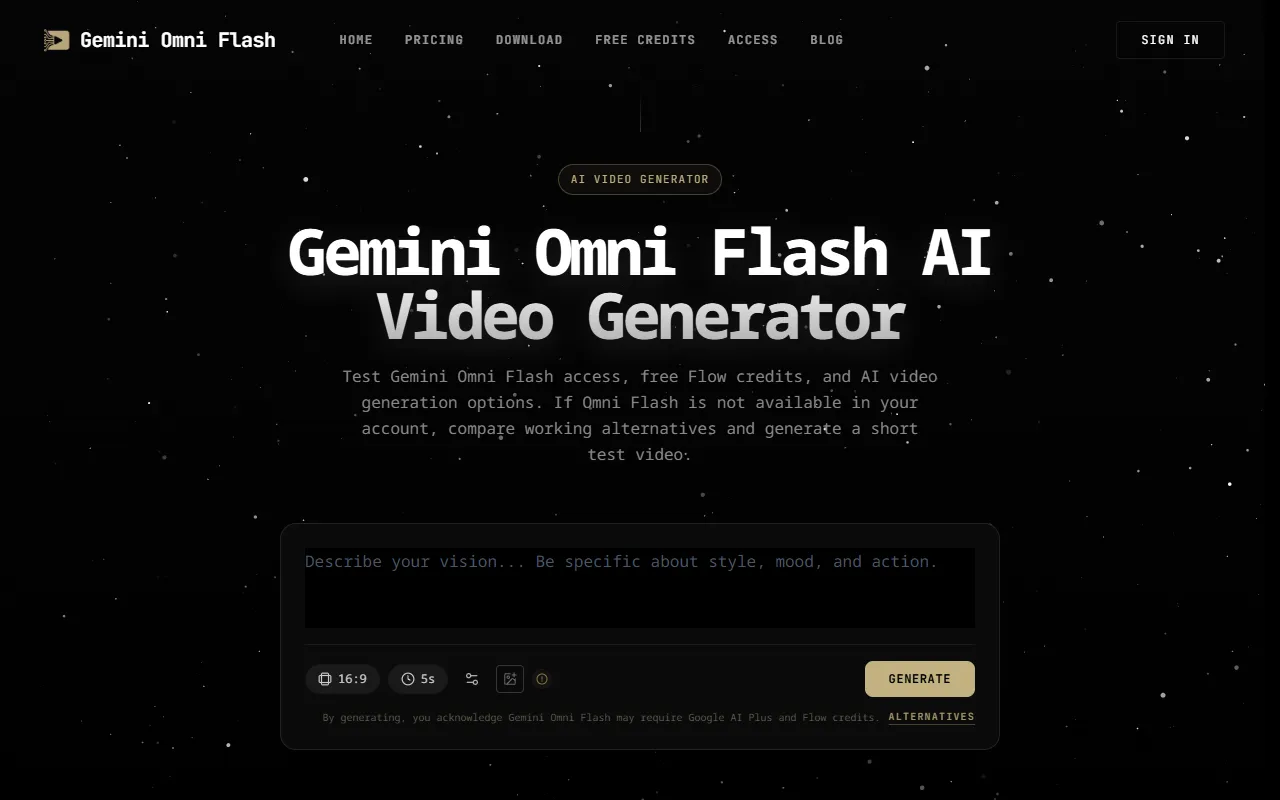
Generate AI videos with Gemini Omni Flash, offering text-to-video and image-to-video capabilities along with native audio and multiple aspect ratios. Ideal for content creators looking for fast rendering and flexible output options, this service is available for a fee.
OmniGemini Video — official website
Imagine you’re a freelance video producer juggling multiple projects with tight deadlines looming over your head. You need a tool that can quickly and efficiently convert your creative ideas into high-quality videos without the hefty price tag of professional software. OmniGemini Video might catch your eye as it promises AI-driven video generation capabilities from simple text or image inputs. The ability to produce videos with synchronized audio and various aspect ratios could be a game-changer for your workflow. But is it the right fit for you?
OmniGemini Video excels in generating videos from both text and image inputs. For example, you can describe a scene such as a “neon-lit cyberpunk city at night”, and the AI will create a matching video complete with synchronized audio. You can also upload a reference image to guide the video’s style and initial frame. This input flexibility allows you to tailor the output to specific creative needs, making it suitable for creating quick social media content, promotional ads, or even creative testing for longer projects.
Key Features
- Text-to-Video Generation — Converts text prompts into videos with synchronized native audio, perfect for quick content creation.
- Image-to-Video Generation — Allows for guided video creation using a starting reference image, enhancing creative control.
- Fast Rendering — Generates videos in 15-60 seconds, helping to meet tight deadlines with ease.
- Multiple Aspect Ratios — Supports various video aspect ratios, making it flexible for different platforms and needs.
Pros & Cons
- ✓ Versatile input options (text and image) for tailored video creation
- ✓ Fast rendering times suit quick production schedules
- ✓ Native audio generation adds a layer of depth to video content
- ✗ Video resolution capped at 720p, limiting high-definition quality
- ✗ Requires Google AI Plus and Flow credits, adding complexity to setup
OmniGemini Video might frustrate users needing high-resolution outputs, as the maximum resolution is limited to 720p. This limitation could be a deal-breaker for professional videographers or companies requiring ultra-HD content. Additionally, the dependency on Google AI Plus and Flow credits can complicate usage for those unfamiliar with these systems, leading to potential access barriers. If ease of access and higher resolution are priorities, this tool might not meet your expectations.
Compared to Synthesia, which offers more advanced features and higher resolution outputs at similar pricing tiers, OmniGemini Video is more suited to those who prioritize speed over quality. Synthesia might be a better choice for users needing higher definition videos and more robust feature sets. On the other hand, if you’re seeking a quick and simple video generation tool with basic functionalities, OmniGemini Video could be more appealing.
Best For
OmniGemini Video is best for freelance content creators or small teams needing to produce quick, engaging videos on a budget. Its credit-based pricing model suits users who require occasional video generation without a long-term subscription commitment, making it ideal for sporadic projects or creative testing.
OmniGemini Video is a practical choice for those who need fast, AI-driven video generation from text or image inputs without breaking the bank. While it does have limitations, such as a resolution cap and complex credit requirements, it’s well-suited for quick content creation tasks. If these factors match your needs, consider giving OmniGemini Video a try.
This review is based on publicly available information from the tool's official website and is written independently by the theWebrary editorial team. We do not accept payment for review content.
Share
Screenshots


Tool Overview
Latest Featured


Browse More Tools
View all
Time Overlay
AI Image GenerationGenerate transparent countdown timer overlays for video editing projects with Time Overlay. This tool allows users to customize duration, style, and position before exporting in formats like PNG or WebM. It’s available for free, making it accessible for content creators and editors.

Yume Comic
AI Image GenerationCreate manga, webtoons, and cartoon panels from text or images in just seconds. Ideal for storytellers without drawing skills, Yume Comic enables users to bring their ideas to life with a free tier and optional paid upgrades.

Hubfluence
AI MarketingAutomates outreach and management for TikTok Shop brands and agencies by connecting them with creators to drive sales. Users can access a database of over 4 million creators to find the best partnerships. Free to start with options for paid upgrades.

Combos AI: Turn Text into Gmae with AI Free Online – No coding & No Sign-up
AI ProductivityTurn text into games effortlessly with Combos, an AI-driven platform for game development. Designed for creators of all skill levels, it requires no coding or sign-up, making game creation accessible and free.

Instagram Email Scraper
AI Customer SupportExtracts emails and phone numbers from Instagram followers and those followed, exporting the data to Excel or CSV formats with a single click. Ideal for businesses looking to enhance their outreach efforts. Free to use with options for paid upgrades.

CustomTattoo AI
AI Image GenerationGenerate unique tattoo designs and visualize them on your own skin before getting inked. Ideal for anyone considering a tattoo, it offers 3 free credits to start, with additional paid upgrades available.
Get Your AI Tool
In Front of Thousands
Join hundreds of AI tools already featured on theWebrary. Get priority placement, a dedicated listing page, and reach an audience actively searching for AI tools.
1 Month
$5
$6
3 Months
$10
Save 50%
12 Months
$20
Save 75%