PhotoRepair
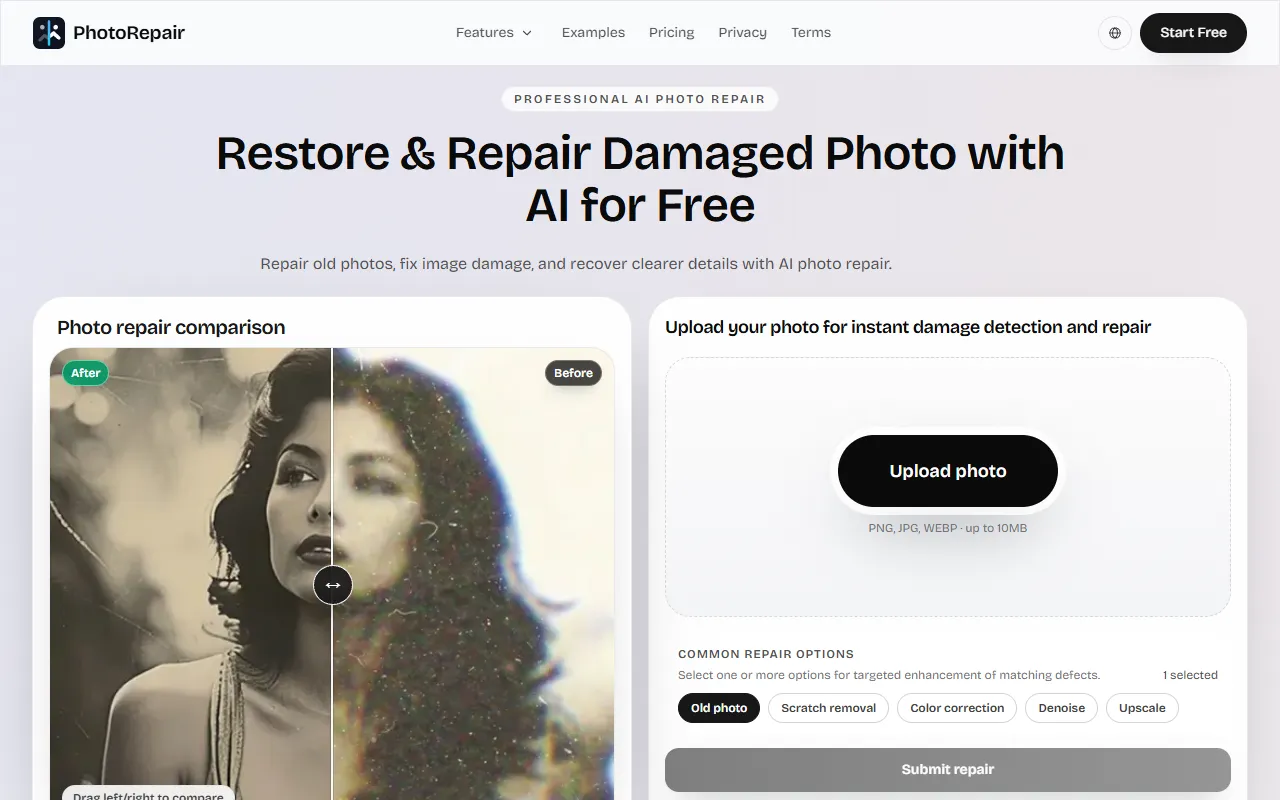
Restore and repair damaged photos using AI to remove scratches, fix blurriness, and enhance colors. Ideal for preserving memories, users can preview results before downloading the final images. Free to use with options for paid upgrades.
PhotoRepair — official website
Imagine you’ve just inherited a collection of old family photos, but many of them are damaged by time with scratches and fading. You’re keen to preserve these memories for future generations, but the thought of painstakingly restoring each photo manually is overwhelming. This is where you start looking for a tool that can automate the repair process, allowing you to focus more on archiving and sharing the restored images rather than spending hours in photo editing software. If this situation sounds familiar, you’re probably considering an AI-based photo repair tool.
One of the standout capabilities of PhotoRepair is its scratch removal feature. When you upload a photo with visible scratches, the tool analyzes and repairs these imperfections, preserving the surrounding textures to ensure that the restored areas blend naturally with the original image. This allows you to transform an old, damaged photo into a cleaner version that looks more like the original memory. According to the tool’s own marketing, you simply upload your image, select the ‘Scratch removal’ option, and let PhotoRepair handle the rest. The output is a naturally restored photo ready for archives or sharing.
Key Features
- Remove Scratches from Photos — Targets linear artifacts like creases and scratches while preserving texture continuity.
- Fix Blurry Photos — Restores legibility and contour clarity in images with soft, low-contrast blurs.
- Restore Faded Photo Color — Enhances and corrects faded colors to bring old photos back to life.
- Increase Photo Resolution — Reconstructs fine details and sharpens edges for clearer, shareable images.
- Portrait Restoration — Enhances facial details while maintaining natural skin texture and tone.
Pros & Cons
- ✓ Scratch removal blends repairs seamlessly with original textures.
- ✓ Blurry photo fix improves readability without harsh digital halos.
- ✓ Resolution enhancement generates clearer, natural-looking images.
- ✗ The website doesn’t specify any pricing details beyond ‘free with paid plans’.
- ✗ Limited input file size of up to 10MB might be restrictive for high-resolution images.
While PhotoRepair offers an impressive array of features for restoring old photos, it may disappoint users needing to work with high-resolution image files larger than 10MB. This size limitation could be particularly frustrating for professional photographers or archivists working with large scans of analog photos. Additionally, the lack of detailed pricing information could leave potential users uncertain about the long-term costs of using the tool beyond its free features.
When comparing PhotoRepair to alternatives like Adobe Photoshop or Skylum Luminar, it’s clear that PhotoRepair is geared towards users who need a quick, automated solution for photo restoration without the learning curve and cost of professional-grade software. Adobe Photoshop offers more robust editing tools and is better suited for users who need more control and precision, while Luminar provides AI-enhanced editing with a focus on creative adjustments. If you’re seeking convenience and simplicity, PhotoRepair is a solid choice, but if you need comprehensive editing capabilities, the other options might be more suitable.
Best For
PhotoRepair is best suited for individuals or small teams looking to restore and archive old family photos quickly and easily. Its automatic repair features are ideal for those who want to improve image quality without diving into complex photo editing software. While the tool offers free capabilities, potential users should be prepared for additional costs if they require more extensive use of its features.
PhotoRepair is a practical choice for those wanting to restore old photos with minimal effort. It’s particularly beneficial for family historians or casual users seeking a straightforward solution for photo repair. If you’re this type of user, PhotoRepair is a worthwhile consideration. Its automated features, including scratch removal and resolution enhancement, provide an efficient way to breathe new life into damaged images.
This review is based on publicly available information from the tool's official website and is written independently by the theWebrary editorial team. We do not accept payment for review content.
Share
Screenshots

Tool Overview
Latest Featured


Browse More Tools
View all
Time Overlay
AI Image GenerationGenerate transparent countdown timer overlays for video editing projects with Time Overlay. This tool allows users to customize duration, style, and position before exporting in formats like PNG or WebM. It’s available for free, making it accessible for content creators and editors.

Yume Comic
AI Image GenerationCreate manga, webtoons, and cartoon panels from text or images in just seconds. Ideal for storytellers without drawing skills, Yume Comic enables users to bring their ideas to life with a free tier and optional paid upgrades.

Hubfluence
AI MarketingAutomates outreach and management for TikTok Shop brands and agencies by connecting them with creators to drive sales. Users can access a database of over 4 million creators to find the best partnerships. Free to start with options for paid upgrades.

Combos AI: Turn Text into Gmae with AI Free Online – No coding & No Sign-up
AI ProductivityTurn text into games effortlessly with Combos, an AI-driven platform for game development. Designed for creators of all skill levels, it requires no coding or sign-up, making game creation accessible and free.

Instagram Email Scraper
AI Customer SupportExtracts emails and phone numbers from Instagram followers and those followed, exporting the data to Excel or CSV formats with a single click. Ideal for businesses looking to enhance their outreach efforts. Free to use with options for paid upgrades.

CustomTattoo AI
AI Image GenerationGenerate unique tattoo designs and visualize them on your own skin before getting inked. Ideal for anyone considering a tattoo, it offers 3 free credits to start, with additional paid upgrades available.
Get Your AI Tool
In Front of Thousands
Join hundreds of AI tools already featured on theWebrary. Get priority placement, a dedicated listing page, and reach an audience actively searching for AI tools.
1 Month
$5
$6
3 Months
$10
Save 50%
12 Months
$20
Save 75%