RoomCreator
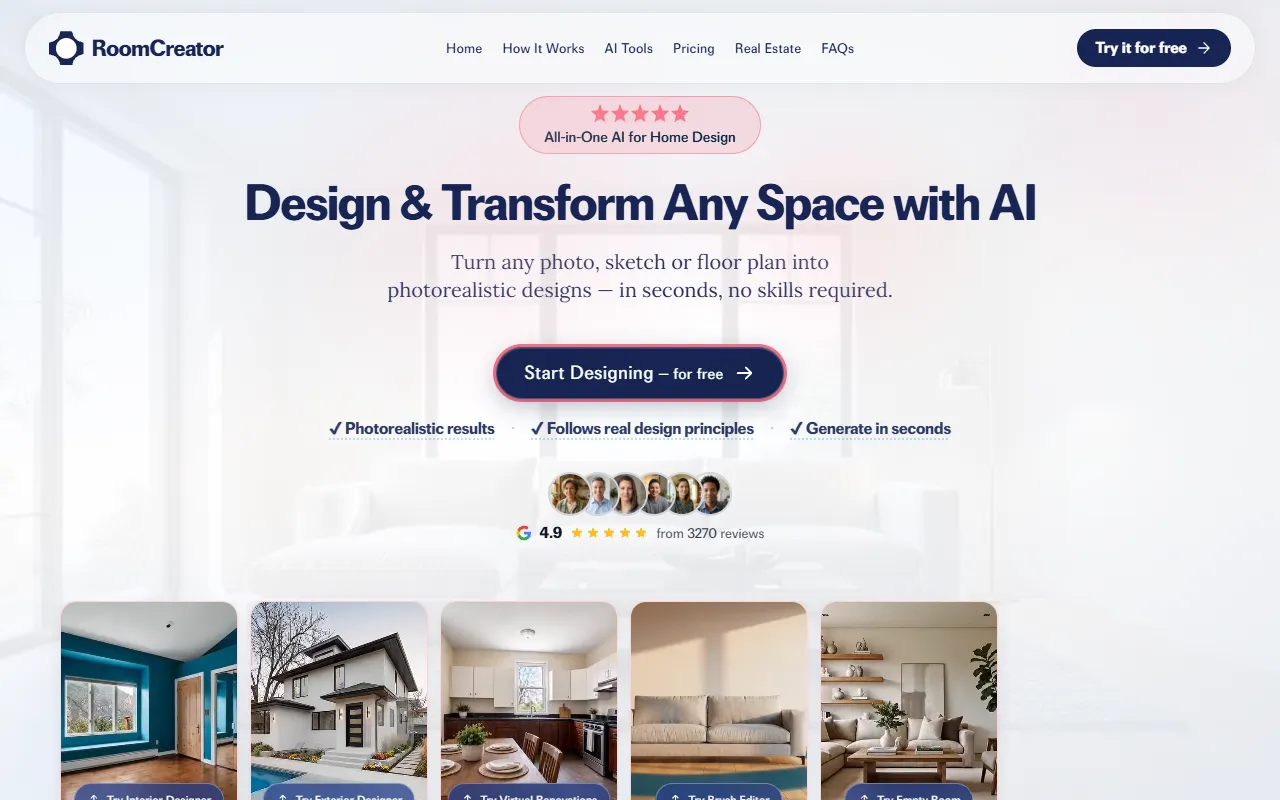
Transforms photos or sketches into realistic interior designs, simplifying renovation and staging choices. Designed for users without any design skills, it offers free access to its features.
RoomCreator — official website
Imagine being a real estate agent with a listing for a home that’s been sitting on the market for too long. The property is empty, and potential buyers just can’t visualize its potential. You’ve tried everything from professional photography to staging, but budgets are tight, and time is scarce. What you need is a fast and cost-effective way to make those spaces inviting and appealing without a full-scale photo shoot or expensive staging. This is where a tool like RoomCreator becomes invaluable, as it allows you to transform empty rooms into beautifully designed spaces that captivate prospective buyers, directly from your browser.
RoomCreator excels in transforming ordinary room photos into visually stunning interior designs. You start by uploading a simple photo of a room, even if it’s cluttered or poorly lit. Then, choose from a variety of design styles such as Modern, Japandi, or Scandinavian. Within seconds, the tool generates a photorealistic preview of the room designed in your selected style. This quick turnaround allows for instant visualization and aids in making confident design decisions. Whether you’re a homeowner curious about a new look or a real estate agent needing to stage a property, RoomCreator provides a hassle-free solution to see potential designs without spending hours or dollars on professional staging.
Key Features
- Instant Interior Redesign — Upload a photo and explore multiple professionally designed styles instantly.
- Visualize Your Home’s Exterior — Quickly test different exterior styles and features using a single photo.
- Edit Specific Areas with Precision — Make precise changes to select parts of an image without affecting the entire room.
- Declutter Your Space in One Tap — Remove unwanted objects from a room photo to better visualize potential designs.
- Turn Sketches into Real Interiors — Transform hand-drawn sketches into photorealistic designs quickly.
Pros & Cons
- ✓ Allows for quick visualization of new room styles and layouts.
- ✓ Provides photorealistic results that follow real design principles.
- ✓ Offers a free trial with 5 credits and 1 free listing, allowing users to try before committing.
- ✗ The website doesn’t specify long-term pricing beyond the free credits.
- ✗ Limited themes for certain room types, such as gyms, which may not cover all niche style preferences.
RoomCreator might not be the best fit for professional interior designers seeking highly customized or complex design capabilities beyond standard themes. If a designer requires advanced tools to create unique, personalized designs to a fine level of detail, this tool may fall short. RoomCreator primarily focuses on quickly visualizing pre-set styles and may not offer the depth of customization required for bespoke interior projects. Additionally, the tool’s limitations on theme variety can be a drawback for those needing a broader range of design options.
When comparing RoomCreator to alternatives like SketchUp or AutoCAD, the simplicity and speed of RoomCreator make it a strong choice for users without design skills. SketchUp offers more detailed customization but requires a steeper learning curve, while AutoCAD is often overkill for simple visualization needs. RoomCreator is ideal for real estate agents and homeowners who need quick, visually appealing results without the complexity of professional design software. If your priority is ease of use and rapid results, RoomCreator will be a better fit than these more advanced tools.
Best For
RoomCreator is best suited for real estate agents and homeowners who want to visualize interior designs quickly and cost-effectively. The tool is perfect for those who need to make fast design decisions without hiring a professional designer. Its free trial makes it accessible for users to explore its potential benefits without financial commitment. For small teams or individuals in real estate or personal home renovation projects, RoomCreator provides a practical and budget-friendly solution.
RoomCreator is an excellent tool for those needing to transform room visuals quickly, without advanced design skills. It’s particularly valuable for real estate agents looking to stage properties affordably or homeowners visualizing renovation ideas. While it may not suit professional designers needing high customization, it excels at providing fast, realistic previews based on predefined styles. RoomCreator is recommended for its ease of use and practical application in real estate and home design scenarios.
This review is based on publicly available information from the tool's official website and is written independently by the theWebrary editorial team. We do not accept payment for review content.
Share
Tool Overview
Latest Featured


Browse More Tools
View all
Time Overlay
AI Image GenerationGenerate transparent countdown timer overlays for video editing projects with Time Overlay. This tool allows users to customize duration, style, and position before exporting in formats like PNG or WebM. It’s available for free, making it accessible for content creators and editors.

Yume Comic
AI Image GenerationCreate manga, webtoons, and cartoon panels from text or images in just seconds. Ideal for storytellers without drawing skills, Yume Comic enables users to bring their ideas to life with a free tier and optional paid upgrades.

Hubfluence
AI MarketingAutomates outreach and management for TikTok Shop brands and agencies by connecting them with creators to drive sales. Users can access a database of over 4 million creators to find the best partnerships. Free to start with options for paid upgrades.

Combos AI: Turn Text into Gmae with AI Free Online – No coding & No Sign-up
AI ProductivityTurn text into games effortlessly with Combos, an AI-driven platform for game development. Designed for creators of all skill levels, it requires no coding or sign-up, making game creation accessible and free.

Instagram Email Scraper
AI Customer SupportExtracts emails and phone numbers from Instagram followers and those followed, exporting the data to Excel or CSV formats with a single click. Ideal for businesses looking to enhance their outreach efforts. Free to use with options for paid upgrades.

CustomTattoo AI
AI Image GenerationGenerate unique tattoo designs and visualize them on your own skin before getting inked. Ideal for anyone considering a tattoo, it offers 3 free credits to start, with additional paid upgrades available.
Get Your AI Tool
In Front of Thousands
Join hundreds of AI tools already featured on theWebrary. Get priority placement, a dedicated listing page, and reach an audience actively searching for AI tools.
1 Month
$5
$6
3 Months
$10
Save 50%
12 Months
$20
Save 75%