Sprite-AI
Creates customizable, game-ready pixel art sprites using simple text prompts. Ideal for game developers and artists seeking to generate unique visual assets quickly. Available for free.
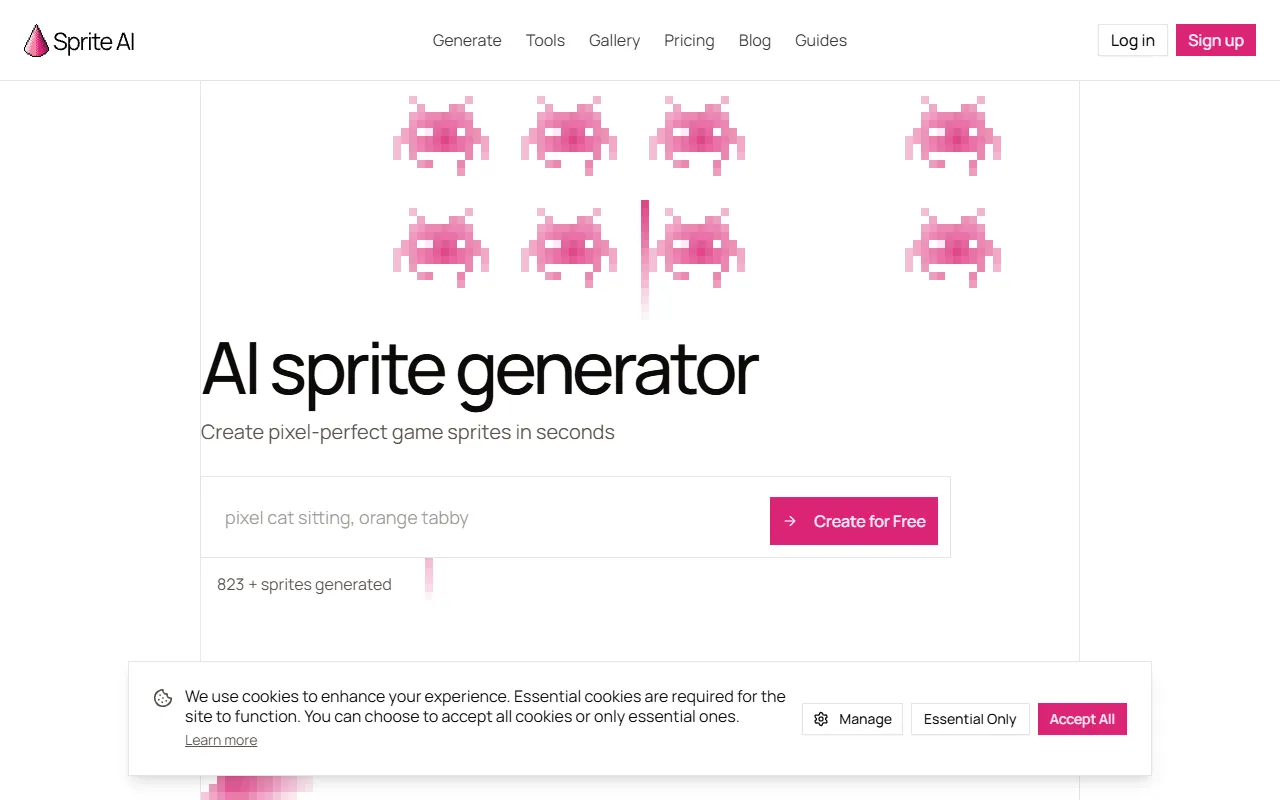
Sprite-AI — official website
Imagine you’re an indie game developer racing against a tight deadline. You’ve got your game mechanics down, but your pixel art graphics are far from complete, and your budget doesn’t stretch to hiring a professional artist. You need a tool that can generate game-ready assets quickly and cheaply, helping you populate your game world with characters and items without sacrificing quality. This is often when developers turn to AI tools like Sprite-AI, which promise to generate pixel-perfect sprites in seconds using text prompts. But does it deliver on its promises, and is it the right fit for your project?
Sprite-AI excels in generating pixel art sprites from simple text descriptions. You can describe a character, item, or creature, and Sprite-AI will produce a clean, usable sprite in seconds. This feature is particularly useful for game developers who need detailed pixel art without the hassle of creating it from scratch. Once generated, you can take your sprite and bring it to life using the built-in animator, which allows you to describe motion in plain English to produce animations like walk cycles or attack sequences. This ease of use can save you a significant amount of time, especially if you’re new to sprite creation.
Key Features
- AI Sprite Generator — Generates clean pixel art sprites from text descriptions, ideal for creating game assets quickly.
- AI Pixel Art Animator — Enables the creation of animations like walk cycles and attacks without needing rigging skills.
- Online Pixel Art Editor — Allows you to paint, fill, and tweak sprites directly in your browser, no downloads required.
- API Integration — Supports generating and animating pixel art from code using Claude Code, Cursor, or the API.
Pros & Cons
- ✓ Generates detailed sprites quickly, making it a time-saver for developers.
- ✓ Offers built-in animation features that simplify creating motion for sprites.
- ✓ Free tier available with no credit card required, lowering the barrier to entry.
- ✗ The free tier limits you to 15 generations, which might not be sufficient for larger projects.
- ✗ The website doesn’t specify platform restrictions, which might be a concern for non-standard game engines.
While Sprite-AI offers powerful features for generating sprites and animations, it may fall short for developers working on expansive projects due to its free tier limitations. If you’re looking to continuously iterate on a large number of assets, you might find the generation limits restrictive, pushing you towards the paid plans. Additionally, Sprite-AI’s reliance on predefined sizes may not suit developers working with custom resolution requirements, as the website doesn’t specify flexibility in this area.
Compared to other pixel art tools like Aseprite, which offers extensive manual editing features, Sprite-AI stands out for its AI-driven approach that reduces manual effort. However, if you need detailed control over every pixel and layer, Aseprite might be the better choice. Sprite-AI is ideal for those who prioritize speed and ease of use over intricate customization. For a balance of both AI support and detailed editing, a tool like Pixel FX Designer could be worth considering, depending on your specific needs.
Best For
Sprite-AI is best suited for indie developers or small game studios looking to generate pixel art quickly without extensive art skills. It’s particularly beneficial for those who need game-ready sprites for engines like Unity or Godot, and who are working within budget constraints that make hiring a professional artist unfeasible. The Creator plan at $8/month offers good value for individuals needing up to 100 sprites monthly.
Sprite-AI offers a compelling solution for developers needing quick and quality pixel art generation. Ideal for indie game developers or small teams, this tool streamlines the asset creation process, helping you focus more on game mechanics than sprite art. If your project aligns with its capabilities and pricing, Sprite-AI could be a valuable addition to your development toolkit.
This review is based on publicly available information from the tool's official website and is written independently by the theWebrary editorial team. We do not accept payment for review content.
Share
Tool Overview
Latest Featured


Browse More Tools
View all
Time Overlay
AI Image GenerationGenerate transparent countdown timer overlays for video editing projects with Time Overlay. This tool allows users to customize duration, style, and position before exporting in formats like PNG or WebM. It’s available for free, making it accessible for content creators and editors.

Yume Comic
AI Image GenerationCreate manga, webtoons, and cartoon panels from text or images in just seconds. Ideal for storytellers without drawing skills, Yume Comic enables users to bring their ideas to life with a free tier and optional paid upgrades.

Hubfluence
AI MarketingAutomates outreach and management for TikTok Shop brands and agencies by connecting them with creators to drive sales. Users can access a database of over 4 million creators to find the best partnerships. Free to start with options for paid upgrades.

Combos AI: Turn Text into Gmae with AI Free Online – No coding & No Sign-up
AI ProductivityTurn text into games effortlessly with Combos, an AI-driven platform for game development. Designed for creators of all skill levels, it requires no coding or sign-up, making game creation accessible and free.

Instagram Email Scraper
AI Customer SupportExtracts emails and phone numbers from Instagram followers and those followed, exporting the data to Excel or CSV formats with a single click. Ideal for businesses looking to enhance their outreach efforts. Free to use with options for paid upgrades.

CustomTattoo AI
AI Image GenerationGenerate unique tattoo designs and visualize them on your own skin before getting inked. Ideal for anyone considering a tattoo, it offers 3 free credits to start, with additional paid upgrades available.
Get Your AI Tool
In Front of Thousands
Join hundreds of AI tools already featured on theWebrary. Get priority placement, a dedicated listing page, and reach an audience actively searching for AI tools.
1 Month
$5
$6
3 Months
$10
Save 50%
12 Months
$20
Save 75%