Timo Desk
Automates real-time time tracking to enhance productivity and visibility for teams. Designed for businesses seeking to streamline workflow management and improve accountability. Paid plans offer advanced analytics features.
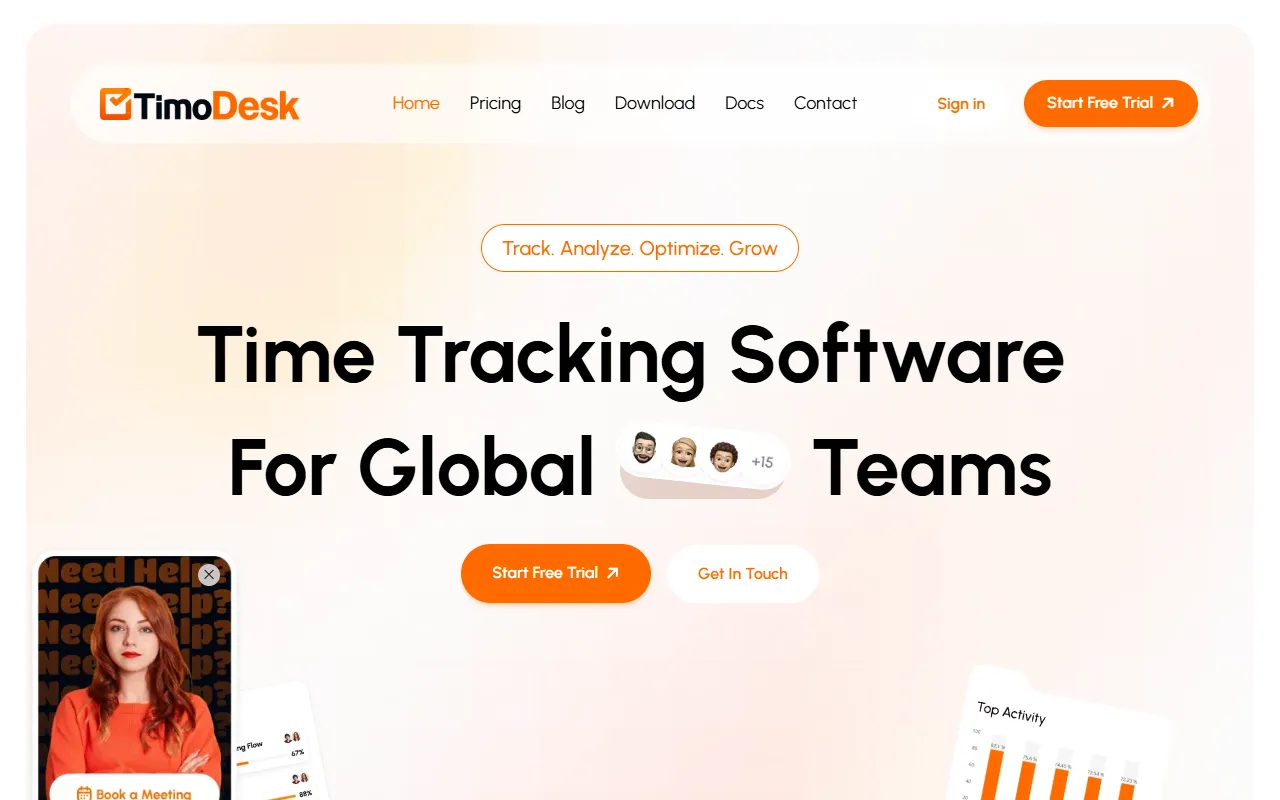
Timo Desk — official website
Imagine you’re managing a remote team scattered across different time zones, juggling multiple projects, and desperately trying to meet deadlines. This kind of setup often leads to challenges in monitoring team productivity and ensuring tasks are completed efficiently. Without the right tools, you might struggle to track where your team’s time is actually going, making it hard to deliver projects on time and within budget. In such a scenario, a tool like TimoDesk could be exactly what you need to gain visibility and control over your team’s work hours, helping you optimize productivity and accountability.
TimoDesk excels at providing real-time insights into your team’s productivity. With its Smart Time Tracking feature, you can automatically log work hours and translate them into actionable productivity insights. This function runs quietly in the background, capturing active time, app usage, and tasks without the need for manual input. Once data is collected, it provides detailed reports that include activity levels, app usage, and project breakdowns. This allows you to see exactly where time is being spent, helping you make informed decisions to enhance productivity. Based on the tool’s own marketing, this feature is central to how TimoDesk helps teams move from chaos to clarity.
Key Features
- Smart Time Tracking — Automatically logs work hours and provides productivity insights, essential for remote team management.
- Productivity Report — Offers visual, data-driven reports to guide smarter decision-making and boost productivity.
- Activity Analysis — Analyzes how team members spend their time during work hours to optimize activities and grow productivity.
- Screenshot Monitor — Captures and stores screenshots for later reference, ensuring accountability and visual progress tracking.
- Simple Pricing Plan — At $1 per user per month, it provides all features without the confusion of different tiers.
Pros & Cons
- ✓ Comprehensive time tracking with detailed productivity insights — vital for remote teams.
- ✓ Affordable and straightforward pricing — only $1 per user per month for full access.
- ✓ Works offline and syncs data automatically — ensures continued tracking without internet connection.
- ✗ Lack of integrations with other project management tools — limits workflow customization.
- ✗ No mobile app mentioned — could be inconvenient for on-the-go time tracking.
TimoDesk might fall short for users who require seamless integration with existing project management systems. Since the website doesn’t specify any integration capabilities, users accustomed to syncing multiple tools for comprehensive workflow management may find this lacking. Additionally, on-the-go professionals who rely heavily on mobile access could be frustrated by the absence of a mobile app, which isn’t mentioned on the website. This limitation could hinder teams that require flexibility in tracking time from various devices.
When compared to alternatives like Toggl Track, which offers integrations with popular project management tools, TimoDesk’s lack of integration options could be a dealbreaker for some users. However, its pricing model is significantly more affordable, making it an attractive option for budget-conscious teams. For users who require extensive integrations and mobile capabilities, Toggl Track might be a better option. Conversely, TimoDesk is ideal for those seeking a cost-effective solution with essential features for time tracking and productivity analysis.
Best For
TimoDesk is best suited for small to medium-sized remote teams or freelancers who require a straightforward and affordable time tracking solution. Its pricing model at $1 per user per month makes it accessible for teams looking to monitor productivity without breaking the bank. For those who prioritize cost and simplicity over advanced integrations, TimoDesk is an excellent choice.
TimoDesk is a valuable tool for teams needing clear visibility into work hours and productivity without the complexity of tiered pricing. Ideal for remote teams or freelance workers, it provides a cost-effective way to ensure accountability and optimize workflows. TimoDesk is worth it for managers seeking an affordable yet effective time tracking solution. For teams on a budget that need to streamline productivity insights, TimoDesk is a smart investment.
This review is based on publicly available information from the tool's official website and is written independently by the theWebrary editorial team. We do not accept payment for review content.
Share
Tool Overview
Latest Featured


Browse More Tools
View all
Time Overlay
AI Image GenerationGenerate transparent countdown timer overlays for video editing projects with Time Overlay. This tool allows users to customize duration, style, and position before exporting in formats like PNG or WebM. It’s available for free, making it accessible for content creators and editors.

Yume Comic
AI Image GenerationCreate manga, webtoons, and cartoon panels from text or images in just seconds. Ideal for storytellers without drawing skills, Yume Comic enables users to bring their ideas to life with a free tier and optional paid upgrades.

Hubfluence
AI MarketingAutomates outreach and management for TikTok Shop brands and agencies by connecting them with creators to drive sales. Users can access a database of over 4 million creators to find the best partnerships. Free to start with options for paid upgrades.

Combos AI: Turn Text into Gmae with AI Free Online – No coding & No Sign-up
AI ProductivityTurn text into games effortlessly with Combos, an AI-driven platform for game development. Designed for creators of all skill levels, it requires no coding or sign-up, making game creation accessible and free.

Instagram Email Scraper
AI Customer SupportExtracts emails and phone numbers from Instagram followers and those followed, exporting the data to Excel or CSV formats with a single click. Ideal for businesses looking to enhance their outreach efforts. Free to use with options for paid upgrades.

CustomTattoo AI
AI Image GenerationGenerate unique tattoo designs and visualize them on your own skin before getting inked. Ideal for anyone considering a tattoo, it offers 3 free credits to start, with additional paid upgrades available.
Get Your AI Tool
In Front of Thousands
Join hundreds of AI tools already featured on theWebrary. Get priority placement, a dedicated listing page, and reach an audience actively searching for AI tools.
1 Month
$5
$6
3 Months
$10
Save 50%
12 Months
$20
Save 75%