AI Resize Image
Resize, crop, expand, upscale, and compress images online with support for JPG, PNG, and WebP formats. Ideal for users needing quick edits without sign-up, all features are available for free, with advanced AI options offered at a cost.
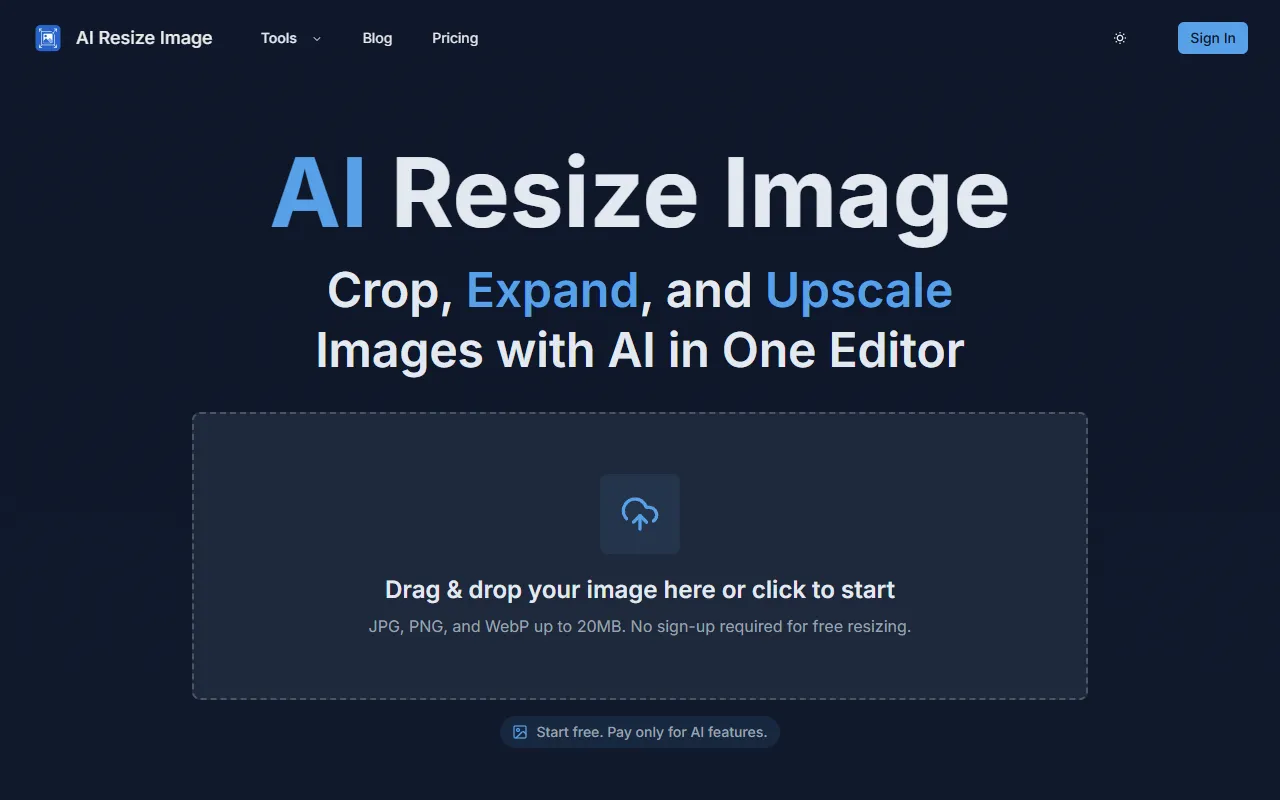
AI Resize Image — official website
Imagine you’re a small business owner needing to quickly prepare product images for an upcoming online launch. Your team is small, your budget is tight, and you need a tool that’s both cost-effective and efficient. You need to resize, crop, and possibly enhance the quality of your images without investing in expensive software or spending hours learning to navigate a complex interface. This is a common scenario where finding a straightforward, online image editing tool becomes essential for meeting deadlines and maintaining quality.
AI Resize Image offers a straightforward way to modify your images based on the tool’s own marketing. You can upload a JPG, PNG, or WebP file up to 20MB, choose a mode like crop, expand, or scale, and adjust settings such as size and aspect ratio. If you choose to use the AI features, like AI Enhance, the tool will help sharpen and upscale your images for better clarity. This means you can output images that are professionally refined and ready for use in marketing materials or on your website.
Key Features
- Crop Images — Trim your image to a custom size or aspect ratio, perfect for thumbnails and social media.
- Expand Canvas — Add space around your image with options for solid color, transparency, or AI-generated content.
- Scale Images — Resize your image proportionally, maintaining the aspect ratio for consistent quality.
- AI Enhance — Use AI to upscale images with sharper detail, which is essential for high-quality prints.
- AI Expand Image — This feature adds intelligent content when expanding your canvas, saving time in creating natural extensions.
Pros & Cons
- ✓ No sign-up required for basic resizing, making it easy to get started immediately.
- ✓ Flexible pricing with a pay-as-you-go option for AI features, ideal for sporadic users.
- ✓ Supports JPG, PNG, and WebP formats, accommodating various image types.
- ✗ AI features are not free; they require additional credits, which can add up if used frequently.
- ✗ Limited to 20MB file size, which may not suffice for ultra-high-definition images.
For professional photographers or graphic designers working with large image files, this tool may fall short due to its 20MB file size limit. These users often require tools that can handle larger files and offer more advanced editing capabilities like layered editing, which this tool doesn’t provide. The lack of in-depth manual editing options might frustrate users who need precise control over their images beyond automated AI enhancements.
Compared to tools like Adobe Photoshop, which offers a wide range of manual editing features, AI Resize Image is much simpler and less costly. However, Photoshop is better suited for users who need extensive editing capabilities and are willing to invest in a more expensive subscription. For those primarily interested in quick, automated edits without the need for a steep learning curve, AI Resize Image offers a more affordable and accessible option.
Best For
AI Resize Image is ideal for small business owners, social media managers, or individuals needing quick and simple image edits. Its affordable pricing model, with a free tier and optional AI enhancements at additional costs, makes it an attractive choice for those with moderate image editing needs and limited budgets.
AI Resize Image excels for users who need basic editing tools combined with the option for AI enhancements on a flexible pricing model. If you’re a small business owner or a social media manager looking for quick and effective image resizing, AI Resize Image is worth considering. Its pay-only-when-needed AI features provide an economical solution without committing to a subscription.
This review is based on publicly available information from the tool's official website and is written independently by the theWebrary editorial team. We do not accept payment for review content.
Share
Screenshots


Tool Overview
Latest Featured


Browse More Tools
View all
Planpoint
AI ProductivityCreate interactive stacking plans for real estate properties with Planpoint. Designed for property owners and managers, it offers a user-friendly interface tailored to various sectors. Access is free, making it an accessible choice for all users.

Pawjojo
AI ResearchLog meals, medications, weight, and symptoms for pets with ease, generating trends and vet-ready reports. Designed for dog and cat owners, Pawjojo features an extensive database of over 7,377 pet foods. Free to use with optional paid upgrades.

lora ai Anime LoRA Training
AI Image GenerationGenerate high-quality images and train custom Anime LoRA models for consistent character and manga styles. Designed for creators without design skills, the platform offers 5 free credits to start, with additional paid upgrades available.

mainaro
AI MarketingVisualizes real estate profits after taxes, allowing users to analyze cash flow and exit simulations for their portfolios. Offers a free location analysis for all 16 federal states, with the first property analysis available at no charge.

AI House Plan
AI Image GenerationGenerate detailed floor plans for houses, rooms, offices, and restaurants using prompts or sketches. Ideal for designers and homeowners seeking quick, editable layouts, with free access and optional paid upgrades for enhanced features.

GenImagePro
AI Image GenerationTransform photos into unique AI-generated visuals, styles, and scenes with GenImagePro’s image-to-image functionality. Ideal for artists, marketers, and anyone needing creative variations, it offers free access with optional paid upgrades.
Get Your AI Tool
In Front of Thousands
Join hundreds of AI tools already featured on theWebrary. Get priority placement, a dedicated listing page, and reach an audience actively searching for AI tools.
1 Month
$5
$6
3 Months
$10
Save 50%
12 Months
$20
Save 75%