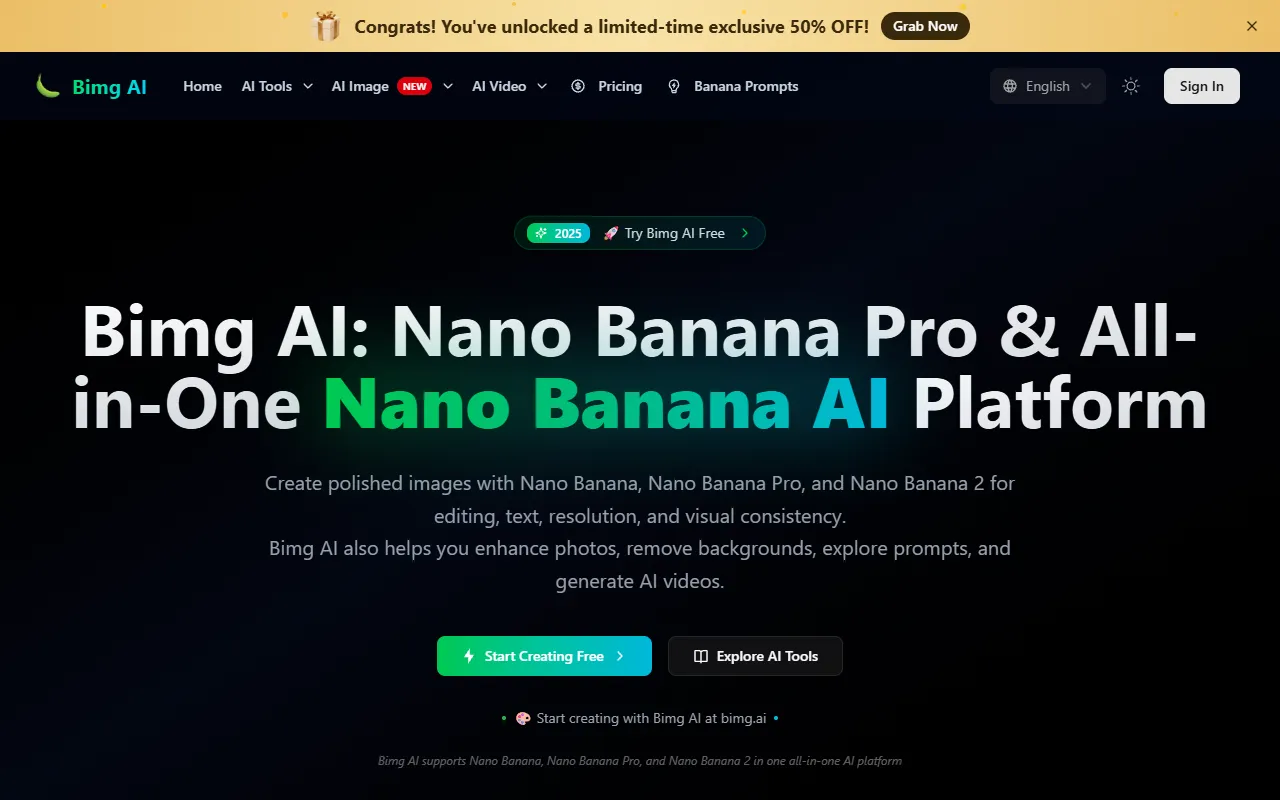
Bimg AI
Generate and enhance images with AI-driven editing, upscaling, and restoration features. Ideal for users needing quick background removal or old photo restoration, Bimg AI offers free access with options for paid upgrades.
Bimg AI — official website
Imagine you’re a digital artist faced with the challenge of transforming low-resolution images into stunningly detailed artworks for a client’s campaign. You have a tight deadline and need an efficient way to upscale images and refine details without losing quality. This scenario is common in the creative industry, where high-resolution outputs are crucial. Tools that provide advanced AI capabilities for image editing, such as resolution enhancement and detail refinement, become indispensable for artists and designers alike facing similar hurdles.
Bimg AI excels in facilitating advanced image editing workflows, specifically with its “Nano Banana Pro” feature. With this tool, you can describe your desired fonts, styles, or artistic elements, and it provides a 4K resolution output that accurately reflects your vision. You simply upload an image or a reference file, and the platform uses its AI to enhance and refine the image with utmost clarity and detail. This capability is highlighted in the tool’s marketing as a key function, making it a powerful option for professionals needing precise and high-quality image outputs.
Key Features
- Image Upscaler — Enhances image resolution using AI, crucial for producing high-quality prints.
- AI Background Remover — Quickly removes backgrounds, simplifying workflow for graphic designers.
- AI Old Photo Restorer — Restores faded photos to DSLR quality, valuable for photographers and archivists.
- AI Unblur Image — Sharpens blurry photos, reducing motion blur, which is essential for capturing clear images.
- Nano Banana Pro — Offers 4K resolution outputs with perfect text rendering, suitable for detailed graphic work.
Pros & Cons
- ✓ Offers high-resolution 4K outputs, beneficial for print and professional design work
- ✓ Provides a wide array of AI tools for image enhancement and background removal
- ✓ Includes a diverse model selection, such as Seedream 4.5 for poster designs
- ✗ Nano Banana Pro feature requires credits, potentially limiting usage for heavy projects
- ✗ Free version may not suffice for all creative needs due to credit consumption
Bimg AI might not be ideal for small-scale creators or hobbyists with limited budgets, as the credit system could restrict frequent usage. For instance, a freelancer working on multiple small projects might find the credit costs add up quickly, leading to unexpected expenses. Additionally, if you require extensive video editing features, the tool’s focus on image editing rather than comprehensive video capabilities could be limiting.
When comparing Bimg AI to tools like Adobe Photoshop or Canva, Bimg AI stands out for its AI-driven image enhancements and high-resolution outputs. However, Photoshop offers more extensive editing capabilities, while Canva provides user-friendly design templates. Bimg AI is best for users prioritizing high-resolution image outputs, whereas Photoshop caters to detailed editing needs, and Canva suits those focused on quick, templated designs.
Best For
Bimg AI is optimal for graphic designers and digital artists needing high-resolution images and AI enhancements, especially in professional settings like advertising agencies or design studios. The service’s pricing model, including credit packs and subscriptions, supports users handling larger, high-quality projects requiring frequent use of advanced features.
Bimg AI is a solid choice for professionals requiring high-quality 4K image outputs and sophisticated AI features for editing and enhancement. It’s especially suitable for those who value precision and detail in their work. For creators seeking a reliable tool to elevate their visual content, Bimg AI provides the necessary tools and quality. Creators dedicated to high-resolution and detailed artistic outputs will find Bimg AI an invaluable asset.
This review is based on publicly available information from the tool's official website and is written independently by the theWebrary editorial team. We do not accept payment for review content.
Share
Screenshots


Tool Overview
Latest Featured


Browse More Tools
View all
Planpoint
AI ProductivityCreate interactive stacking plans for real estate properties with Planpoint. Designed for property owners and managers, it offers a user-friendly interface tailored to various sectors. Access is free, making it an accessible choice for all users.

Pawjojo
AI ResearchLog meals, medications, weight, and symptoms for pets with ease, generating trends and vet-ready reports. Designed for dog and cat owners, Pawjojo features an extensive database of over 7,377 pet foods. Free to use with optional paid upgrades.

lora ai Anime LoRA Training
AI Image GenerationGenerate high-quality images and train custom Anime LoRA models for consistent character and manga styles. Designed for creators without design skills, the platform offers 5 free credits to start, with additional paid upgrades available.

mainaro
AI MarketingVisualizes real estate profits after taxes, allowing users to analyze cash flow and exit simulations for their portfolios. Offers a free location analysis for all 16 federal states, with the first property analysis available at no charge.

AI House Plan
AI Image GenerationGenerate detailed floor plans for houses, rooms, offices, and restaurants using prompts or sketches. Ideal for designers and homeowners seeking quick, editable layouts, with free access and optional paid upgrades for enhanced features.

GenImagePro
AI Image GenerationTransform photos into unique AI-generated visuals, styles, and scenes with GenImagePro’s image-to-image functionality. Ideal for artists, marketers, and anyone needing creative variations, it offers free access with optional paid upgrades.
Get Your AI Tool
In Front of Thousands
Join hundreds of AI tools already featured on theWebrary. Get priority placement, a dedicated listing page, and reach an audience actively searching for AI tools.
1 Month
$5
$6
3 Months
$10
Save 50%
12 Months
$20
Save 75%