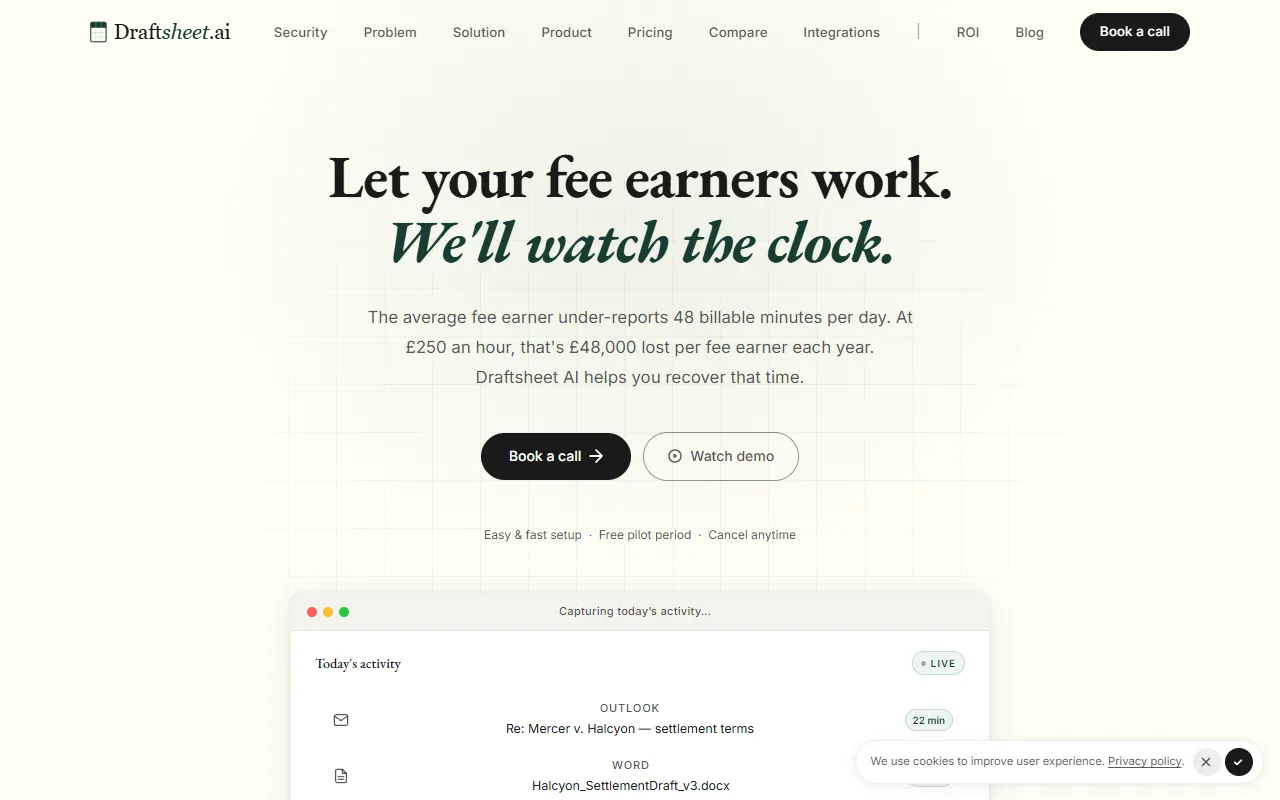
Draftsheet AI
Automates legal time tracking to create accurate timesheets effortlessly. Designed for law firms and legal professionals seeking to increase billable hours without manual effort. Pricing is subscription-based.
Draftsheet AI — official website
Legal professionals often find themselves overwhelmed by the tedious task of time tracking. Consider a busy attorney juggling multiple cases who misses billable hours due to manual timekeeping errors. In such cases, finding a tool that automates the creation of accurate timesheets would be a lifesaver. Draftsheet AI offers a subscription-based service aimed at law firms and legal professionals who want to enhance their productivity by automating legal time tracking. This can help ensure that no billable minutes are lost, ultimately supporting an increase in revenue through precise billing.
According to Draftsheet AI’s marketing material, it excels at automating the creation of accurate timesheets. You input your legal activities, and it processes this data to generate a comprehensive record of hours worked. This automation reduces the likelihood of human error and ensures that all billable time is captured. By minimizing manual effort, legal professionals can focus more on casework and less on administrative tasks, which is exactly what busy law firms need.
Key Features
- Automated Legal Time Tracking — Simplifies the process of creating accurate timesheets, which is crucial for maximizing billable hours.
- Subscription-Based Pricing — Offers a consistent pricing model, making budgeting predictable for legal teams.
- Effortless Timesheet Creation — Reduces manual efforts, allowing legal professionals to dedicate more time to substantive work.
Pros & Cons
- ✓ Automates a normally tedious task, freeing up more time for legal work
- ✓ Reduces errors in time tracking, leading to more accurate billing
- ✓ Subscription-based model can simplify financial planning
- ✗ The website doesn’t specify support for other industries beyond legal
- ✗ The pricing details are not publicly accessible, which might be a concern for smaller firms
Draftsheet AI might fall short for users outside the legal industry. If you’re a project manager in a tech company looking for a time tracking solution, this tool’s legal focus means it may not cater to your needs. Additionally, if you need transparent pricing to fit a tight budget, the lack of upfront cost details could be frustrating. Non-legal professions may not benefit from its specialized features, limiting its appeal and applicability.
When comparing Draftsheet AI to alternatives like Clockify or Toggl, which are well-known for versatile time tracking across industries, it’s clear that Draftsheet is more specialized. Legal professionals will appreciate Draftsheet’s focus, but if you’re seeking a more general tool, Clockify, known for its free tier, might be a better fit. Conversely, if you’re a legal firm looking to streamline timekeeping, Draftsheet’s specialization offers distinct advantages.
Best For
Draftsheet AI is best suited for small to medium-sized law firms or solo legal practitioners who require precise time tracking without the hassle of manual entry. Its subscription-based model is ideal for firms that want clarity on their monthly costs. It’s particularly useful for increasing billable hours without additional administrative burden.
Draftsheet AI is a valuable tool for legal professionals focused on maximizing billable hours through accurate time tracking. While its niche focus might not cater to all industries, it’s a strong candidate for law firms needing an automated solution. For legal professionals, Draftsheet AI offers a way to streamline timekeeping and improve billing accuracy. Consider this tool if you’re in the legal field and want a reliable time tracking solution.
This review is based on publicly available information from the tool's official website and is written independently by the theWebrary editorial team. We do not accept payment for review content.
Share
Tool Overview
More in AI Finance
Latest Featured


Browse More Tools
View all
Time Overlay
AI Image GenerationGenerate transparent countdown timer overlays for video editing projects with Time Overlay. This tool allows users to customize duration, style, and position before exporting in formats like PNG or WebM. It’s available for free, making it accessible for content creators and editors.

Yume Comic
AI Image GenerationCreate manga, webtoons, and cartoon panels from text or images in just seconds. Ideal for storytellers without drawing skills, Yume Comic enables users to bring their ideas to life with a free tier and optional paid upgrades.

Hubfluence
AI MarketingAutomates outreach and management for TikTok Shop brands and agencies by connecting them with creators to drive sales. Users can access a database of over 4 million creators to find the best partnerships. Free to start with options for paid upgrades.

Combos AI: Turn Text into Gmae with AI Free Online – No coding & No Sign-up
AI ProductivityTurn text into games effortlessly with Combos, an AI-driven platform for game development. Designed for creators of all skill levels, it requires no coding or sign-up, making game creation accessible and free.

Instagram Email Scraper
AI Customer SupportExtracts emails and phone numbers from Instagram followers and those followed, exporting the data to Excel or CSV formats with a single click. Ideal for businesses looking to enhance their outreach efforts. Free to use with options for paid upgrades.

CustomTattoo AI
AI Image GenerationGenerate unique tattoo designs and visualize them on your own skin before getting inked. Ideal for anyone considering a tattoo, it offers 3 free credits to start, with additional paid upgrades available.
Get Your AI Tool
In Front of Thousands
Join hundreds of AI tools already featured on theWebrary. Get priority placement, a dedicated listing page, and reach an audience actively searching for AI tools.
1 Month
$5
$6
3 Months
$10
Save 50%
12 Months
$20
Save 75%