DueDrop
Automates personalized invoice reminders to enhance cash flow and ensure timely payments. Designed for businesses looking to streamline their accounts receivable processes. Paid plans offer advanced features for larger teams.
DueDrop — official website
Imagine you’re the owner of a small business, juggling multiple responsibilities while trying to keep your cash flow steady. You’ve spent countless hours drafting invoice reminders, only to feel awkward about following up with clients. Sound familiar? This is a common issue for many small business owners who need to ensure timely payments without damaging client relationships. In such scenarios, finding an automated tool to handle invoice reminders becomes crucial. This is where a tool like DueDrop, which integrates with popular accounting software, could be a game-changer for your workflow.
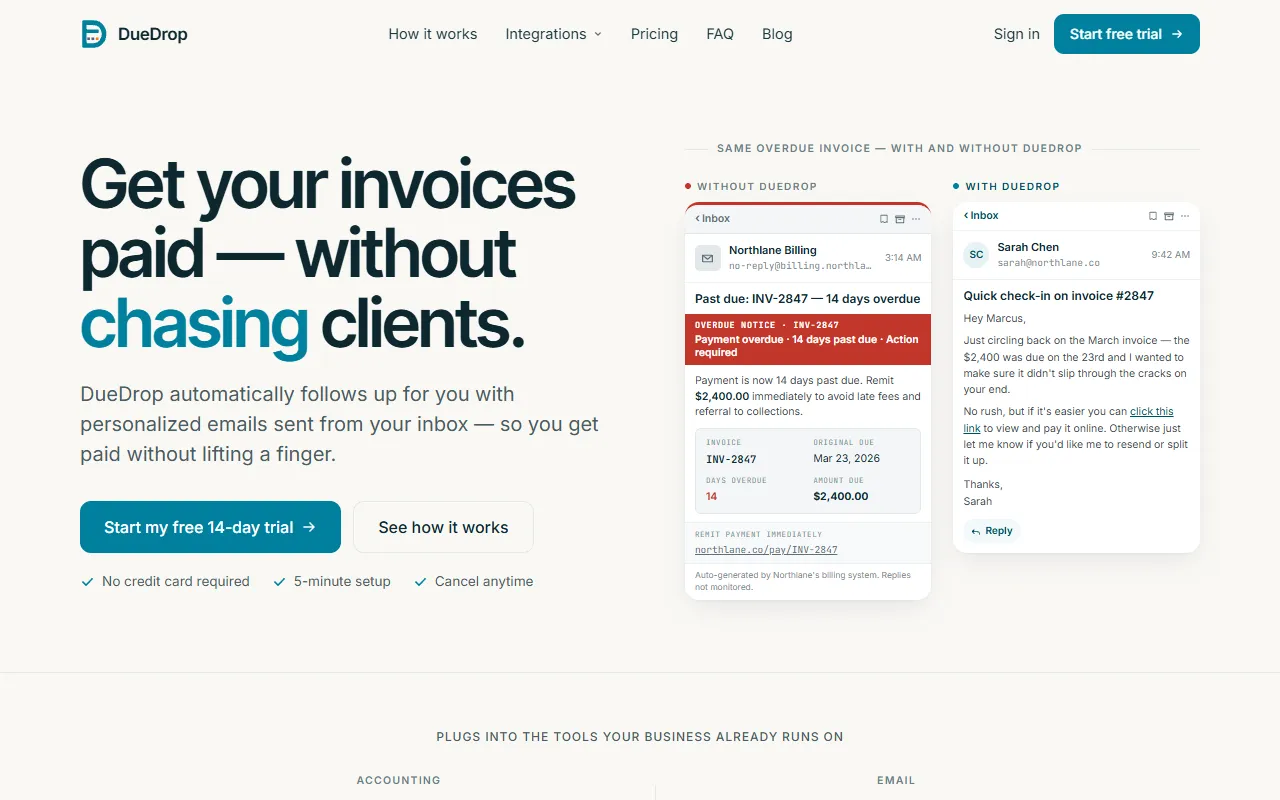
DueDrop excels in automating personalized invoice reminders by sending them directly from your own email inbox. You connect your accounting software, like QuickBooks or FreshBooks, and your email provider, such as Gmail or Outlook. DueDrop then scans for overdue invoices and drafts reminders that match your previous email style. It sends these reminders at a pre-set time, using your actual email address so that clients perceive them as personal notes instead of system-generated alerts. This feature is based on the tool’s own marketing, highlighting its ability to maintain personal touch while automating a mundane task.
Key Features
- Integration with Accounting Software — Connects seamlessly with tools like QuickBooks and FreshBooks to pull invoice data, reducing manual data entry.
- Email Personalization — Drafts reminders that mimic your email style, offering a personal touch that keeps client relationships intact.
- Automated Follow-ups — Sends reminders from your actual inbox, making them appear as direct communications from you.
Pros & Cons
- ✓ Integrates with major email and accounting platforms, making setup straightforward.
- ✓ Maintains a personal tone in communications, preserving client relationships.
- ✓ Offers a 14-day free trial with no credit card required, allowing users to test the service risk-free.
- ✗ Limited to the accounting and email integrations currently available; some users may need additional options.
- ✗ Pricing details are not transparent; the website doesn’t specify the cost after the introductory period.
While DueDrop offers great automation for invoice reminders, it might not be suitable for larger businesses with complex invoicing needs. If your business relies on a wide array of accounting and email platforms not currently integrated with DueDrop, the limitations in connectivity could be frustrating. Additionally, the lack of transparent pricing details beyond the introductory plan may pose a challenge for budget-conscious users.
When compared to alternatives like InvoiceSherpa and Chaser, DueDrop stands out for its seamless personal email integration and ease of use. However, InvoiceSherpa offers more extensive reporting features, while Chaser provides more customization options for follow-up schedules. Choose DueDrop if personal email integration is your priority. Opt for InvoiceSherpa if you need comprehensive reporting, or Chaser if customizable follow-ups are crucial to your workflow.
Best For
DueDrop is ideal for small business owners or freelancers who want to ensure timely payments without damaging client relationships. It’s particularly well-suited for those who use QuickBooks, Xero, or similar platforms and prefer sending reminders from their own email inbox. The flat-rate pricing model is designed to pay for itself with just one paid invoice.
DueDrop is a valuable tool for small businesses looking to automate their invoice follow-up process while maintaining personal client interactions. It’s most beneficial for those who already use compatible accounting and email systems. If maintaining a personal touch in client communication is crucial and you want an easy-to-set-up solution, DueDrop is worth trying.
This review is based on publicly available information from the tool's official website and is written independently by the theWebrary editorial team. We do not accept payment for review content.
Share
Tool Overview
More in AI Finance
Latest Featured


Browse More Tools
View all
Time Overlay
AI Image GenerationGenerate transparent countdown timer overlays for video editing projects with Time Overlay. This tool allows users to customize duration, style, and position before exporting in formats like PNG or WebM. It’s available for free, making it accessible for content creators and editors.

Yume Comic
AI Image GenerationCreate manga, webtoons, and cartoon panels from text or images in just seconds. Ideal for storytellers without drawing skills, Yume Comic enables users to bring their ideas to life with a free tier and optional paid upgrades.

Hubfluence
AI MarketingAutomates outreach and management for TikTok Shop brands and agencies by connecting them with creators to drive sales. Users can access a database of over 4 million creators to find the best partnerships. Free to start with options for paid upgrades.

Combos AI: Turn Text into Gmae with AI Free Online – No coding & No Sign-up
AI ProductivityTurn text into games effortlessly with Combos, an AI-driven platform for game development. Designed for creators of all skill levels, it requires no coding or sign-up, making game creation accessible and free.

Instagram Email Scraper
AI Customer SupportExtracts emails and phone numbers from Instagram followers and those followed, exporting the data to Excel or CSV formats with a single click. Ideal for businesses looking to enhance their outreach efforts. Free to use with options for paid upgrades.

CustomTattoo AI
AI Image GenerationGenerate unique tattoo designs and visualize them on your own skin before getting inked. Ideal for anyone considering a tattoo, it offers 3 free credits to start, with additional paid upgrades available.
Get Your AI Tool
In Front of Thousands
Join hundreds of AI tools already featured on theWebrary. Get priority placement, a dedicated listing page, and reach an audience actively searching for AI tools.
1 Month
$5
$6
3 Months
$10
Save 50%
12 Months
$20
Save 75%