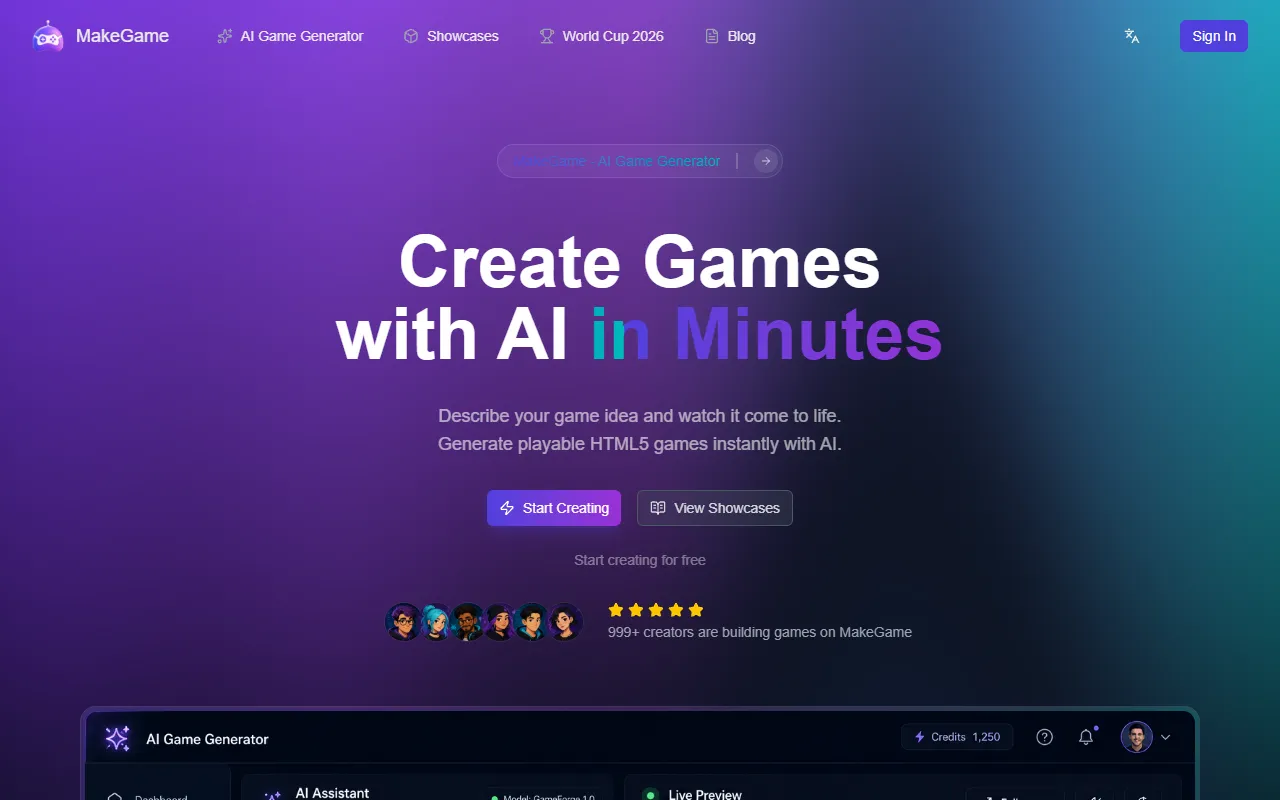
MakeGame – Create Games with AI
Create playable HTML5 games from simple text descriptions. MakeGame allows users to easily generate various game genres in minutes, making game development accessible for everyone. The platform offers a free option with paid upgrades for advanced features.
MakeGame – Create Games with AI — official website
Imagine you’re an indie game developer eager to prototype ideas swiftly without the hurdle of coding. Perhaps you’re a teacher looking to engage students in game design with minimal technical barriers. Missing deadlines due to the time-consuming nature of traditional game development is frustrating. You need a tool that translates your vision into a playable game without the cumbersome process of writing code. This is where AI-powered platforms come into play, providing a seamless way to bring game ideas to life.
MakeGame excels in turning text descriptions into fully playable HTML5 games. You describe your game idea, specifying the genre, mechanics, and style, and the AI generates a complete game ready to play in your browser. For instance, you might input details for a puzzle game with specific mechanics, and in mere seconds, a fully functional version is available for testing and sharing. This workflow eliminates coding needs, letting you focus on creative aspects and rapid prototyping, based on the platform’s own marketing claims.
Key Features
- AI-Powered Generation — Transforms text descriptions into functional games, ideal for non-coders.
- Instant HTML5 Games — Playable directly in browsers, removing the need for downloads or installations.
- Share & Embed — Easily share games via links or embed them on websites with one click.
- Game Templates — Start from templates like Snake or Tetris to jumpstart development.
- Code Export — Download the full HTML source code for customization or learning purposes.
Pros & Cons
- ✓ No coding skills required — ideal for beginners and creatives focusing on game design.
- ✓ Quick prototyping, thanks to AI-driven game creation.
- ✓ Flexible sharing options, including embedding on other sites.
- ✗ Lite version includes watermarks and is not suitable for commercial publishing.
- ✗ Monthly subscription plans like the Starter and Creator are not yet available.
If you’re a professional developer looking for advanced customization, MakeGame might not meet your needs. The platform doesn’t specify advanced editing capabilities beyond exporting HTML, which can be limiting for complex projects. Users who require intricate game mechanics or unique assets might find the tool’s AI-generated results too generic, necessitating further manual customization beyond what’s offered.
Compared to a tool like Construct, which provides a more hands-on game development experience with visual scripting and a broad asset marketplace, MakeGame is simpler but less versatile. Construct is ideal for developers who want control and customization, while MakeGame is better suited for quick prototyping and users without coding skills. Choose MakeGame if you prioritize speed and ease over in-depth functionality.
Best For
MakeGame is best for solo developers, educators, or small teams who need a fast way to prototype and share simple games. It’s ideal for those who don’t have programming skills and benefit from a subscription model that scales with their usage, offering a free tier for initial testing and exploration.
MakeGame is a valuable tool for those who need to quickly translate game ideas into shareable, playable formats without delving into coding. It’s especially suited for educators and content creators aiming to engage their audience with interactive content. For those focused on rapid prototyping and ease of use, MakeGame is a solid choice. Use MakeGame if you need instant gameplay from a simple text description.
This review is based on publicly available information from the tool's official website and is written independently by the theWebrary editorial team. We do not accept payment for review content.
Share
Screenshots


Tool Overview
Latest Featured


Browse More Tools
View all
Planpoint
AI ProductivityCreate interactive stacking plans for real estate properties with Planpoint. Designed for property owners and managers, it offers a user-friendly interface tailored to various sectors. Access is free, making it an accessible choice for all users.

Pawjojo
AI ResearchLog meals, medications, weight, and symptoms for pets with ease, generating trends and vet-ready reports. Designed for dog and cat owners, Pawjojo features an extensive database of over 7,377 pet foods. Free to use with optional paid upgrades.

lora ai Anime LoRA Training
AI Image GenerationGenerate high-quality images and train custom Anime LoRA models for consistent character and manga styles. Designed for creators without design skills, the platform offers 5 free credits to start, with additional paid upgrades available.

mainaro
AI MarketingVisualizes real estate profits after taxes, allowing users to analyze cash flow and exit simulations for their portfolios. Offers a free location analysis for all 16 federal states, with the first property analysis available at no charge.

AI House Plan
AI Image GenerationGenerate detailed floor plans for houses, rooms, offices, and restaurants using prompts or sketches. Ideal for designers and homeowners seeking quick, editable layouts, with free access and optional paid upgrades for enhanced features.

GenImagePro
AI Image GenerationTransform photos into unique AI-generated visuals, styles, and scenes with GenImagePro’s image-to-image functionality. Ideal for artists, marketers, and anyone needing creative variations, it offers free access with optional paid upgrades.
Get Your AI Tool
In Front of Thousands
Join hundreds of AI tools already featured on theWebrary. Get priority placement, a dedicated listing page, and reach an audience actively searching for AI tools.
1 Month
$5
$6
3 Months
$10
Save 50%
12 Months
$20
Save 75%