Texas Roadhouse Calorie Counter
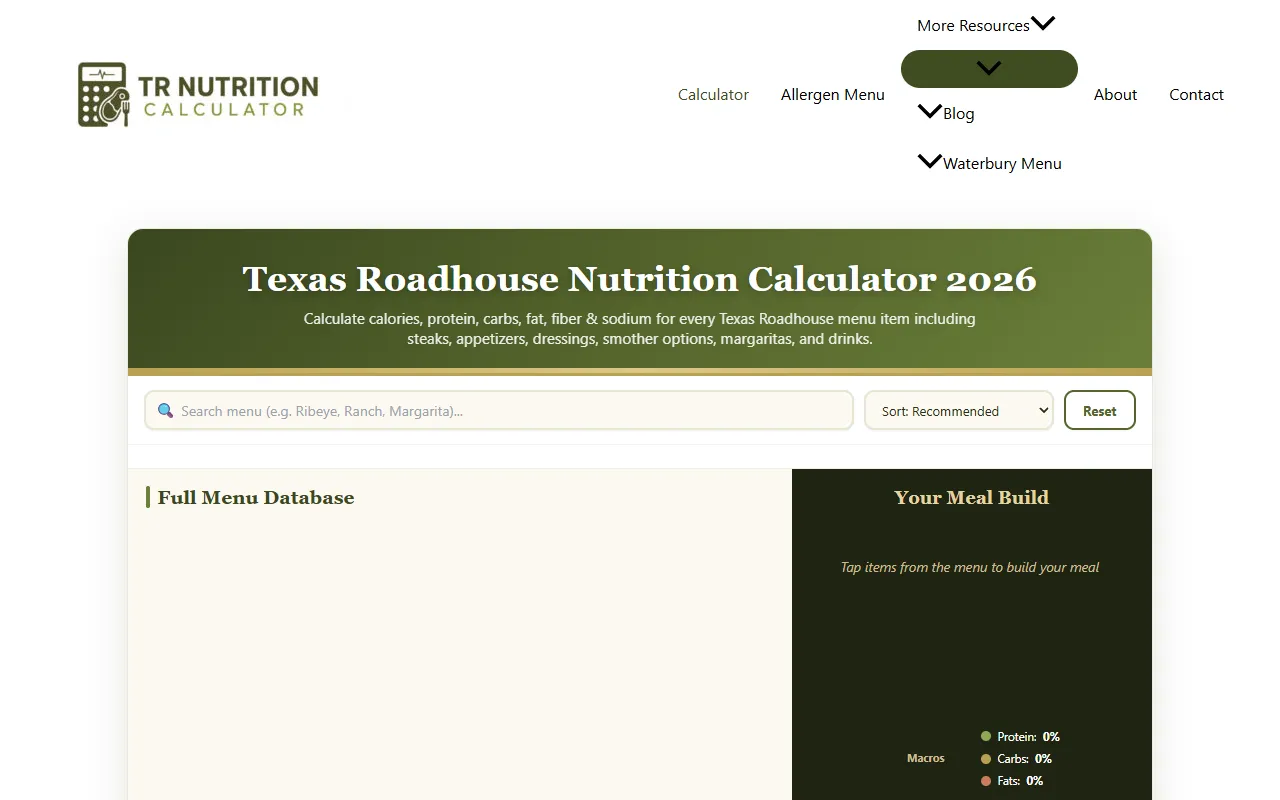
Calculate calories, protein, carbs, fat, fiber, and sodium for over 130 menu items at Texas Roadhouse. Ideal for health-conscious diners, this free nutrition calculator allows users to build meals and sort options by various nutritional metrics.
Texas Roadhouse Calorie Counter — official website
Imagine you’re a health-conscious individual who enjoys dining out but is cautious about your nutritional intake. You’re planning a visit to Texas Roadhouse and want to ensure your meal aligns with your dietary goals. This situation calls for a tool that provides clear, detailed nutritional information about the restaurant’s menu items, helping you make informed choices without compromising your health objectives.
The Texas Roadhouse Nutrition Calculator does one thing exceptionally well based on its own marketing: it provides detailed nutritional information for every menu item at Texas Roadhouse. You select items from the menu, and it instantly calculates totals for calories, protein, carbs, fat, sodium, and sugar. This feature helps you compare different dishes, like a 6-oz sirloin versus grilled chicken, ensuring you know how each option affects your daily intake. The interface is straightforward: just select your items, and watch the nutritional data populate, making it easy to adjust your meal plan as you go.
Key Features
- Full Menu Database — Offers comprehensive nutrition details for over 130+ items, making it easy to make informed choices.
- Interactive Nutrition Calculator — Allows you to build meals and see real-time updates on calories and macros.
- PDF Export — Lets you export your meal’s nutritional information, useful for keeping track or sharing.
- Sorting Options — Allows sorting by highest protein, lowest calories, or lowest carbs, tailoring to your dietary needs.
Pros & Cons
- ✓ Comprehensive database covering all menu items at Texas Roadhouse for complete nutritional transparency
- ✓ No signup required, making it accessible and hassle-free for anyone wanting quick information
- ✓ Free to use across any device, making it convenient for on-the-go meal planning
- ✗ Limited to Texas Roadhouse menu items, not useful for other dining establishments
- ✗ No mobile app, which could be a limitation for users wanting a more seamless mobile experience
While the Texas Roadhouse Nutrition Calculator excels in providing detailed nutrient information, it may not be a perfect fit for everyone. If you’re someone who dines at various restaurants and needs a broader database, this tool falls short as it only covers Texas Roadhouse items. Additionally, users seeking a dedicated mobile app for ease of use on the go might find the web-based tool lacking, as it doesn’t offer that feature.
For those exploring alternatives, MyFitnessPal is a widely recognized tool offering a vast database covering multiple restaurants and a mobile app for easy logging. However, if your focus is solely on Texas Roadhouse, the Nutrition Calculator is more tailored by providing instant, detailed nutritional breakdowns for each menu item. Choose MyFitnessPal for versatility across different dining options, but pick the Texas Roadhouse tool for specificity and depth in this restaurant’s menu.
Best For
This tool is best suited for Texas Roadhouse enthusiasts who are mindful of their calorie intake and want to make informed decisions about their meals. Whether you’re tracking macros for fitness goals or just trying to eat healthier, its free pricing model makes it an accessible option for anyone wanting detailed insights into their dining choices.
Texas Roadhouse Nutrition Calculator is a useful resource for diners looking to manage their nutritional intake without leaving anything to chance. It’s particularly beneficial for those who frequent Texas Roadhouse and want an easy way to plan meals within their dietary guidelines. If you’re someone who values transparency and detailed nutritional data, this tool is a worthy addition to your dining toolkit.
This review is based on publicly available information from the tool's official website and is written independently by the theWebrary editorial team. We do not accept payment for review content.
Share
Screenshots


Tool Overview
Category
AI ProductivityPricing
Free
Official Website
https://texasroadhousecaloriecounter.com/Rating
Latest Featured


Browse More Tools
View all
Planpoint
AI ProductivityCreate interactive stacking plans for real estate properties with Planpoint. Designed for property owners and managers, it offers a user-friendly interface tailored to various sectors. Access is free, making it an accessible choice for all users.

Pawjojo
AI ResearchLog meals, medications, weight, and symptoms for pets with ease, generating trends and vet-ready reports. Designed for dog and cat owners, Pawjojo features an extensive database of over 7,377 pet foods. Free to use with optional paid upgrades.

lora ai Anime LoRA Training
AI Image GenerationGenerate high-quality images and train custom Anime LoRA models for consistent character and manga styles. Designed for creators without design skills, the platform offers 5 free credits to start, with additional paid upgrades available.

mainaro
AI MarketingVisualizes real estate profits after taxes, allowing users to analyze cash flow and exit simulations for their portfolios. Offers a free location analysis for all 16 federal states, with the first property analysis available at no charge.

AI House Plan
AI Image GenerationGenerate detailed floor plans for houses, rooms, offices, and restaurants using prompts or sketches. Ideal for designers and homeowners seeking quick, editable layouts, with free access and optional paid upgrades for enhanced features.

GenImagePro
AI Image GenerationTransform photos into unique AI-generated visuals, styles, and scenes with GenImagePro’s image-to-image functionality. Ideal for artists, marketers, and anyone needing creative variations, it offers free access with optional paid upgrades.
Get Your AI Tool
In Front of Thousands
Join hundreds of AI tools already featured on theWebrary. Get priority placement, a dedicated listing page, and reach an audience actively searching for AI tools.
1 Month
$5
$6
3 Months
$10
Save 50%
12 Months
$20
Save 75%