vebeAI
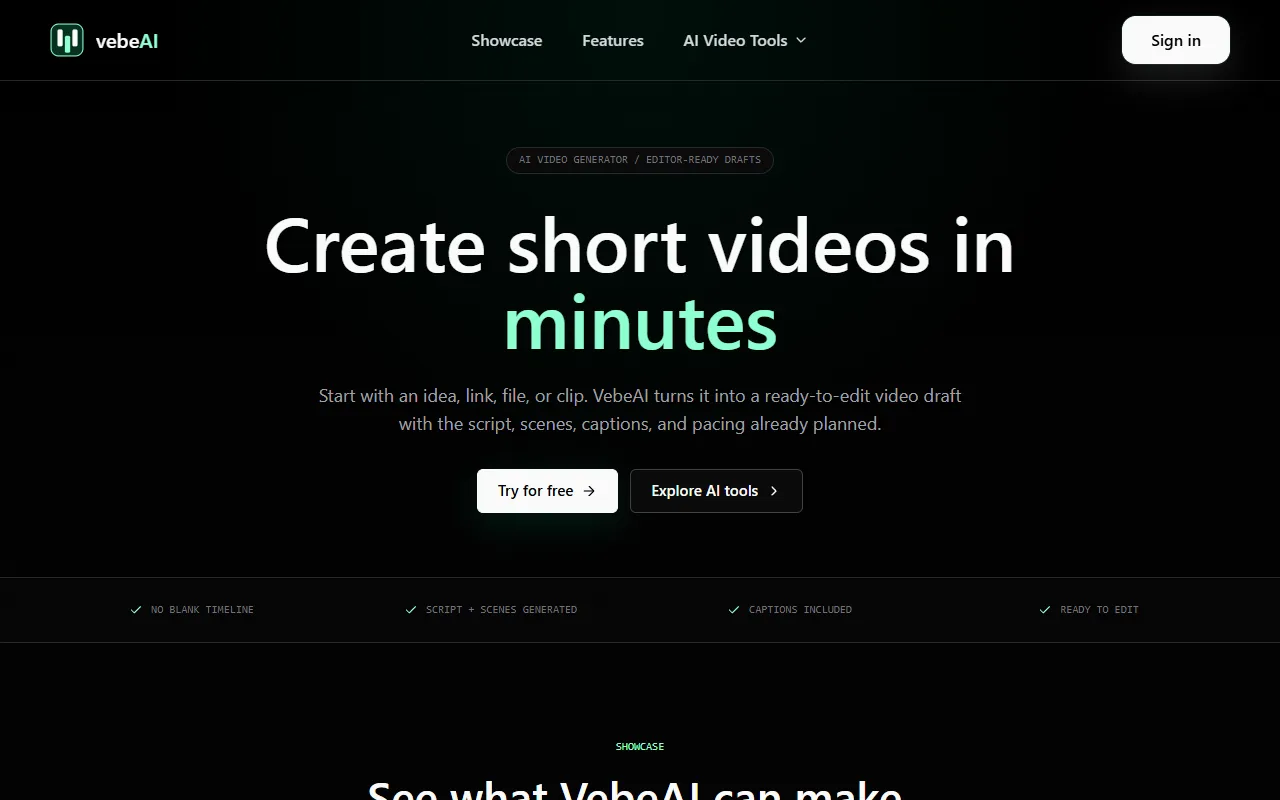
Generate publish-ready short videos from ideas, links, and existing media using AI scripts, scenes, and captions. Ideal for content creators looking for a streamlined video production process, VebeAI offers free access to its suite of video creation tools.
vebeAI — official website
Imagine you’re a content creator or marketer facing tight deadlines to produce engaging video content for social media platforms like TikTok or Instagram Reels. You have ideas, articles, or raw clips, but transforming them into polished videos is time-consuming and requires expertise in video editing. This is where having a tool that can automate and streamline the video creation process becomes crucial. You’re looking for something that can take your raw materials and quickly provide a draft that’s ready for final touches and publishing.
VebeAI excels at turning raw ideas, URLs, or audio files into structured, short-video drafts complete with scripts, scenes, captions, and pacing. For example, using the “Prompt to Video” feature, you can input a text prompt, and the tool will generate a unique video with predefined scene layouts and captions. This capability is a real time-saver, allowing you to focus on refining the content rather than starting from scratch. The tool offers a robust workspace for creating AI-driven videos, making it ideal for fast-paced environments where video output is critical.
Key Features
- Prompt to Video — Generates videos directly from text prompts, complete with scenes and captions.
- AI Movie Maker — Crafts studio-quality videos from text, URLs, or raw ideas.
- SeeDance 2.0 Video — Creates dynamic videos with realistic motion and vivid scenes.
- Music to Video — Turns songs into beat-synced music videos with visual direction.
- Instrumental Music Visualizer — Generates a visualizer from instrumental audio and mood cues.
Pros & Cons
- ✓ Generates ready-to-edit video drafts from various inputs like text prompts and URLs.
- ✓ Offers specialized tools for creating both cinematic and music videos.
- ✓ Includes built-in pacing and captioning, which eases the editing process.
- ✗ The website doesn’t specify if advanced video editing features are available.
- ✗ It’s unclear if the tool supports long-form video content beyond short videos.
For video production teams that require detailed customization and advanced editing, VebeAI may fall short. The tool focuses primarily on generating drafts from short prompts and existing media, which might not meet the needs of users looking to produce longer, more complex video projects. Additionally, if you need in-depth editing capabilities beyond the initial draft, you might find VebeAI’s offerings limited as the website doesn’t specify advanced editing features.
Compared to Lumen5 or InVideo, VebeAI focuses more on AI-driven video drafting from varied inputs like text, URLs, or audio files. If you’re seeking a tool that provides more manual editing controls or templates for longer videos, InVideo might be a more suitable choice. However, if your primary need is to quickly generate short video drafts from various content sources, VebeAI could be more efficient and effective.
Best For
VebeAI is best suited for content creators, marketers, and small agencies looking to increase their video output without investing heavily in editing resources. Its free pricing model makes it accessible for those who want to experiment with AI-driven video production, particularly for social media campaigns and short-form content.
The verdict on VebeAI is that it’s a solid choice for teams and individuals needing to produce a high volume of short-form video content quickly. Its range of input options and automatic generation of scripts and scenes make it a practical tool for everyday video production needs. VebeAI is recommended for creators who prioritize speed and efficiency in producing social media videos.
This review is based on publicly available information from the tool's official website and is written independently by the theWebrary editorial team. We do not accept payment for review content.
Share
Screenshots

Tool Overview
Latest Featured


Browse More Tools
View all
Planpoint
AI ProductivityCreate interactive stacking plans for real estate properties with Planpoint. Designed for property owners and managers, it offers a user-friendly interface tailored to various sectors. Access is free, making it an accessible choice for all users.

Pawjojo
AI ResearchLog meals, medications, weight, and symptoms for pets with ease, generating trends and vet-ready reports. Designed for dog and cat owners, Pawjojo features an extensive database of over 7,377 pet foods. Free to use with optional paid upgrades.

lora ai Anime LoRA Training
AI Image GenerationGenerate high-quality images and train custom Anime LoRA models for consistent character and manga styles. Designed for creators without design skills, the platform offers 5 free credits to start, with additional paid upgrades available.

mainaro
AI MarketingVisualizes real estate profits after taxes, allowing users to analyze cash flow and exit simulations for their portfolios. Offers a free location analysis for all 16 federal states, with the first property analysis available at no charge.

AI House Plan
AI Image GenerationGenerate detailed floor plans for houses, rooms, offices, and restaurants using prompts or sketches. Ideal for designers and homeowners seeking quick, editable layouts, with free access and optional paid upgrades for enhanced features.

GenImagePro
AI Image GenerationTransform photos into unique AI-generated visuals, styles, and scenes with GenImagePro’s image-to-image functionality. Ideal for artists, marketers, and anyone needing creative variations, it offers free access with optional paid upgrades.
Get Your AI Tool
In Front of Thousands
Join hundreds of AI tools already featured on theWebrary. Get priority placement, a dedicated listing page, and reach an audience actively searching for AI tools.
1 Month
$5
$6
3 Months
$10
Save 50%
12 Months
$20
Save 75%