AI or Not
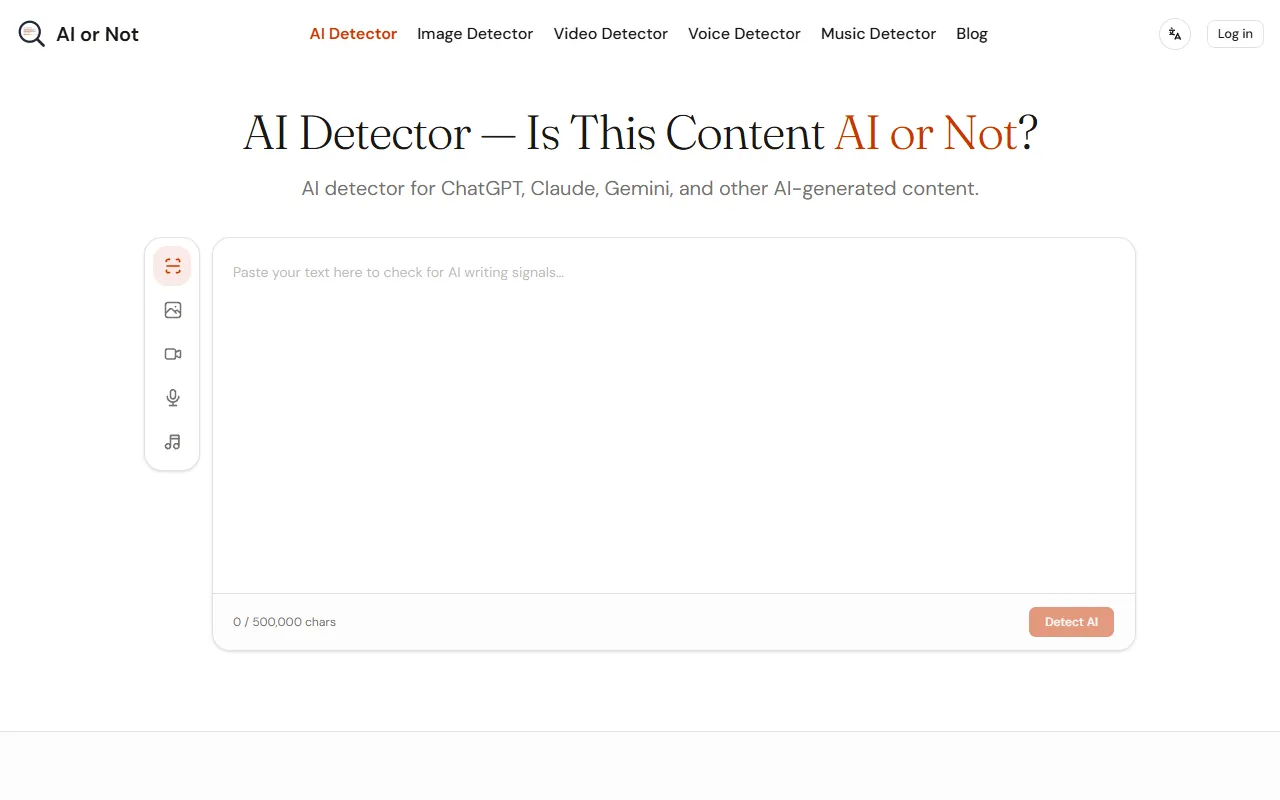
Detect AI-generated text from popular models like ChatGPT, Claude, and Gemini in seconds. With a color-coded heatmap, users can easily identify which sentences may be AI-written. Free to use, with options for paid upgrades.
AI or Not — official website
Imagine you’re a high school teacher receiving essays that seem suspiciously polished. You need a reliable way to determine if students are using AI models like ChatGPT to write their assignments. This is where you start seeking a tool that quickly distinguishes human writing from AI-generated text. Teachers, editors, and professionals facing similar challenges increasingly require accessible solutions to verify content authenticity without cumbersome steps or costs. They need a straightforward AI detection tool that’s quick to use and precise in its analysis, helping them maintain academic and professional integrity.
For those seeking a practical solution, the AI or Not tool is specifically tailored to detect AI-generated text with an intuitive interface. According to its marketing, you can paste text and receive an overall risk score alongside a detailed sentence-by-sentence breakdown. This feature provides insights into which portions of the text are likely AI-generated. The color-coded heatmap and confidence scores offer a visual guide to quickly identify AI-sounding passages, making it especially useful for professionals who need to review content promptly.
Key Features
- Color-Coded Heatmap — Quickly spot AI-generated passages at a glance, making it easier to assess large text blocks.
- Confidence Scores — Provides an AI-probability percentage to help gauge the likelihood of AI involvement in specific sentences.
- Catches Mixed Content — Flags sentences that are partly AI-generated, aiding in nuanced analysis rather than a binary conclusion.
Pros & Cons
- ✓ Offers sentence-level analysis for more precise feedback on AI-generation likelihood.
- ✓ Supports multiple languages, broadening its usability across different linguistic contexts.
- ✓ Free to use without the need for sign-up, removing barriers to access.
- ✗ Limited to text detection; doesn’t offer advanced analytics for images, video, or other multimedia.
- ✗ The website doesn’t specify any integration capabilities with other platforms, potentially limiting workflow efficiency.
A limitation to consider is for users needing comprehensive multi-format detection—this tool may fall short. While it excels at analyzing text, users looking to verify images, video, or audio content will need additional tools. Organizations requiring a holistic content verification approach could find themselves frustrated by the need to juggle multiple services, as AI or Not focuses its strength on text AI detection alone.
When compared to alternatives like Copyleaks or Turnitin, AI or Not stands out for those who prioritize ease of use and no-cost access, particularly for text. Copyleaks might be a better choice for those looking for a more integrated suite of plagiarism detection tools, while Turnitin serves academic environments needing comprehensive student submission analysis. Choose AI or Not if you need straightforward and immediate AI text detection without the need for subscriptions or complex installations.
Best For
This tool is ideal for educators, freelance writers, and small business owners who frequently evaluate text for authenticity. With its free access model, it’s particularly beneficial for those who need to analyze documents without incurring costs, making it suitable for budget-conscious users who require quick text verification.
The AI or Not tool is a practical choice for anyone needing fast and accessible AI detection. It’s particularly valuable for educators and content creators needing to ensure their work maintains credibility. If you’re after a no-cost, easy-to-use solution for identifying AI-generated text, AI or Not is a recommended option.
This review is based on publicly available information from the tool's official website and is written independently by the theWebrary editorial team. We do not accept payment for review content.
Share
Screenshots


Tool Overview
Latest Featured


Browse More Tools
View all
Planpoint
AI ProductivityCreate interactive stacking plans for real estate properties with Planpoint. Designed for property owners and managers, it offers a user-friendly interface tailored to various sectors. Access is free, making it an accessible choice for all users.

Pawjojo
AI ResearchLog meals, medications, weight, and symptoms for pets with ease, generating trends and vet-ready reports. Designed for dog and cat owners, Pawjojo features an extensive database of over 7,377 pet foods. Free to use with optional paid upgrades.

lora ai Anime LoRA Training
AI Image GenerationGenerate high-quality images and train custom Anime LoRA models for consistent character and manga styles. Designed for creators without design skills, the platform offers 5 free credits to start, with additional paid upgrades available.

mainaro
AI MarketingVisualizes real estate profits after taxes, allowing users to analyze cash flow and exit simulations for their portfolios. Offers a free location analysis for all 16 federal states, with the first property analysis available at no charge.

AI House Plan
AI Image GenerationGenerate detailed floor plans for houses, rooms, offices, and restaurants using prompts or sketches. Ideal for designers and homeowners seeking quick, editable layouts, with free access and optional paid upgrades for enhanced features.

GenImagePro
AI Image GenerationTransform photos into unique AI-generated visuals, styles, and scenes with GenImagePro’s image-to-image functionality. Ideal for artists, marketers, and anyone needing creative variations, it offers free access with optional paid upgrades.
Get Your AI Tool
In Front of Thousands
Join hundreds of AI tools already featured on theWebrary. Get priority placement, a dedicated listing page, and reach an audience actively searching for AI tools.
1 Month
$5
$6
3 Months
$10
Save 50%
12 Months
$20
Save 75%