Seedance 2.0 Mini
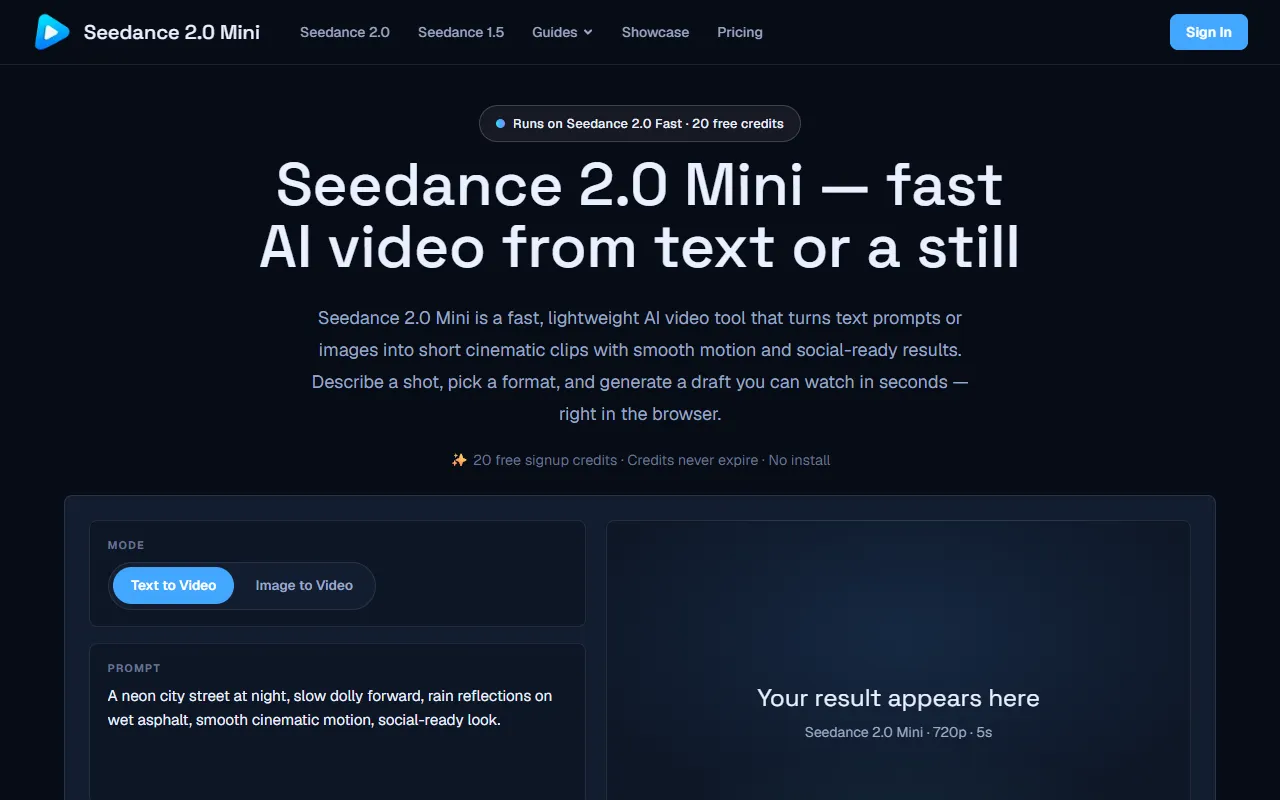
Generate short cinematic clips from text prompts or images with Seedance 2.0 Mini. Ideal for quick, social-ready video creation, it offers 20 free credits upon signup, with credits that never expire.
Seedance 2.0 Mini — official website
Imagine you’re a social media manager at a small startup, tasked with creating engaging video content for Instagram and TikTok. You don’t have the budget for a full video production team, and your skills in video editing are limited. The deadline is fast approaching, and you need to generate eye-catching videos quickly. This is where tools like Seedance 2.0 Mini can be a lifesaver, allowing you to transform text or still images into short, cinematic clips without the hassle of complex software or installations.
Seedance 2.0 Mini excels in generating fast, visually appealing video drafts directly in the browser. A specific workflow it supports is turning text prompts or images into short cinematic clips. You describe a scene using plain language, choose an aspect ratio and resolution, and in seconds, a draft video is rendered that you can preview and download. This workflow is ideal for social media managers who need quick, polished videos for platforms like Instagram and TikTok. The tool’s marketing emphasizes its ability to create social-ready clips with smooth motion, making it a practical solution for fast-paced content creation.
Key Features
- Cinematic multi-shot — Transforms a single prompt into a structured sequence, maintaining character consistency and scene logic.
- AI camera control — Enables intuitive camera movements like zooms and pans, described in plain language.
- Character consistency — Ensures stability in faces and outfits across shots for cohesive storytelling.
- Draft-fast & affordable — Offers a lightweight and cost-effective way to experiment with different video styles.
- Social-ready output — Provides multiple aspect ratios for platforms, ready for immediate upload.
Pros & Cons
- ✓ Generates drafts quickly and efficiently as described by the tool’s marketing
- ✓ Offers a flexible credit system with no expiration, allowing you to use it at your own pace
- ✓ Supports multiple aspect ratios for various social media platforms
- ✗ Limited to maximum 1080p resolution, which may not suffice for all professional needs
- ✗ Requires purchasing credits after the initial free ones, which may add up over time
If you’re a professional video editor or a content creator requiring high-resolution output and advanced editing capabilities, Seedance 2.0 Mini may not meet your needs. Its limitation to a maximum of 1080p and the absence of detailed editing features could frustrate those looking for comprehensive video production tools. It’s more suited for quick, social-ready content creation rather than detailed, high-quality video projects.
When compared to other tools like Lumen5 or InVideo, which offer comprehensive editing capabilities and higher resolutions, Seedance 2.0 Mini is ideal for those who prioritize speed and ease of use over in-depth editing features. Lumen5 might be better for users who need detailed customization and wider resolution options, while Seedance 2.0 Mini is suitable for quick drafts with minimal effort and cost.
Best For
Seedance 2.0 Mini is best for small teams or solo creators focused on generating quick, engaging video content for social media. With its credit-based pricing model and browser-based functionality, it’s particularly useful for startups and social media managers who need to produce multiple video drafts rapidly without investing heavily in full production tools.
Seedance 2.0 Mini is a solid choice for creators who need to generate quick, visually appealing drafts for social media platforms. It’s best for users who want to experiment with video styles without getting bogged down by complex software. The credit system allows you to pay as you go, making it a cost-effective option for occasional video projects. If you’re looking for a user-friendly tool that produces social-ready clips efficiently, Seedance 2.0 Mini is worth considering.
This review is based on publicly available information from the tool's official website and is written independently by the theWebrary editorial team. We do not accept payment for review content.
Share
Screenshots


Tool Overview
Latest Featured


Browse More Tools
View all
Planpoint
AI ProductivityCreate interactive stacking plans for real estate properties with Planpoint. Designed for property owners and managers, it offers a user-friendly interface tailored to various sectors. Access is free, making it an accessible choice for all users.

Pawjojo
AI ResearchLog meals, medications, weight, and symptoms for pets with ease, generating trends and vet-ready reports. Designed for dog and cat owners, Pawjojo features an extensive database of over 7,377 pet foods. Free to use with optional paid upgrades.

lora ai Anime LoRA Training
AI Image GenerationGenerate high-quality images and train custom Anime LoRA models for consistent character and manga styles. Designed for creators without design skills, the platform offers 5 free credits to start, with additional paid upgrades available.

mainaro
AI MarketingVisualizes real estate profits after taxes, allowing users to analyze cash flow and exit simulations for their portfolios. Offers a free location analysis for all 16 federal states, with the first property analysis available at no charge.

AI House Plan
AI Image GenerationGenerate detailed floor plans for houses, rooms, offices, and restaurants using prompts or sketches. Ideal for designers and homeowners seeking quick, editable layouts, with free access and optional paid upgrades for enhanced features.

GenImagePro
AI Image GenerationTransform photos into unique AI-generated visuals, styles, and scenes with GenImagePro’s image-to-image functionality. Ideal for artists, marketers, and anyone needing creative variations, it offers free access with optional paid upgrades.
Get Your AI Tool
In Front of Thousands
Join hundreds of AI tools already featured on theWebrary. Get priority placement, a dedicated listing page, and reach an audience actively searching for AI tools.
1 Month
$5
$6
3 Months
$10
Save 50%
12 Months
$20
Save 75%