RemoveSynthID
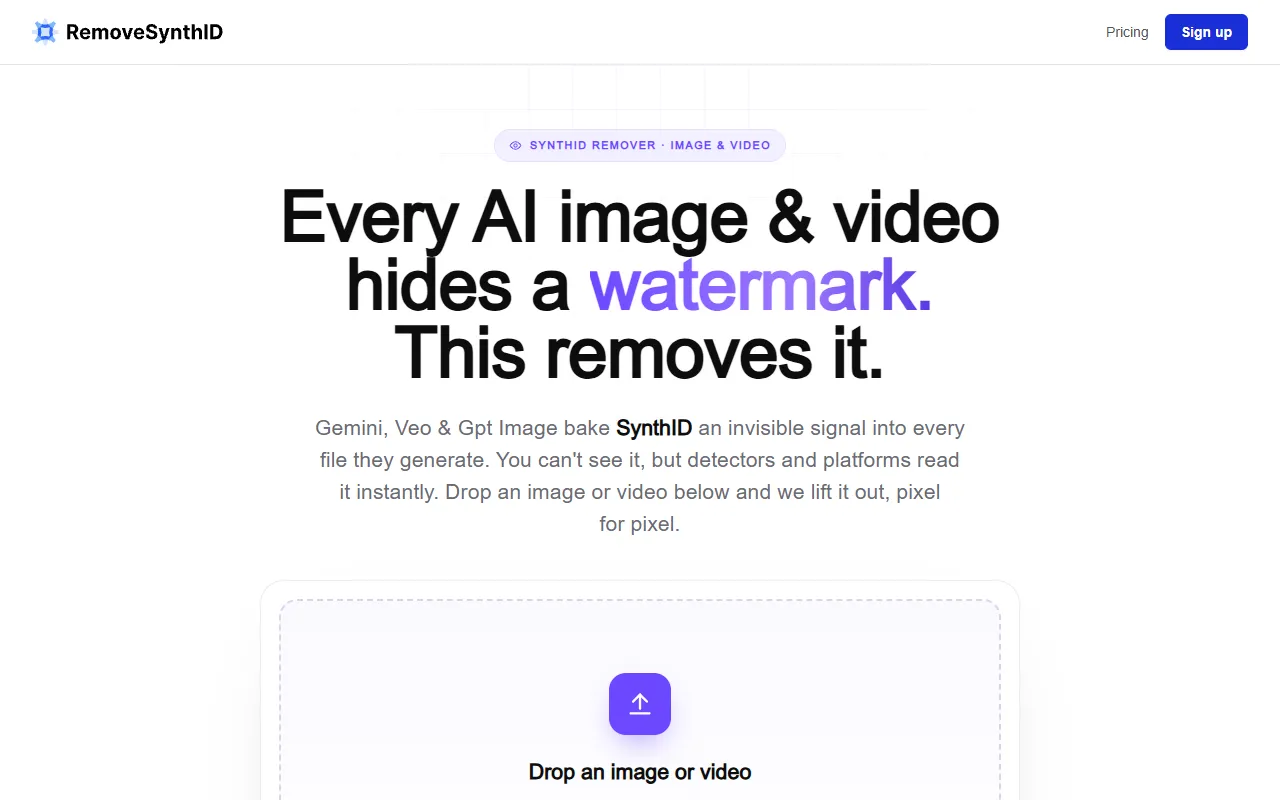
Remove invisible SynthID watermarks from AI-generated images and videos without quality loss. This tool processes files directly in the browser, ensuring privacy and original quality. Free to use.
RemoveSynthID — official website
Imagine you’re a content creator working with AI-generated visuals for a major campaign. The images and videos you produce using tools like Gemini and Veo are stunning, but you’re concerned about the invisible watermarks embedded in these files. These marks could affect how platforms read your content, potentially impacting its reach and effectiveness. You’re on a tight deadline and need a reliable way to ensure all AI identifiers are removed without compromising quality. This is where you start searching for a tool that can help you process your files quickly and privately.
RemoveSynthID excels at providing a solution for this exact issue. Utilizing its in-browser processing, you can simply drop your AI-generated image or video into the tool, and it locates the invisible SynthID watermarks and C2PA tags. The tool then rewrites your file to remove these watermarks, ensuring that the visual quality remains pixel-perfect. This means you can share or publish your content without the risk of it being flagged as AI-generated by platforms or detectors. The process is straightforward and requires no file uploads, ensuring your content stays private and secure. This description is based directly on the tool’s own marketing.
Key Features
- SynthID Removal — Strips invisible watermarks from AI-generated content without any quality loss.
- Local Processing — Files are processed directly in your browser, maintaining privacy as no data leaves your device.
- C2PA Tag Removal — Removes AI provenance tags that are embedded within the file, ensuring it appears as non-AI-generated.
- Compatibility — Supports a range of formats including PNG, JPG, MP4, and MOV for versatile use.
- No Expiry on Credits — Purchased credits stay on your account indefinitely, providing flexibility in usage.
Pros & Cons
- ✓ Processes both images and videos, offering wide applicability for different content types.
- ✓ Files are handled locally, ensuring user privacy throughout the process.
- ✓ Provides a free trial with no credit card required, allowing users to test the service risk-free.
- ✗ The website doesn’t specify if it supports batch processing, which may limit efficiency for users with large volumes of content.
- ✗ Only works on content generated by specific tools like Gemini, Veo, or Imagen, restricting its usefulness for other AI sources.
If you’re a video editor dealing with numerous short clips, RemoveSynthID might not be the most efficient option unless you’re only handling a few files at a time. The lack of explicit batch processing functionality means you’ll find it time-consuming if you need to individually process each file. Users looking for a solution to handle bulk content quickly might feel frustrated by this limitation.
For those considering alternatives, ChromaStudio offers a robust set of tools for editing AI-generated content, but it may lack the specific SynthID removal capability. If your priority is ensuring AI identifiers are completely removed, RemoveSynthID is the better choice. However, if you’re looking for a more comprehensive editing suite that doesn’t focus as much on watermark removal, ChromaStudio might be your alternative.
Best For
RemoveSynthID is ideal for freelance designers or small marketing teams who frequently work with AI-generated content from tools like Gemini and Veo. Its pricing model, which allows credits to be purchased as needed without expiry, suits users who need flexible, on-demand processing. It’s best for those who prioritize privacy and quality retention in their content removal process.
RemoveSynthID is a valuable tool for content creators who need to ensure that their AI-generated visuals remain unflagged on platforms while retaining original quality. Its local processing and flexible credit system make it a practical choice for individuals and small teams who need reliable watermark removal. Choose RemoveSynthID if privacy and pixel-perfect quality are crucial to your workflow.
This review is based on publicly available information from the tool's official website and is written independently by the theWebrary editorial team. We do not accept payment for review content.
Share
Screenshots


Tool Overview
Latest Featured


Browse More Tools
View all
Time Overlay
AI Image GenerationGenerate transparent countdown timer overlays for video editing projects with Time Overlay. This tool allows users to customize duration, style, and position before exporting in formats like PNG or WebM. It’s available for free, making it accessible for content creators and editors.

Yume Comic
AI Image GenerationCreate manga, webtoons, and cartoon panels from text or images in just seconds. Ideal for storytellers without drawing skills, Yume Comic enables users to bring their ideas to life with a free tier and optional paid upgrades.

Hubfluence
AI MarketingAutomates outreach and management for TikTok Shop brands and agencies by connecting them with creators to drive sales. Users can access a database of over 4 million creators to find the best partnerships. Free to start with options for paid upgrades.

Combos AI: Turn Text into Gmae with AI Free Online – No coding & No Sign-up
AI ProductivityTurn text into games effortlessly with Combos, an AI-driven platform for game development. Designed for creators of all skill levels, it requires no coding or sign-up, making game creation accessible and free.

Instagram Email Scraper
AI Customer SupportExtracts emails and phone numbers from Instagram followers and those followed, exporting the data to Excel or CSV formats with a single click. Ideal for businesses looking to enhance their outreach efforts. Free to use with options for paid upgrades.

CustomTattoo AI
AI Image GenerationGenerate unique tattoo designs and visualize them on your own skin before getting inked. Ideal for anyone considering a tattoo, it offers 3 free credits to start, with additional paid upgrades available.
Get Your AI Tool
In Front of Thousands
Join hundreds of AI tools already featured on theWebrary. Get priority placement, a dedicated listing page, and reach an audience actively searching for AI tools.
1 Month
$5
$6
3 Months
$10
Save 50%
12 Months
$20
Save 75%