VisoMaster
Swaps faces in videos with realistic detail and color matching for dynamic visual storytelling. Ideal for content creators and marketers looking to enhance their video projects. Free to use with optional paid upgrades.
VisoMaster — official website
Creating video content with a unique twist can be challenging, especially for digital marketers or video editors on tight deadlines. Imagine needing to produce a promotional video with a celebrity’s face seamlessly swapped onto a product ambassador. The task demands precision and speed, and manual editing is time-consuming. This is where a tool like VisoMaster comes in handy. Designed to simplify the face-swapping process in videos and images, its AI-powered capabilities promise fast and realistic results, making it a desirable solution for content creators looking to enhance their projects efficiently.
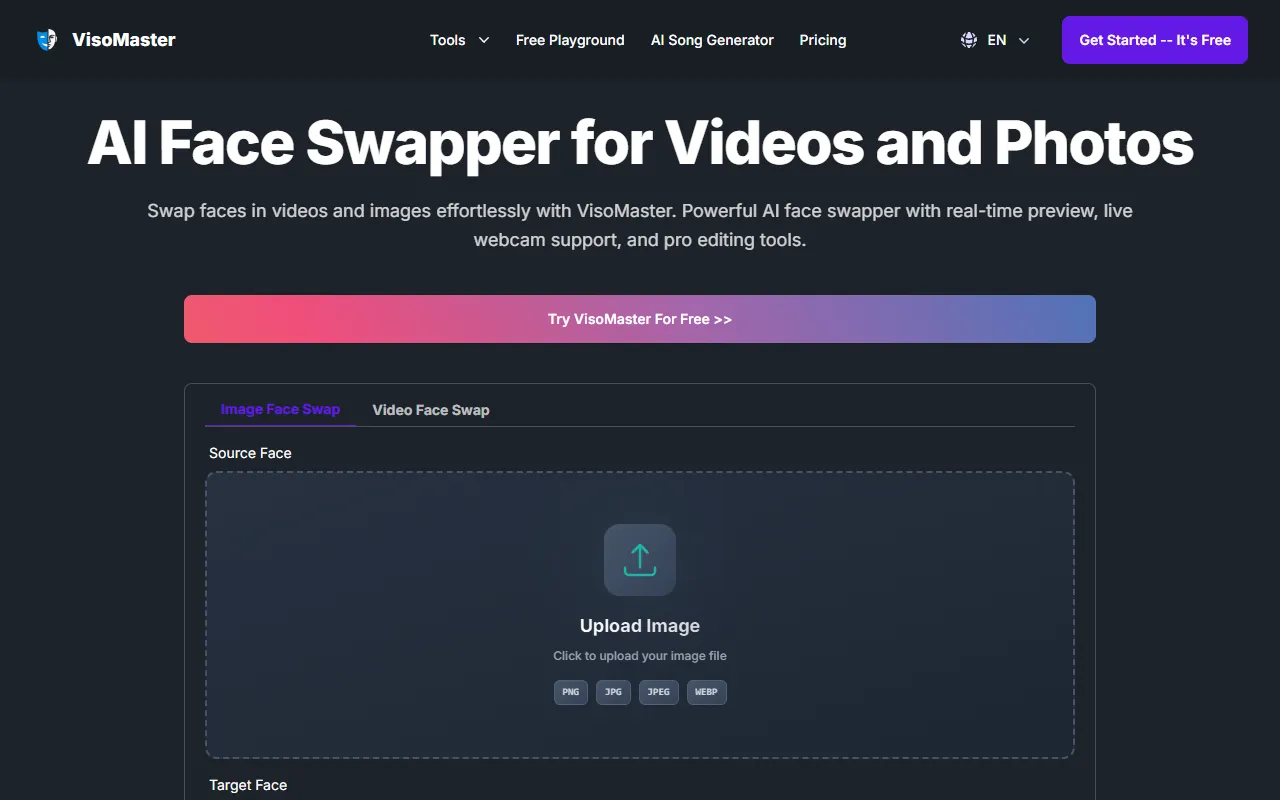
VisoMaster excels in face swapping for videos by incorporating a user-friendly workflow. You start by uploading your video or image in formats like MP4 or JPEG. The tool allows you to select both source and target faces, using integrated face detectors to maintain natural results. With its advanced video face swapping engine, you can preview changes in real time and tweak settings using video markers for precision. After the adjustments, the final step is to export your face-swapped video, ensuring a professional finish. This process, as described on VisoMaster’s website, highlights its ability to combine speed and quality.
Key Features
- Real-Time Preview — Allows you to see changes instantly, facilitating precise adjustments.
- Multi-Face Swapper Support — Enables swapping multiple faces in one video, ideal for group scenes.
- Expression Restorer — Preserves natural expressions and facial movements, ensuring realistic swaps.
- DeepFaceLab Compatibility — Supports custom models for users needing advanced customization.
- Live Webcam Support — Facilitates real-time face swapping directly from webcam input.
Pros & Cons
- ✓ Offers real-time editing and live preview to refine video outputs quickly
- ✓ Supports multiple face swaps in a single video, adding flexibility for complex edits
- ✓ Compatible with DeepFaceLab, allowing the use of custom models for enhanced customization
- ✗ Free plan is extremely limited with only 10 credits per month
- ✗ Unlimited generation can be unstable with frequent errors, as noted in the pricing details
For freelance video editors or content creators who rely on stability and high-quality outputs, VisoMaster’s free plan may prove frustrating due to its severe credit limitations and instability in unlimited generation. These constraints might interrupt the workflow, especially when working on large or multiple projects simultaneously. Users with a need for robust and error-free processing may need to consider subscribing to higher-tier plans or look for alternatives with fewer operational constraints.
When comparing VisoMaster with other tools like DeepArt or Reface, VisoMaster stands out with its professional-grade editing tools and DeepFaceLab compatibility. DeepArt focuses more on artistic style transfers, while Reface is more of a consumer-oriented app for quick face swaps. Professionals requiring precise control and multiple face swaps per video should lean towards VisoMaster. However, those looking for simpler, recreational swaps might find Reface more suited to their needs due to its ease of use and consumer-friendly interface.
Best For
VisoMaster is best suited for professional video editors and content creators who need to produce high-quality, realistic face swaps in videos and images. Its tiered pricing model offers flexibility, but those working on serious projects might benefit from the higher-tier plans for better stability and higher resolution outputs. Ideal for small creative agencies or freelancers working on sophisticated video marketing campaigns.
VisoMaster is a solid choice for professionals needing detailed and realistic face swapping capabilities. Its compatibility with DeepFaceLab models and robust editing features make it ideal for content creators requiring precision. However, the credit limitations of its free plan may hinder extensive use. For those looking for a professional-grade tool, VisoMaster offers a strong option, especially at higher subscription tiers.
This review is based on publicly available information from the tool's official website and is written independently by the theWebrary editorial team. We do not accept payment for review content.
Share
Tool Overview
Latest Featured


Browse More Tools
View all
Time Overlay
AI Image GenerationGenerate transparent countdown timer overlays for video editing projects with Time Overlay. This tool allows users to customize duration, style, and position before exporting in formats like PNG or WebM. It’s available for free, making it accessible for content creators and editors.

Yume Comic
AI Image GenerationCreate manga, webtoons, and cartoon panels from text or images in just seconds. Ideal for storytellers without drawing skills, Yume Comic enables users to bring their ideas to life with a free tier and optional paid upgrades.

Hubfluence
AI MarketingAutomates outreach and management for TikTok Shop brands and agencies by connecting them with creators to drive sales. Users can access a database of over 4 million creators to find the best partnerships. Free to start with options for paid upgrades.

Combos AI: Turn Text into Gmae with AI Free Online – No coding & No Sign-up
AI ProductivityTurn text into games effortlessly with Combos, an AI-driven platform for game development. Designed for creators of all skill levels, it requires no coding or sign-up, making game creation accessible and free.

Instagram Email Scraper
AI Customer SupportExtracts emails and phone numbers from Instagram followers and those followed, exporting the data to Excel or CSV formats with a single click. Ideal for businesses looking to enhance their outreach efforts. Free to use with options for paid upgrades.

CustomTattoo AI
AI Image GenerationGenerate unique tattoo designs and visualize them on your own skin before getting inked. Ideal for anyone considering a tattoo, it offers 3 free credits to start, with additional paid upgrades available.
Get Your AI Tool
In Front of Thousands
Join hundreds of AI tools already featured on theWebrary. Get priority placement, a dedicated listing page, and reach an audience actively searching for AI tools.
1 Month
$5
$6
3 Months
$10
Save 50%
12 Months
$20
Save 75%