Vivideo
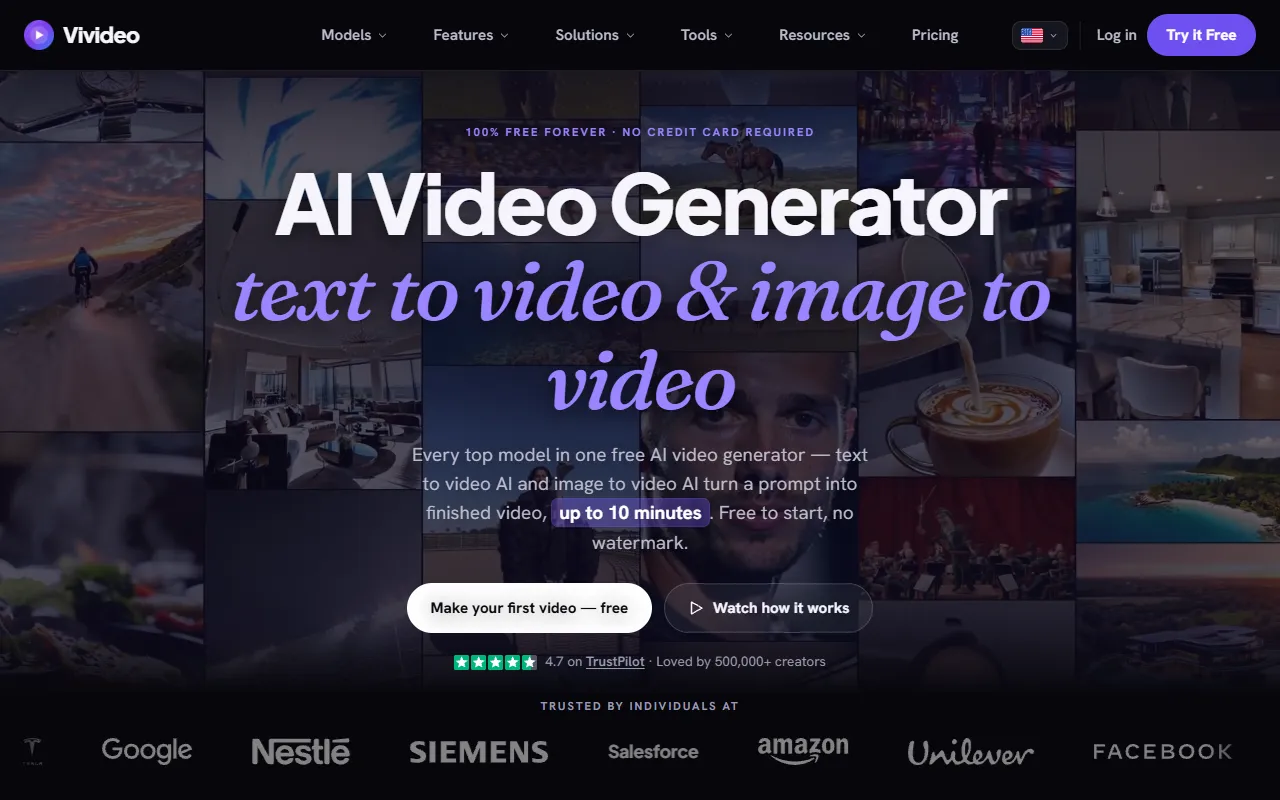
Create videos from text or images with Vivideo, a free AI video generator that produces content without watermarks. Ideal for social media creators, it offers a variety of templates and automation features at no cost and no credit card required.
Vivideo — official website
Imagine you’re a content creator working on a tight schedule to produce engaging video content for multiple social media platforms. The challenge lies in the limited resources and time to generate high-quality videos without a dedicated production team. You need a tool that simplifies video creation, allowing you to transform text and images into engaging videos quickly. This is where an AI video generator like Vivideo comes into play, promising to turn simple prompts into compelling videos without needing a credit card or additional software.
Vivideo shines in its ability to generate video content from text and images. Using the AI Video Generator, you can type in a descriptive prompt, and the tool creates a full video complete with visuals, voiceovers, and music. This process involves minimal input, as Vivideo’s AI handles scene planning, avatar casting, and voice selection. The resulting video is ready for download or sharing, and you can accomplish all of this without watermarks, even in HD quality. This workflow is based on Vivideo’s marketing claims, which suggest a streamlined process for content creation.
Key Features
- AI Video Generator — Transforms text or images into videos with scenes, avatars, and voices, useful for quick content creation.
- AI Avatars — Create lifelike avatars from prompts or photos, enhancing personalization in videos.
- AI Voices — Generate multilingual voices, clone your own, or craft a new one to suit various video contexts.
- Brand Kit — Automatically incorporates logos, colors, and fonts from a URL, ensuring consistency across videos.
- Integration Options — Connect to platforms like TikTok and Google Drive for seamless video publishing.
Pros & Cons
- ✓ Wide range of AI models available for video creation
- ✓ Free to use without watermarks
- ✓ Easy brand integration with automatic logo and color extraction
- ✗ Long-form video creation is limited to 10 minutes
- ✗ Certain advanced features may require more credits than available in the free plan
While Vivideo offers excellent features for video creation, it might not be suitable for users who need videos longer than 10 minutes. This could frustrate educators or marketers needing extended tutorials or webinars. The free plan’s credit system might also limit users who need to produce high-quality videos frequently, as exceeding the credit limit would necessitate plan upgrades.
Vivideo competes with tools like InVideo and Pictory. InVideo might be preferred for those who need more template-driven editing with extensive stock footage options. Pictory, on the other hand, offers robust text-to-video capabilities with detailed editing features. If you’re seeking a free tool without watermarks and easy brand integration, Vivideo stands out. However, for more advanced editing and longer video needs, exploring paid alternatives might be beneficial.
Best For
Vivideo is ideal for small business owners, solo content creators, or educators who need to generate short-form video content quickly and at no cost. The pricing model is free, making it accessible for those who need basic but high-quality AI-driven video solutions without financial commitment.
Vivideo is a solid choice for those who need a hassle-free, cost-effective solution for creating videos from text or images with minimal input. It excels in offering free, watermark-free video outputs, making it particularly valuable for content creators working within tight budgets and time constraints. For anyone in need of a quick and easy way to produce professional-looking videos without advanced editing skills, Vivideo is worth considering.
This review is based on publicly available information from the tool's official website and is written independently by the theWebrary editorial team. We do not accept payment for review content.
Share
Screenshots


Tool Overview
Latest Featured


Browse More Tools
View all
Planpoint
AI ProductivityCreate interactive stacking plans for real estate properties with Planpoint. Designed for property owners and managers, it offers a user-friendly interface tailored to various sectors. Access is free, making it an accessible choice for all users.

Pawjojo
AI ResearchLog meals, medications, weight, and symptoms for pets with ease, generating trends and vet-ready reports. Designed for dog and cat owners, Pawjojo features an extensive database of over 7,377 pet foods. Free to use with optional paid upgrades.

lora ai Anime LoRA Training
AI Image GenerationGenerate high-quality images and train custom Anime LoRA models for consistent character and manga styles. Designed for creators without design skills, the platform offers 5 free credits to start, with additional paid upgrades available.

mainaro
AI MarketingVisualizes real estate profits after taxes, allowing users to analyze cash flow and exit simulations for their portfolios. Offers a free location analysis for all 16 federal states, with the first property analysis available at no charge.

AI House Plan
AI Image GenerationGenerate detailed floor plans for houses, rooms, offices, and restaurants using prompts or sketches. Ideal for designers and homeowners seeking quick, editable layouts, with free access and optional paid upgrades for enhanced features.

GenImagePro
AI Image GenerationTransform photos into unique AI-generated visuals, styles, and scenes with GenImagePro’s image-to-image functionality. Ideal for artists, marketers, and anyone needing creative variations, it offers free access with optional paid upgrades.
Get Your AI Tool
In Front of Thousands
Join hundreds of AI tools already featured on theWebrary. Get priority placement, a dedicated listing page, and reach an audience actively searching for AI tools.
1 Month
$5
$6
3 Months
$10
Save 50%
12 Months
$20
Save 75%